You can update a registered service interceptor (for example, when deploying a newer version for code fixes or enhancements) by reuploading the same package file and using the update operation. The steps for updating an interceptor file are the same as those for uploading a service interceptor. After uploading the updated file, follow these steps to register the interceptor with ArcGIS Server:
-
Navigate to https://<domainname>:6443/arcgis/admin/system/interceptors.
-
Click update.
-
Paste the Item ID of the interceptor and click Update.
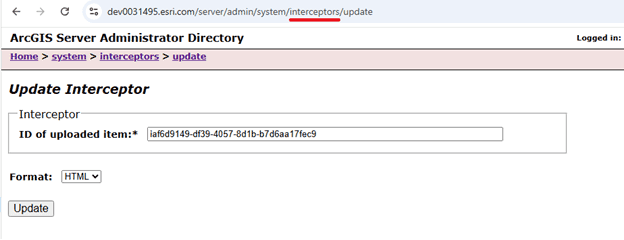
At this point service interceptor is updated successfully. The update operation is only applicable to interceptors that have already been registered with ArcGIS Server.