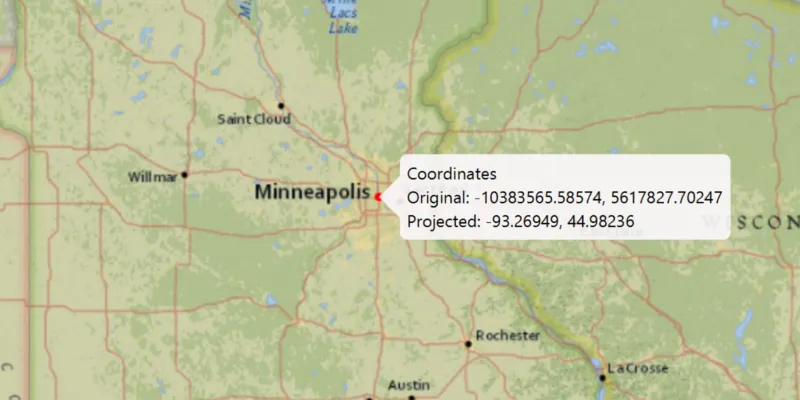
A spatial reference
Spatial references can be referred to by a well-known ID (WKID)—an integer value. Some common WKIDs are mentioned in the text below; for a more complete description, see Spatial reference specifications in this topic.
Why spatial reference is important
To integrate spatial data together into a map or when performing analysis, map coordinates are used to locate things on the Earth’s surface. Coordinates are expressed with respect to a coordinate-system
Coordinate systems and projections
Data is defined in both horizontal and vertical coordinate systems. Horizontal coordinate systems locate data across the surface of the earth, and are split into categories: geographic, projected, and local:
- Geographic coordinate systems (GCSs) use a three-dimensional ellipsoidal surface to define locations. The coordinates are based on angles from the center of the Earth to the surface. Typically GCSs use latitude and longitude specified in degrees. The coordinates derived from a GPS device are returned in a GCS named WGS84 (WKID=4326).
- Projected coordinate systems (PCSs) are variously described as planar (two-dimensional), Cartesian, or “flat.” Unlike a GCS, a PCS has constant lengths, angles, and areas across the two dimensions. PCSs use a geographic coordinate system projected onto a flat surface for display. There are various projections with different desirable characteristics. Some preserve accuracy in particular areas of the Earth, others are better at maintaining the shape of features, while others favor accurate area or distance measurements. Coordinates are identified by x,y coordinates on a grid. Most basemaps from ArcGIS Online and Google use the same projected coordinate system named Web Mercator Auxiliary Sphere (WKID=3857).
- Local coordinate systems are often unrelated to any other coordinate system. The origin and the x,y coordinate units correspond to a local point of reference. Because the relationship of a local coordinate system to another coordinate system cannot be established easily, these are sometimes referred to as unknown coordinate systems.
Vertical coordinate systems (VCSs) are important when working with 3D data. A VCS defines vertical linear units of measure, the origin of z-values, and whether z-values are “positive up” (representing heights above a surface) or “positive down” (indicating that values are depths below a surface). There are two main types of VCS. Ellipsoidal systems measure z-values are from a mathematically-defined three-dimensional ellipsoidal surface. Most data collected via Global Navigation Satellite System receivers, for example GPS, is in an ellipsoidal VCS. Gravity based systems measure z-values from an analytical surface that represents mean sea level. Gravity based VCSs are more commonly used to display and work with 3D data. A spatial reference may or may not have a VCS set. Any particular vertical coordinate system may be used with different horizontal coordinate systems.
The following resources related to spatial references are available on the downloads page:
- Coordinate Systems and Transformations Tables
- Projection Engine Data (grid-based transformations and raster spatial reference data)
When you need to know about spatial references
When you use layers with different spatial references, where possible, geometries are automatically reprojected
- Add data to the map
- Edit data
- Perform analysis
- Convert geometries from one spatial reference to another
See the Work with spatial reference topic for more information.
A transformation
Spatial reference specifications
To define a spatial reference, you can use either a Well-Known ID (WKID) integer value or a text string definition referred to as Well-Known Text (WKT). WKIDs are defined by standards bodies or organizations, with each value representing a specific spatial reference. ArcGIS supports a variety of WKIDs, typically those defined by the European Petroleum Survey Group (EPSG) or Esri, as well as a few other commonly used IDs. You can optionally define a vertical coordinate system for a spatial reference, by using a second WKID. In contrast, WKT text describes all necessary parameters of a spatial reference.
Coordinate Systems and Transformations Tables
To see a list of supported WKIDs and their WKT definitions for geographic coordinate systems, projected coordinate systems, vertical coordinate systems, and transformations, download the Coordinate Systems and Transformation Tables from the download area.
Linear, angular, and area units can also be defined by WKID or WKT, and are used by many spatial reference and geometry related API members. These WKIDs are also included in Coordinate Systems and Transformation Tables.
Projection Engine Data downloads
ArcGIS Maps SDK for Kotlin supports many spatial references and datum transformations out of the box, but can use supplemental files to support additional spatial references, and to perform specific grid-based transformations.
Learn more at Projection Engine Data downloads.