Authenticate with ArcGIS Online (or your own portal) using OAuth2 to access secured resources (such as private web maps or layers).
Use case
Your app may need to access items that are only shared with authorized users. For example, your organization may host private data layers or feature services that are only accessible to verified users. You may also need to take advantage of premium ArcGIS Online services, such as geocoding or routing services, which require a named user login.
How to use the sample
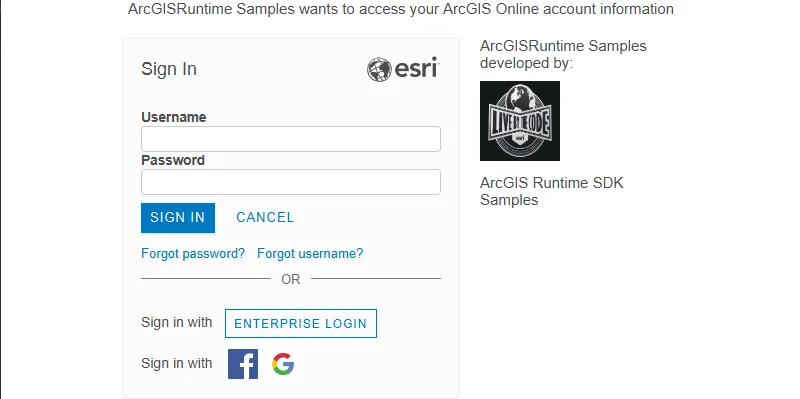
When you run the sample, the app will load a web map which contains premium content. You will be challenged for an ArcGIS Online login to view the private layers. Enter a user name and password for an ArcGIS Online named user account (such as your ArcGIS for Developers account). If you authenticate successfully, the traffic layer will display, otherwise the map will contain only the basemap style layer.
How it works
- Create an
OAuthConfigurationspecifying the portal URL, client ID, and redirect URL. - Set the
AuthenticationManager’sAuthenticationChallengeHandlerto aDefaultAuthenticationChallengeHandler. - Add the OAuth configuration to the authentication manager.
- Load a map with premium content requiring authentication to automatically invoke the default authentication handler.
Relevant API
- AuthenticationChallengeHandler
- AuthenticationManager
- OAuthConfiguration
- PortalItem
Additional information
The workflow presented in this sample works for all SAML based enterprise (IWA, PKI, Okta, etc.) & social (Facebook, Google, etc.) identity providers for ArcGIS Online or Portal. For more information, see the topic Set up enterprise logins.
For additional information on using Oauth in your app, see the topic Authenticate with the API in Mobile and Native Named User Login.
To setup and access your own app using this sample (using your own ArcGIS portal), see the OAuth Pattern document.
Tags
authentication, cloud, credential, OAuth, portal, security
Sample code
/* * Copyright 2017 Esri. * * Licensed under the Apache License, Version 2.0 (the "License"); you may not * use this file except in compliance with the License. You may obtain a copy of * the License at * * http://www.apache.org/licenses/LICENSE-2.0 * * Unless required by applicable law or agreed to in writing, software * distributed under the License is distributed on an "AS IS" BASIS, WITHOUT * WARRANTIES OR CONDITIONS OF ANY KIND, either express or implied. See the * License for the specific language governing permissions and limitations under * the License. */
package com.esri.samples.oauth;
import javafx.application.Application;import javafx.scene.Scene;import javafx.scene.layout.StackPane;import javafx.stage.Stage;
import com.esri.arcgisruntime.mapping.ArcGISMap;import com.esri.arcgisruntime.mapping.view.MapView;import com.esri.arcgisruntime.portal.Portal;import com.esri.arcgisruntime.portal.PortalItem;import com.esri.arcgisruntime.security.AuthenticationManager;import com.esri.arcgisruntime.security.DefaultAuthenticationChallengeHandler;import com.esri.arcgisruntime.security.OAuthConfiguration;
public class OAuthSample extends Application {
  private MapView mapView;
  @Override  public void start(Stage stage) {
    try {      // create stack pane and application scene      StackPane stackPane = new StackPane();      Scene scene = new Scene(stackPane);
      // set title, size, and add scene to stage      stage.setTitle("Authenticate With OAuth Sample");      stage.setWidth(800);      stage.setHeight(700);      stage.setScene(scene);      stage.show();
      // create a map view      mapView = new MapView();
      // set up an oauth config with url to portal, a client id and a re-direct url      OAuthConfiguration oAuthConfiguration = new OAuthConfiguration("https://www.arcgis.com/", "lgAdHkYZYlwwfAhC", "urn:ietf:wg:oauth:2.0:oob");
      // set up the authentication manager to handle authentication challenges      DefaultAuthenticationChallengeHandler defaultAuthenticationChallengeHandler = new DefaultAuthenticationChallengeHandler();      AuthenticationManager.setAuthenticationChallengeHandler(defaultAuthenticationChallengeHandler);      // add the OAuth configuration      AuthenticationManager.addOAuthConfiguration(oAuthConfiguration);
      // load the portal and add the portal item as a map to the map view      Portal portal = new Portal("https://www.arcgis.com/", true);      PortalItem portalItem = new PortalItem(portal, "e5039444ef3c48b8a8fdc9227f9be7c1");      ArcGISMap portalMap = new ArcGISMap(portalItem);      mapView.setMap(portalMap);
      // add the map view to stack pane      stackPane.getChildren().addAll(mapView);
    } catch (Exception e) {      // on any error, display the stack trace.      e.printStackTrace();    }  }
  /**   * Stops and releases all resources used in application.   */  @Override  public void stop() {
    if (mapView != null) {      mapView.dispose();    }  }
  /**   * Opens and runs application.   *   * @param args arguments passed to this application   */  public static void main(String[] args) {
    Application.launch(args);  }}