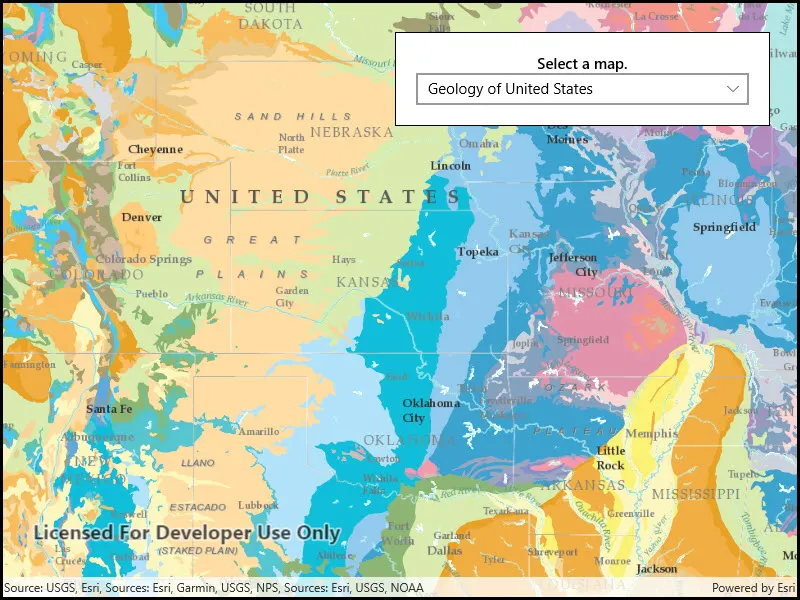
Display a web map.
Use case
For displaying web maps stored on ArcGIS Online.
How to use the sample
A web map can be selected from the drop-down list. On selection the web map displays in the map view.
How it works
- Create a
Portalfrom the ArcGIS URL http://www.arcgis.com. - Create a
PortalItemusing the Portal and the web map ID:new PortalItem(portal, ID). - Create a
Mapusing the portal item. - Set the map to the
MapView.
Relevant API
- Map
- MapView
- Portal
- PortalItem
About the data
The web maps accessed by this sample show Geology for United States, Terrestrial Ecosystems of the World and Recent Hurricanes, Cyclones and Typhoons.
Tags
portal item, web map
Sample code
<UserControl x:Class="ArcGIS.UWP.Samples.OpenMapURL.OpenMapURL" xmlns="http://schemas.microsoft.com/winfx/2006/xaml/presentation" xmlns:x="http://schemas.microsoft.com/winfx/2006/xaml" xmlns:esriUI="using:Esri.ArcGISRuntime.UI.Controls"> <Grid> <esriUI:MapView x:Name="MyMapView" /> <Border Style="{StaticResource BorderStyle}"> <StackPanel> <TextBlock Text="Select a map." TextAlignment="Center" FontWeight="SemiBold" /> <ComboBox x:Name="MapList" HorizontalAlignment="Stretch" SelectionChanged="MapSelectionChanged" /> </StackPanel> </Border> </Grid></UserControl>// Copyright 2021 Esri.//// Licensed under the Apache License, Version 2.0 (the "License"); you may not use this file except in compliance with the License.// You may obtain a copy of the License at: http://www.apache.org/licenses/LICENSE-2.0//// Unless required by applicable law or agreed to in writing, software distributed under the License is distributed on an// "AS IS" BASIS, WITHOUT WARRANTIES OR CONDITIONS OF ANY KIND, either express or implied. See the License for the specific// language governing permissions and limitations under the License.
using Esri.ArcGISRuntime.Mapping;using System;using Windows.UI.Xaml.Controls;
namespace ArcGIS.UWP.Samples.OpenMapURL{ [ArcGIS.Samples.Shared.Attributes.Sample( name: "Open map URL", category: "Map", description: "Display a web map.", instructions: "A web map can be selected from the drop-down list. On selection the web map displays in the map view.", tags: new[] { "portal item", "web map" })] public partial class OpenMapURL { // String array to hold urls to publicly available web maps. private string[] _itemURLs = { "https://arcgis.com/home/item.html?id=92ad152b9da94dee89b9e387dfe21acd", "https://arcgis.com/home/item.html?id=5be0bc3ee36c4e058f7b3cebc21c74e6", "https://arcgis.com/home/item.html?id=064f2e898b094a17b84e4a4cd5e5f549" };
// String array to store titles for the webmaps specified above. private string[] _titles = { "Geology for United States", "Terrestrial Ecosystems of the World", "Recent Hurricanes, Cyclones and Typhoons" };
public OpenMapURL() { InitializeComponent(); Initialize(); }
private void Initialize() { // Set titles as a items source. MapList.ItemsSource = _titles;
// Select the first option in the map titles. MapList.SelectedIndex = 0;
// Show the first webmap by default. MyMapView.Map = new Map(new Uri(_itemURLs[0])); }
private void MapSelectionChanged(object sender, SelectionChangedEventArgs e) { // Create a new Map instance with url of the webmap that selected. MyMapView.Map = new Map(new Uri(_itemURLs[MapList.SelectedIndex])); } }}