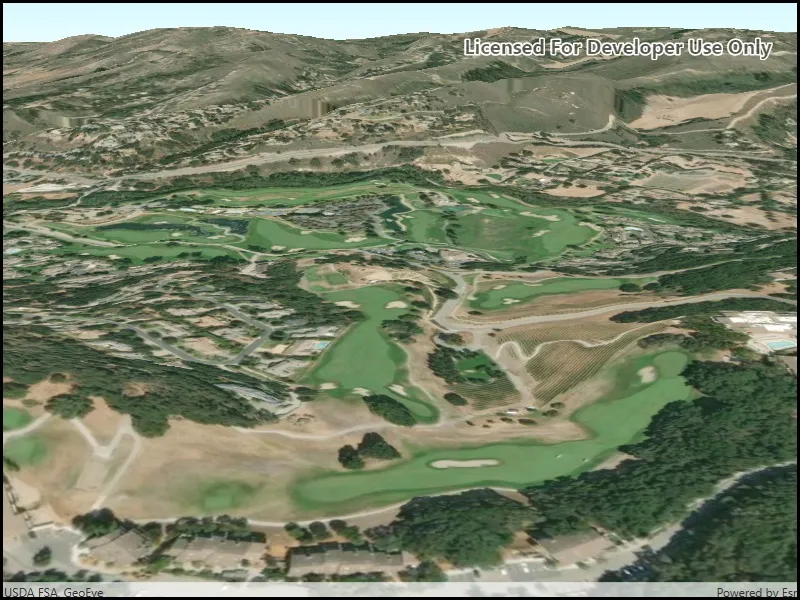
Set the terrain surface with elevation described by a raster file.
Use case
In a scene view, the terrain surface is what the basemap, operational layers, and graphics are draped onto. For example, when viewing a scene in a mountainous region, applying a terrain surface to the scene will help in recognizing the slopes, valleys, and elevated areas.
How to use the sample
When loaded, the sample will show a scene with a terrain surface applied. Pan and zoom to explore the scene and observe how the terrain surface allows visualizing elevation differences.
How it works
- Create a
Sceneand add it to aSceneView. - Create a
RasterElevationSourcewith a list of raster file paths. - Add this source to the scene’s base surface:
Scene.BaseSurface.ElevationSources.Add(rasterElevationSource).
Relevant API
- RasterElevationSource
- Surface
Additional information
Supported raster formats include:
- ASRP/USRP
- CIB1, 5, 10
- DTED0, 1, 2
- GeoTIFF
- HFA
- HRE
- IMG
- JPEG
- JPEG 2000
- NITF
- PNG
- RPF
- SRTM1, 2
Tags
3D, elevation, raster, surface, terrain
Sample code
// Copyright 2019 Esri.//// Licensed under the Apache License, Version 2.0 (the "License"); you may not use this file except in compliance with the License.// You may obtain a copy of the License at: http://www.apache.org/licenses/LICENSE-2.0//// Unless required by applicable law or agreed to in writing, software distributed under the License is distributed on an// "AS IS" BASIS, WITHOUT WARRANTIES OR CONDITIONS OF ANY KIND, either express or implied. See the License for the specific// language governing permissions and limitations under the License.
using ArcGIS.Samples.Managers;using Esri.ArcGISRuntime.Mapping;
namespace ArcGIS.WPF.Samples.CreateTerrainSurfaceRaster{    [ArcGIS.Samples.Shared.Attributes.Sample(        name: "Create terrain surface from a local raster",        category: "Scene",        description: "Set the terrain surface with elevation described by a raster file.",        instructions: "When loaded, the sample will show a scene with a terrain surface applied. Pan and zoom to explore the scene and observe how the terrain surface allows visualizing elevation differences.",        tags: new[] { "3D", "elevation", "raster", "surface", "terrain" })]    [ArcGIS.Samples.Shared.Attributes.OfflineData("98092369c4ae4d549bbbd45dba993ebc")]    public partial class CreateTerrainSurfaceRaster    {        public CreateTerrainSurfaceRaster()        {            InitializeComponent();            Initialize();        }
        private void Initialize()        {            // Create the scene.            MySceneView.Scene = new Scene(BasemapStyle.ArcGISImageryStandard);
            // Get the path to the elevation raster.            string packagePath = DataManager.GetDataFolder("98092369c4ae4d549bbbd45dba993ebc", "MontereyElevation.dt2");
            // Create the elevation source from a list of paths.            RasterElevationSource elevationSource = new RasterElevationSource(new[] { packagePath });
            // Create a surface to display the elevation source.            Surface elevationSurface = new Surface();
            // Add the elevation source to the surface.            elevationSurface.ElevationSources.Add(elevationSource);
            // Add the surface to the scene.            MySceneView.Scene.BaseSurface = elevationSurface;
// Set an initial camera viewpoint. Camera camera = new Camera(36.51, -121.80, 300.0, 0, 70.0, 0.0); MySceneView.SetViewpointCamera(camera); } }}<UserControl x:Class="ArcGIS.WPF.Samples.CreateTerrainSurfaceRaster.CreateTerrainSurfaceRaster" xmlns="http://schemas.microsoft.com/winfx/2006/xaml/presentation" xmlns:x="http://schemas.microsoft.com/winfx/2006/xaml" xmlns:esri="http://schemas.esri.com/arcgis/runtime/2013"> <Grid> <esri:SceneView x:Name="MySceneView" /> </Grid></UserControl>