Access a web map that is secured with ArcGIS token-based authentication.
Use case
Allows you to access a secure service with the convenience and security of ArcGIS token-based authentication. For example, rather than providing a user name and password every time you want to access a secure service, you only provide those creditials initially to obtain a token which then can be used to access secured resources.
How to use the sample
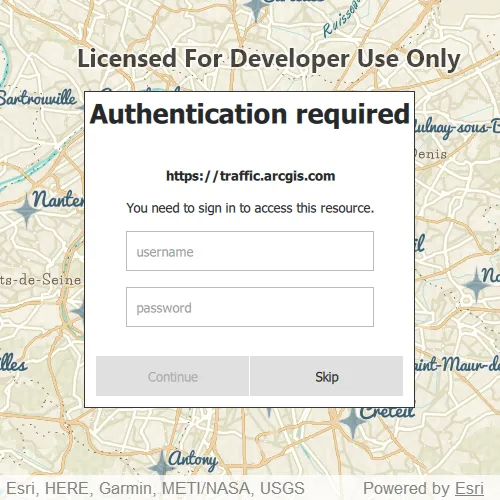
Once you launch the app, you will be challenged for an ArcGIS Online login to view the protected map service. Enter a user name and password for an ArcGIS Online named user account (such as your ArcGIS for Developers account). If you authenticate successfully, the protected map service will display in the map.
How it works
- Declare an
Authenticatorin your QML. - Create a
Portal. - Create a
PortalItemfor the protected web map using thePortaland Item ID of the protected map service. - Create a
Mapusing thePortalItem. - Set the map to display in the
MapView. - This will trigger an
ArcGISAuthenticationChallenge, which will be handled by theAuthenticator. - An
ArcGISCredentialwill be created with the username and password, and if successful, will display the service.
Relevant API
- Authenticator
- Authentication::ArcGISCredential
- Authentication::AuthenticationManager
- PortalItem
About the data
The Traffic web map uses public layers as well as the world traffic (premium content) layer. The world traffic service presents historical and near real-time traffic information for different regions in the world. The data is updated every 5 minutes. This map service requires an ArcGIS Online organizational subscription.
Additional information
Please note: the username and password are case sensitive for token-based authentication. If the user doesn’t have permission to access all the content within the portal item, partial or no content will be returned.
Tags
authentication, cloud, portal, remember, security
Sample code
// [WriteFile Name=TokenAuthentication, Category=CloudAndPortal]// [Legal]// Copyright 2016 Esri.//// Licensed under the Apache License, Version 2.0 (the "License");// you may not use this file except in compliance with the License.// You may obtain a copy of the License at// http://www.apache.org/licenses/LICENSE-2.0//// Unless required by applicable law or agreed to in writing, software// distributed under the License is distributed on an "AS IS" BASIS,// WITHOUT WARRANTIES OR CONDITIONS OF ANY KIND, either express or implied.// See the License for the specific language governing permissions and// limitations under the License.// [Legal]
#ifdef PCH_BUILD#include "pch.hpp"#endif // PCH_BUILD
// sample headers#include "TokenAuthentication.h"
// ArcGIS Maps SDK headers#include "Map.h"#include "MapQuickView.h"#include "MapViewTypes.h"#include "Portal.h"#include "PortalItem.h"
// Qt headers#include <QUrl>
namespace{  QUrl portalURL = QUrl("https://www.arcgis.com/");  QString itemID = "e5039444ef3c48b8a8fdc9227f9be7c1";}
using namespace Esri::ArcGISRuntime;
TokenAuthentication::TokenAuthentication(QQuickItem* parent /* = nullptr */):  QQuickItem(parent){  // Create local portal and portalItem objects using constants defined for portalURL and itemID.  Portal* portal = new Portal(portalURL, this);  PortalItem* portalItem = new PortalItem(portal, itemID, this);
  // Create a map object using the local portalItem variable  m_map = new Map(portalItem, this);}
TokenAuthentication::~TokenAuthentication() = default;
void TokenAuthentication::init(){  qmlRegisterType<MapQuickView>("Esri.Samples", 1, 0, "MapView");  qmlRegisterType<TokenAuthentication>("Esri.Samples", 1, 0, "TokenAuthenticationSample");}
void TokenAuthentication::componentComplete(){  QQuickItem::componentComplete();
  // find QML MapView component  m_mapView = findChild<MapQuickView*>("mapView");  if (!m_mapView)    return;
  m_mapView->setWrapAroundMode(WrapAroundMode::Disabled);
  // Set map to map view  m_mapView->setMap(m_map);}
// [WriteFile Name=TokenAuthentication, Category=CloudAndPortal]// [Legal]// Copyright 2016 Esri.//// Licensed under the Apache License, Version 2.0 (the "License");// you may not use this file except in compliance with the License.// You may obtain a copy of the License at// http://www.apache.org/licenses/LICENSE-2.0//// Unless required by applicable law or agreed to in writing, software// distributed under the License is distributed on an "AS IS" BASIS,// WITHOUT WARRANTIES OR CONDITIONS OF ANY KIND, either express or implied.// See the License for the specific language governing permissions and// limitations under the License.// [Legal]
#ifndef TOKENAUTHENTICATION_H#define TOKENAUTHENTICATION_H
// Qt headers#include <QQuickItem>
namespace Esri::ArcGISRuntime{ class Map; class MapQuickView;}
class TokenAuthentication : public QQuickItem{ Q_OBJECT
public: explicit TokenAuthentication(QQuickItem* parent = nullptr); ~TokenAuthentication() override;
void componentComplete() override; static void init();
private: Esri::ArcGISRuntime::Map* m_map = nullptr; Esri::ArcGISRuntime::MapQuickView* m_mapView = nullptr;};
#endif // TOKENAUTHENTICATION_H// [WriteFile Name=TokenAuthentication, Category=CloudAndPortal]// [Legal]// Copyright 2016 Esri.//// Licensed under the Apache License, Version 2.0 (the "License");// you may not use this file except in compliance with the License.// You may obtain a copy of the License at// http://www.apache.org/licenses/LICENSE-2.0//// Unless required by applicable law or agreed to in writing, software// distributed under the License is distributed on an "AS IS" BASIS,// WITHOUT WARRANTIES OR CONDITIONS OF ANY KIND, either express or implied.// See the License for the specific language governing permissions and// limitations under the License.// [Legal]
import QtQuickimport QtQuick.Controlsimport Esri.Samplesimport Esri.ArcGISRuntime.Toolkit
TokenAuthenticationSample { id: authSample clip: true width: 800 height: 600
// add a mapView component MapView { id: mapView anchors.fill: parent objectName: "mapView"
Component.onCompleted: { // Set the focus on MapView to initially enable keyboard navigation forceActiveFocus(); } }
// Declare Authenticator to handle any authentication challenges Authenticator { anchors.fill: parent }}