https://static-maps-api.arcgis.com/arcgis/rest/services/static-maps-service/beta/static-maps/arcgis/{arcgis-style}/centered-atReturns a static map that displays an ArcGIS Basemap style, centered at the specified WGS84 position, as defined by the x and y parameters.
The geographical extent of the map is defined by a radius parameter.
The center of the map can be highlighted using a pin, circle, or
custom SVG symbol.
To use a custom SVG symbol, store the base64‑encoded data URL string
representing the SVG image in the customSymbols property. This
property is a dictionary, where the key is a unique string, such as
campground, and the value is a base64‑encoded data URL string
representing the SVG image. To symbolize a specific geometry with a
custom symbol, pass the key to the customSymbolId.
The static map image width and height can be defined, along
with the image format, which can be png, jpeg, or webp.
The Post Body content type must be either:
- JSON with content type of
application/json, or - form URL encoded key-value pairs with content type
application/x-www-form-urlencoded.
You must supply an access token in the header for POST endpoints.
Choose this option if you want to:
- display a custom SVG symbol in the centre of your static map.
Choose the GET option if you want to:
- display a simple symbol in the centre of your static map.
Please note that the ArcGIS Basemap style attribution statement must be
displayed every time the static map is visible. It must be positioned
very close to the static map, or it can be provided via a popup or menu
if the static map is embedded in an application or website. The relevant
attribution statement for an ArcGIS Basemap style is available from the
/static-maps/arcgis/{arcgis-style}/attribution endpoint. For more
information see the ArcGIS Location Platform Agreement on the
Terms of use.
Body parameters
Supported content types: application/json, application/x-www-form-urlencoded
| Name | Type | Required | Default value | Description |
|---|---|---|---|---|
point | PointAndSymbol | | The point geometry and its associated symbol. The symbol can be a simple marker symbol or a custom marker symbol. | |
radius | RadiusDistance | | The radius (in meters), defines the minimum geographical area around a specified point that is shown on the static map. | |
customSymbols | CustomSymbols | |
| |
mapImageWidth | MapImageWidth | 200 | The width of the requested map image in pixels at 96 DPI between 64 and 1024 pixels. | |
mapImageHeight | MapImageHeight | 200 | The height of the requested map image in pixels at 96 DPI between 64 and 1024 pixels. | |
mapImageFormat | MapImageFormat | webp | The format of the map image, such as | |
padding | Padding | 0 | The padding applied to the static map adds extra map content between the static map's extent and the edge of the image. |
point
The point geometry and its associated symbol. The symbol can be a simple marker symbol or a custom marker symbol.
To use a custom SVG symbol, store the base64‑encoded data URL string
representing the SVG image in the customSymbols property. This
property is a dictionary, where the key is a unique string, such as
campground, and the value is a base64‑encoded data URL string
representing the SVG image. To symbolize a specific geometry with a
custom symbol, pass the key to the customSymbolId.
radius
The radius (in meters), defines the minimum geographical area around a specified point that is shown on the static map.
The radius value is used to define the real world radius of the area
displayed in the map image. The area covered by the radius will always
be displayed on the static map image.
If the image width and height are equal, the static map image will be square and the geographic extent displayed by the static map image will match that defined by the radius. However, if the image width is greater than the height, the geographic extent displayed by the static map image will be wider than that defined by the radius.
As a guide, the following radius values can be used for the following types of static maps.
| Radius (meters) | Type of usage (approximate) |
|---|---|
| 10 | Building |
| 100 | Streets |
| 1000 | Town |
| 10000 | County |
| 100000 | State |
| 1000000 | Country |
The radius has a minimum value of 10 meters and a maximum value of
20,000,000 meters.
- Minimum
- 10
- Maximum
- 20000000
customSymbols
customSymbols is a dictionary of key-value pairs, where each pair defines a custom symbol to be added to the map.
The key is a unique string, such as campground or parkEntrance, and
the value is a base64‑encoded data URL string representing the SVG
image. To symbolize a specific geometry with a custom symbol, pass the
key to the customSymbolId.
The general format of a base64‑encoded data URL string is
data:[<mediatype>][;base64],<data>, as specified
here.
To construct the data URL for an SVG image follow these steps:
- Obtain the XML string from the SVG file.
- Encode the XML string into base64 format.
- Append the base64-formatted string to
data:image/svg+xml;base64,.
There is a range of SVG symbols from ESRI available from the Calcite point symbols repository or the Esri developer Place icons site.
The maximum length of the base64‑encoded data URL string is 4000 characters.
Unsupported SVG Features
- SVG images must not reference external resources using URLs.
- Embedded raster images, such as PNG, JPG, and WebP formats, are not supported.
- SVG images that contain font-based text elements are not supported.
- It is recommend that text is converted into vector paths so that it can be rendered in custom symbols.
mapImageWidth
The width of the requested map image in pixels at 96 DPI between 64 and 1024 pixels.
- Minimum
- 64
- Maximum
- 1024
- Default
- 200
mapImageHeight
The height of the requested map image in pixels at 96 DPI between 64 and 1024 pixels.
- Minimum
- 64
- Maximum
- 1024
- Default
- 200
mapImageFormat
The format of the map image, such as png, jpg, webp.
- Default
- webp
Enumerated values
padding
The padding applied to the static map adds extra map content between the static map's extent and the edge of the image.
Padding value is a % of the static map image's width and/or height. It is applied to the static map image, according to the table below:
| Number of values in the array | Description | Example |
|---|---|---|
| One | The same padding % is applied to all four sides. | [10] |
| Two | The first value applies padding to the top and bottom, the second to the left and right sides. | [10, 5 ] |
| Three | The first value applies padding to the top, the second to the left and right sides, and the third to the bottom. | [10, 20, 10] |
| Four | The four values apply padding to the top, right, bottom, and left in a clockwise order. | [10, 5, 5, 20] |
- Default
- [0]
Path parameters
| Name | Type | Required | Description |
|---|---|---|---|
arcgis-style | string | The name of a style from the ArcGIS Basemap style family. |
arcgis-style
The name of a style from the ArcGIS Basemap style family.
| Group | Style | Example | Description | Data attribution |
|---|---|---|---|---|
| Streets | navigation | 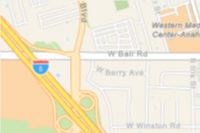 | A custom navigation style designed for use during daylight hours | Esri, TomTom, Garmin, FAO, NOAA, USGS, © OpenStreetMap contributors, and the GIS User Community |
| Streets | navigation-night | 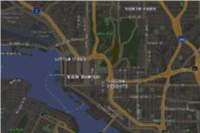 | A custom navigation style designed for use in hours of darkness | Esri, TomTom, Garmin, FAO, NOAA, USGS, © OpenStreetMap contributors, and the GIS User Community |
| Streets | streets | 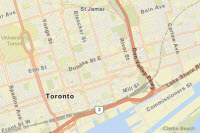 | A classic Esri street map style designed for use during daylight hours | Esri, TomTom, Garmin, FAO, NOAA, USGS, © OpenStreetMap contributors, and the GIS User Community |
| Streets | streets-night | 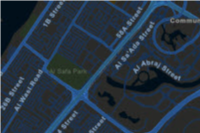 | A classic Esri street map style designed for use in hours of darkness | Esri, TomTom, Garmin, FAO, NOAA, USGS, © OpenStreetMap contributors, and the GIS User Community |
| Satellite | imagery |  | Low-resolution satellite imagery for the world and high-resolution satellite and aerial imagery, typically within 3-5 years of currency, for most of the world. | Esri, Vantor, GeoEye, Earthstar Geographics, CNES/Airbus DS, USDA, USGS, AeroGRID, IGN, © OpenStreetMap contributors, TomTom, Garmin, FAO, NOAA, and the GIS User Community |
Enumerated values
Response status
| Status | Meaning | Description | Schema |
|---|---|---|---|
| 200 | OK | Static map in a desired image format. | string(binary) |
| 400 | Bad Request | Invalid query parameters / Incorrect portal item type / Data URL parse failure. | Error |
| 401 | Unauthorized | Authentication Error. The API key or token is missing, invalid or expired. | Error |
| 403 | Forbidden | The requested resource cannot be accessed because of incorrect sharing permissions. | Error |
| 404 | Not Found | The requested resource cannot be found - this could be due to missing map data at the requested location and zoom level. | Error |
| 5XX | Server Error | An error occurred on the server. | Error |
Examples
Request
# You can also use wget
curl -X POST 'https://static-maps-api.arcgis.com/arcgis/rest/services/static-maps-service/beta/static-maps/arcgis/streets/centered-at' \
-H 'Content-Type: application/json' \
-H 'Authorization: Bearer <YOUR_TOKEN>' \
--data '{"point":{"geometry":{"x":-117.1957,"y":34.0561,"spatialReference":{"wkid":4326}},"symbol":{"customSymbolId":"campground","scale":1}},"radius":1000,"customSymbols":{"parkEntrance":"data:image/svg+xml;base64,PHN2ZyB4bWxucz0iaHR0cDovL3d3dy53My5vcmcvMjAwMC9zdmciIHZpZXdCb3g9IjAgMCAyMSAyMSI+PHBhdGggZD0iTTE4IDkuOTk4di0xbC03LjUtNi03LjUgNnYxaDF2NkgzdjFoMTV2LTFoLTF2LTZoMXptLTEyIDBoM3YzSDZ2LTN6bTYgNnYtNmgzdjZoLTN6Ii8+PC9zdmc+","campground":"data:image/svg+xml;base64,PHN2ZyB4bWxucz0iaHR0cDovL3d3dy53My5vcmcvMjAwMC9zdmciIHZpZXdCb3g9IjAgMCAyMSAyMSI+PHBhdGggZD0iTTEyLjQwMiAxNi45NzZIMTlMMTAuNTAzIDIuOTk4IDIgMTYuOTc2aDYuNjI2bDEuODg4LTguOTR6Ii8+PC9zdmc+"},"mapImageWidth":200,"mapImageHeight":200,"mapImageFormat":"webp","padding":[10,0,10,20]}'