
ArcGIS apps, such as ArcGIS Instant Apps
Why integrate using Experience Builder?
Integrating ArcGIS apps using ArcGIS Experience Builder gives you the ability to create a seamless user experience, share data, and perform enhanced data analyses.
-
Seamless user experience: Experience Builder
ArcGIS Experience Builder is a highly configurable app builder product that creates immersive web apps by combining maps, data, and interactive widgets with little to no coding. allows you to bring together multiple ArcGIS apps into a single web applicationA web app is a mapping, analysis, or data-driven application that runs in a web browser. In most cases they are configurable and are hosted in ArcGIS. . This integration provides a unified user experienceAn experience is a configurable web application created with ArcGIS Experience Builder that provides interactive maps, data, and media. eliminating the need for users to switch between different applications. -
Data and functionality integration: Experience Builder enables you to pass attribute values, geometries, and other data between different ArcGIS apps. This integration allows for dynamic data sharing and synchronization, ensuring that all apps are working with the most up-to-date information.
-
Enhanced data analysis: By integrating ArcGIS apps, you can use the capabilities of different apps simultaneously. For example, you can combine the visualization capabilities of dashboards
A dashboard is configurable web application created with ArcGIS Dashboards that presents location-based analytics through interactive data visualizations on a single screen. with the analytical capabilities of surveys. This integration enables more comprehensive and insightful data analysis.
Example
The Integrate ArcGIS Apps with Experience Builder demo application above, a dashboard
Create an integrated web app

Start with selecting from a list of templates.
In Experience Builder, create a new web application using a template and add three new application pages.
-
Select a blank scrolling template.
-
Create three separate application pages that will contain ArcGIS apps.
Embed ArcGIS apps
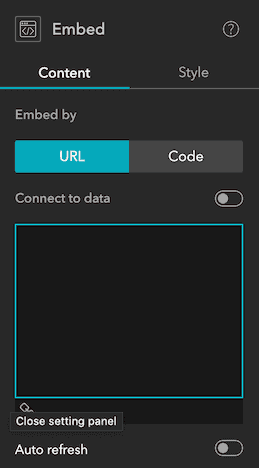
Embed widget allows you to add an ArcGIS app to your experience.
Using the Embed widget, you can embed any ArcGIS app in an Experience Builder web application.
-
Each application page will use the Embed widget.
-
When a web application is built, the Embed widget will be compiled into an HTML IFrame.
Tutorials

Create a starter widget
Learn how to build the base implementation for a widget.
ArcGIS Online

Get map coordinates
Learn how to display the latitude and longitude, scale, and zoom level of the map in a custom widget..
ArcGIS Online
Add layers to a map
Learn how to add layers to a map from a custom widget.
ArcGIS Online

Get started with ArcGIS Experience Builder
Build an interactive web app about housing in America.
ArcGIS Online