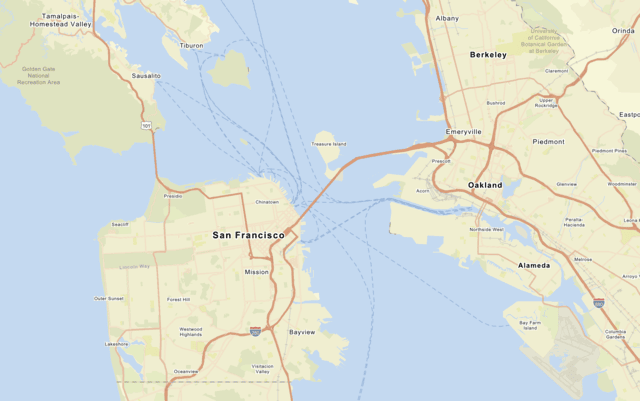
Use the MapLibre ArcGIS plugin to display the arcgis/streets basemap style and set style preferences to show places.
What you'll learn
You will learn how to:
- Create an API key credential.
- Use an access token to access a basemap style.
- Display a basemap style from the ArcGIS Basemap Styles service with the MapLibre ArcGIS plugin.
- Set basemap style preferences.
- Restrict map boundaries and limit user interactions to optimize tile usage.
- Create an app that uses the basemap tile usage model
A basemap usage model is a programming pattern for an application that determines the type of basemap consumption and the associated costs of accessing a basemap service. There are two models: the tile usage model and the session usage model. . Learn more here.
What you'll use
- MapLibre ArcGIS plugin
-
ArcGIS Basemap Styles service
The ArcGIS Basemap Styles service, also referred to as the Basemap Styles service, is a location service that provides basemap styles and data for the world. It returns styles as Mapbox styles and web maps, and data as vector tiles and/or map tiles. It supports all of the styles in the ArcGIS Basemap style and Open Basemap style family. An ArcGIS Location Platform or ArcGIS Online account is required to use the service. -
API key authentication
API key authentication is a type of authentication that uses an API key to authenticate requests to ArcGIS services and secure portal items. - Access token
What you'll need
Before you begin, you need the following:
- An ArcGIS Location Platform or ArcGIS Online account.
- A modern web browser, such as recent versions of Chrome, Firefox, Safari, or Edge.
- Basic knowledge of HTML, CSS, and JavaScript.
- A code editor, such as CodePen (recommended for this how-to).