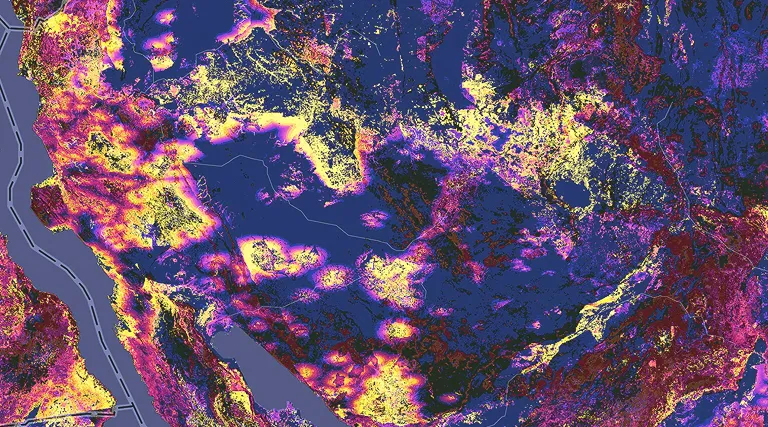
Surfaces model continuous phenomena across an area by estimating a value at every location. These values are inferred from a limited set of samples at known locations. Samples can come from direct measurements, such as elevation heights or temperature readings. Values between these measured points are assigned through interpolation. Surfaces can also be mathematically derived from other data, such as slope and aspect from elevation, distance-from-bus-stop surfaces in a city, or surfaces showing concentrations of criminal activity or the probability of lightning strikes.
In ArcGIS Maps SDK for Qt, surface analysis starts with a raster-based surface, most commonly elevation.
Surface analysis workflow
You can implement surface analyses using a pattern like the following:
-
Create a
ContinuousFieldfrom one or more raster files.A continuous field stores floating-point values across a 2D extent, representing phenomena that vary continuously, such as elevation or temperature. Create it from raster data with
ContinuousField::createAsync(). -
Create a
ContinuousFieldFunctionfrom that field.A continuous field function defines an operation over a continuous field and can be composed with other functions. Use
ContinuousFieldFunction::create()for a base function and compose additional functions as needed. -
For specific analysis types that can be carried out on a
ContinuousFieldor aContinuousFieldFunction(for example, viewshed or line of sight), create a specialized analysis function using the field or function and appropriate analysis parameters.ViewshedFunctionwithViewshedParametersto compute visible and non-visible areas.LineOfSightFunctionwithLineOfSightParametersto compute visibility between observer-target pairs.
Of course, surface analysis is not limited to visibility. You can compose field expressions with map algebra operations exposed on
ContinuousFieldFunctionto build derived surfaces and categories, including fromDiscreteFieldFunctionandBooleanFieldFunctionobjects, before evaluation. -
Evaluate the function to produce a result.
Lazy evaluation ensures that computation of chained functions is deferred until you call
ContinuousFieldFunction::evaluateAsync()on the final function in the chain. The type of result returned depends on the function being evaluated. For example, a field function returns values that describe a surface (such as a vegetation index or a viewshed), while a line of sight function returns a set of geometries (lines) that represent visible paths between observer-target pairs. -
Optionally, export field results to GeoTIFF files for persistence and reuse.
You can export field results to GeoTIFF by calling
ContinuousField::exportToFilesAsync()on the resulting field. -
Render the results.
For raster results, create a
RasterLayerfrom the exported result, define its display using aRasterRenderer, and add it to the map or scene. For geometry-based results (such as lines of sight), create graphics with the appropriate symbology and add them to a graphics overlay. You can use anAnalysisOverlayto dynamically visualizeViewshedFunctionresults in near real-time as parameters change.
This pattern lets you keep the surface representation separate from the analysis logic, so you can update parameters and re-evaluate results without recreating or altering the source data.
Export analysis results
You can export the values stored in a ContinuousField, DiscreteField, or BooleanField to GeoTIFF files for persistence and reuse. This is useful when you want to save analysis results for later use or share them with other applications. When exporting, keep the following in mind:
- Before exporting, make sure the output directory already exists and that no existing files use the same export filename prefix.
- Exported output can be a single file or multiple tiled files, depending on field size and available memory.
- To display the results, use the returned file paths to create a
Rasterfor display in aRasterLayer. - Use those same paths with
ContinuousField::createAsync()when you want to load an exported continuous field for additional analysis.