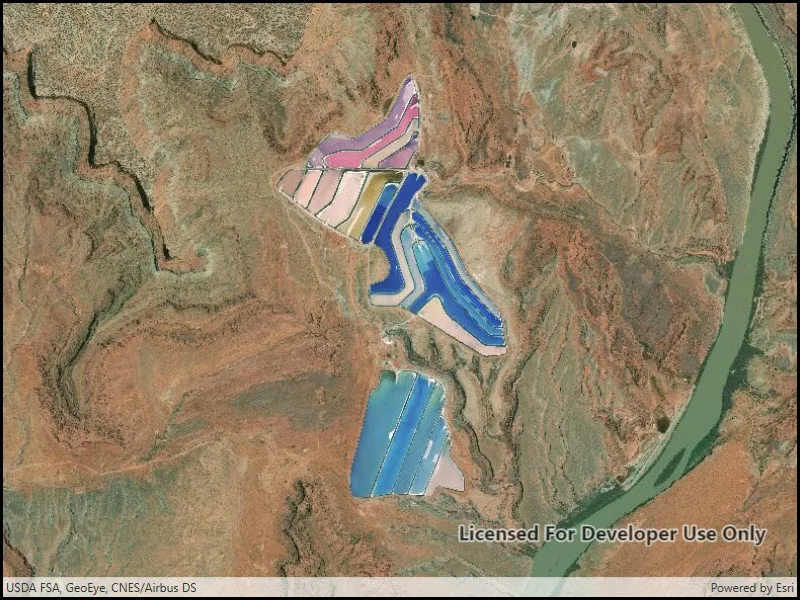
Display the map at an initial viewpoint representing a bounding geometry.
Use case
Setting the initial viewpoint is useful when a user wishes to first load the map at a particular area of interest.
How to use the sample
When the sample loads, note that the map view opens at the initial viewpoint defined on the map.
How it works
- Instantiate a
Mapobject. - Instantiate a
Viewpointobject using anEnvelopeobject. - Set the starting location of the map with
map.InitialViewpoint. - Set the map in the
MapView.
Relevant API
- Envelope
- Map
- MapView
- Point
- Viewpoint
Tags
envelope, extent, initial, viewpoint, zoom
Sample code
// Copyright 2016 Esri.//// Licensed under the Apache License, Version 2.0 (the "License"); you may not use this file except in compliance with the License.// You may obtain a copy of the License at: http://www.apache.org/licenses/LICENSE-2.0//// Unless required by applicable law or agreed to in writing, software distributed under the License is distributed on an// "AS IS" BASIS, WITHOUT WARRANTIES OR CONDITIONS OF ANY KIND, either express or implied. See the License for the specific// language governing permissions and limitations under the License.
using Esri.ArcGISRuntime.Geometry;using Esri.ArcGISRuntime.Mapping;
namespace ArcGIS.WPF.Samples.SetInitialMapArea{    [ArcGIS.Samples.Shared.Attributes.Sample(        name: "Map initial extent",        category: "Map",        description: "Display the map at an initial viewpoint representing a bounding geometry.",        instructions: "When the sample loads, note that the map view opens at the initial viewpoint defined on the map.",        tags: new[] { "envelope", "extent", "initial", "viewpoint", "zoom" })]    public partial class SetInitialMapArea    {        public SetInitialMapArea()        {            InitializeComponent();
            // Create the UI, setup the control references and execute initialization            Initialize();        }
        private void Initialize()        {            // Create new Map with basemap            Map myMap = new Map(BasemapStyle.ArcGISImageryStandard);
            // Create and set initial map area            Envelope initialLocation = new Envelope(                -12211308.778729, 4645116.003309, -12208257.879667, 4650542.535773,                SpatialReferences.WebMercator);            myMap.InitialViewpoint = new Viewpoint(initialLocation);
// Assign the map to the MapView MyMapView.Map = myMap; } }}<UserControl x:Class="ArcGIS.WPF.Samples.SetInitialMapArea.SetInitialMapArea" xmlns="http://schemas.microsoft.com/winfx/2006/xaml/presentation" xmlns:x="http://schemas.microsoft.com/winfx/2006/xaml" xmlns:esri="http://schemas.esri.com/arcgis/runtime/2013"> <Grid> <esri:MapView x:Name="MyMapView" /> </Grid></UserControl>