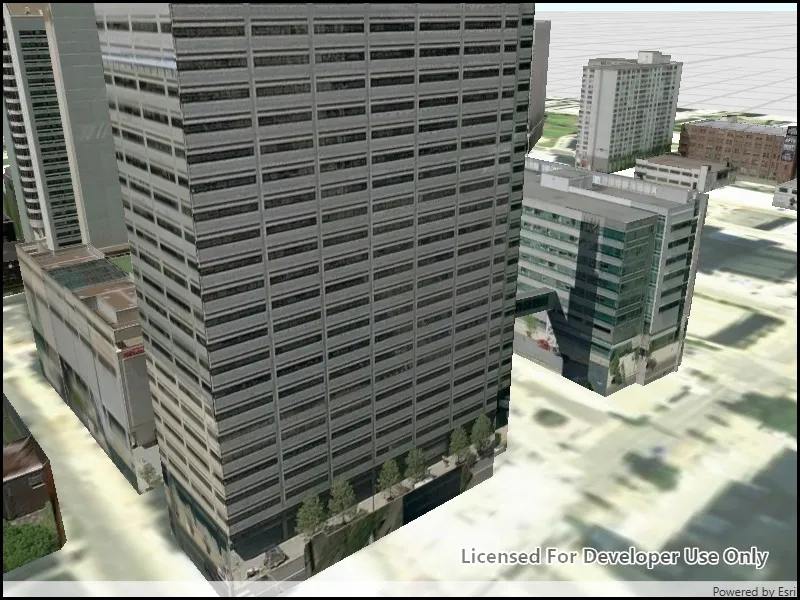
Opens and displays a scene from a Mobile Scene Package (.mspk).
Use case
An .mspk file is an archive containing the data (specifically, basemaps and features), used to display an offline 3D scene.
How to use the sample
When the sample opens, it will automatically display the Scene in the Mobile Map Package.
How it works
- Create a
MobileScenePackageusing the path to the local .mspk file. - Use
MobileScenePackage.IsDirectReadSupportedAsyncto check whether the package can be read in the archived form (.mspk) or whether it needs to be unpacked. - If the mobile scene package requires unpacking, call
MobileScenePackage.UnpackAsync. - Call
MobileScenePackage.Load. - When the
MobileScenePackageis loaded, obtain the firstScenefrom theScenesproperty. - Display the scene in a SceneView.
Relevant API
- MobileScenePackage
- SceneView
Offline data
The following items will be downloaded from ArcGIS Online automatically:
- Philadelphia MSPK - Philadelphia mobile scene package authored in ArcGIS Pro
About the data
This mobile scene package was authored with ArcGIS Pro.
Additional information
An .mspk file is an archive containing the data used to display an offline 3D scene. Some mobile scene packages have data that must be unpacked before reading.
Tags
offline, scene
Sample code
// Copyright 2019 Esri.//// Licensed under the Apache License, Version 2.0 (the "License"); you may not use this file except in compliance with the License.// You may obtain a copy of the License at: http://www.apache.org/licenses/LICENSE-2.0//// Unless required by applicable law or agreed to in writing, software distributed under the License is distributed on an// "AS IS" BASIS, WITHOUT WARRANTIES OR CONDITIONS OF ANY KIND, either express or implied. See the License for the specific// language governing permissions and limitations under the License.
using ArcGIS.Samples.Managers;using Esri.ArcGISRuntime.Mapping;using System;using System.Diagnostics;using System.Linq;using System.Threading.Tasks;
namespace ArcGIS.WinUI.Samples.OpenMobileScenePackage{    [ArcGIS.Samples.Shared.Attributes.Sample(        name: "Open mobile scene package",        category: "Scene",        description: "Opens and displays a scene from a Mobile Scene Package (.mspk).",        instructions: "When the sample opens, it will automatically display the Scene in the Mobile Map Package.",        tags: new[] { "offline", "scene" })]    [ArcGIS.Samples.Shared.Attributes.OfflineData("7dd2f97bb007466ea939160d0de96a9d")]    public partial class OpenMobileScenePackage    {        public OpenMobileScenePackage()        {            InitializeComponent();            _ = Initialize();        }
        private async Task Initialize()        {            // Get the path to the scene package.            string scenePath = DataManager.GetDataFolder("7dd2f97bb007466ea939160d0de96a9d", "philadelphia.mspk");
            try            {                // Open the package.                MobileScenePackage package = await MobileScenePackage.OpenAsync(scenePath);
                // Load the package.                await package.LoadAsync();
// Show the first scene. MySceneView.Scene = package.Scenes.First(); } catch (Exception e) { await new MessageDialog2(e.Message, "Couldn't open scene").ShowAsync(); Debug.WriteLine(e); } } }}<UserControl x:Class="ArcGIS.WinUI.Samples.OpenMobileScenePackage.OpenMobileScenePackage" xmlns="http://schemas.microsoft.com/winfx/2006/xaml/presentation" xmlns:x="http://schemas.microsoft.com/winfx/2006/xaml" xmlns:esriUI="using:Esri.ArcGISRuntime.UI.Controls"> <Grid> <esriUI:SceneView x:Name="MySceneView" /> </Grid></UserControl>