Learn how to use the ArcGIS API for Python to load a web map
A web map
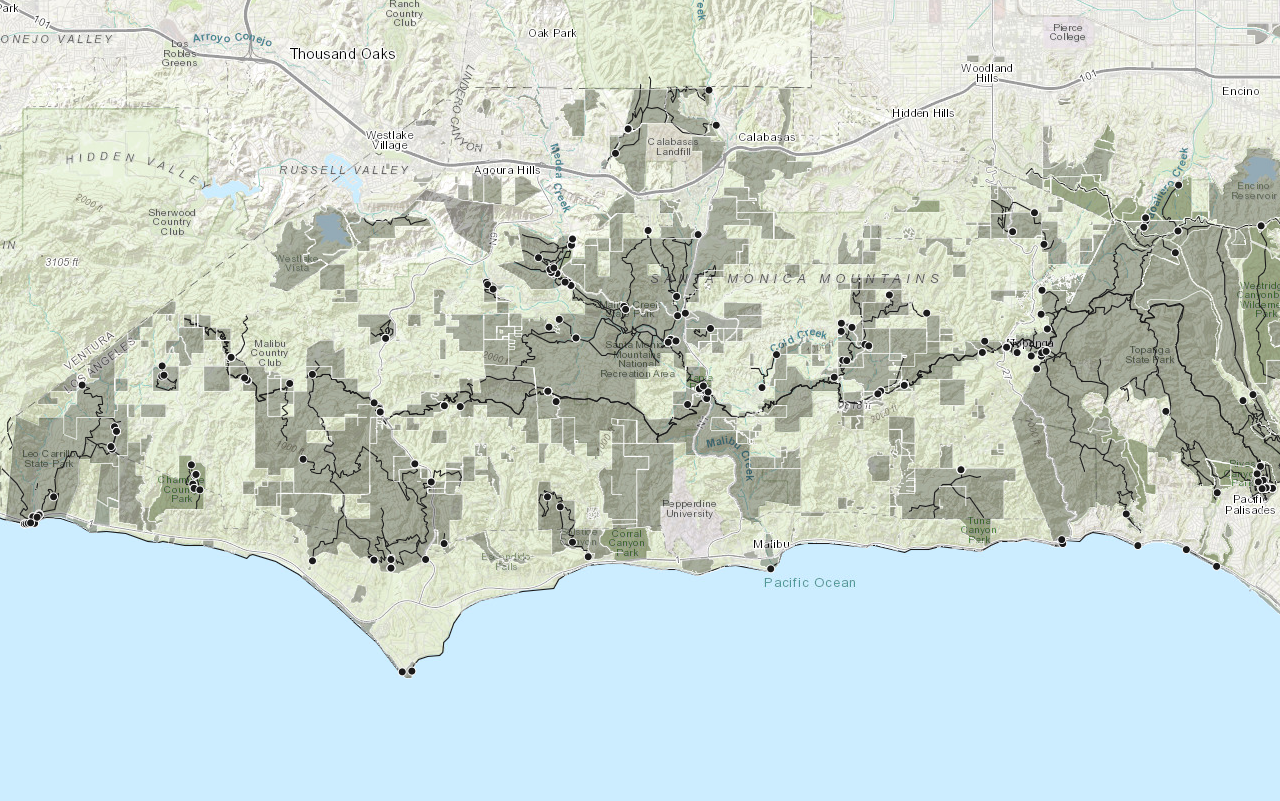
In this tutorial you will search the portal for an existing web map of trails, trailheads, and parks and display it.
Prerequisites
The ArcGIS API for Python tutorials use Jupyter Notebooks to execute Python code. If you are new to this environment, please see the guide to install the API and use notebooks locally.
Steps
Get an access token
You need an access token
- Go to the Create an API key tutorial to obtain an access token
An access token is an authorization string that provides access to secure ArcGIS content, data, and services. Its capabilities are determined by the privileges it supports. It is obtained by implementing API key authentication, User authentication, or App authentication. . - Ensure that the following privilege
Privileges are a set of permissions assigned to ArcGIS accounts, developer credentials, and applications that grant access to secure resources and functionality in ArcGIS. is enabled: Location services > Basemaps > Basemap styles service - Copy the key as it will be used in a following step.
To learn more about other ways to get an access token, go to Types of authentication.
Import modules and log in
-
Import the
arcgis.gismodule. This module is the entry point into the GIS and provides the functionality to manage GIS contentContent is a collection of items in a portal that belong to a user, group, or organization. , users, and groups.Use dark colors for code blocks from arcgis.gis import GIS -
Log in to the portal and paste the API key you copied earlier.
Use dark colors for code blocks from arcgis.gis import GIS portal = GIS(api_key="<YOUR_ACCESS_TOKEN>")
Search for the web map
-
Search for a publicly available web map titled
Lowned byA Parks and Trails Map (styled) esri. It contains datasets of Los Angeles, CA parks and trails._devlabs Use dark colors for code blocks from arcgis.gis import GIS portal = GIS(api_key="<YOUR_ACCESS_TOKEN>") webmap_search = portal.content.search( query="LA Parks and Trails Map (styled) tags:tutorial owner:esri_devlabs", item_type="Web Map" ) webmap_search -
Create a variable from the first item in search results.
Use dark colors for code blocks webmap_search = portal.content.search( query="LA Parks and Trails Map (styled) tags:tutorial owner:esri_devlabs", item_type="Web Map" ) webmap_search webmap_item = webmap_search[0] webmap_item
Display the web map
-
Pass in web map item to the map widget constructor to display the web map.
Use dark colors for code blocks webmap_item = webmap_search[0] webmap_item map = portal.map(webmap_item) map
You should see a map containing symbolized trailheads, trails and parks located in the Santa Monica Mountains.
What's next?
Learn how to use additional functionality in these tutorials: