Point elevation is the vertical distance (height) of a single location on the Earth's surface based on a datum/elevation/at-point request for the Elevation service
You can use point elevation to:
- Get the elevation value of your geolocation.
- Determine the height of a specific location above mean sea level or ground level.
- Find the elevation of terrain and geographic features such as a mountaintop, tower, or landmark.
- Compare the relative elevation of different points to determine slope.
- Measure the depth of a water body at a specific location.
How to find the elevation of a point
The typical workflow to find the elevation of a point is to:
- Define the latitude and longitude of a location.
- Define the datum
A datum is a mathematical model of the Earth's shape used to measure locations (horizontal datums) and elevations (vertical datums). , e.g. mean sea level or ellipsoid (ground level). - Access the elevation service using an access token
An access token is an authorization string that provides access to secure ArcGIS content, data, and services. Its capabilities are determined by the privileges it supports. It is obtained by implementing API key authentication, User authentication, or App authentication. with Elevation service privileges.
URL request
https://elevation-api.arcgis.com/arcgis/rest/services/elevation-service/v1/elevation/at-pointRequired parameters
| Name | Description | Examples |
|---|---|---|
lon | The longitude of the specified point. | lon=-157.7079 |
lat | The latitude of the specified point. | lat=21.4040 |
token | An API key or OAuth 2.0 access token | token= |
Key parameters
| Name | Description | Examples |
|---|---|---|
f | The format of the data returned. | f=json, f=pjson |
relativeTo | The datum | relative (default value), relative |
Code examples
Find the elevation of a point
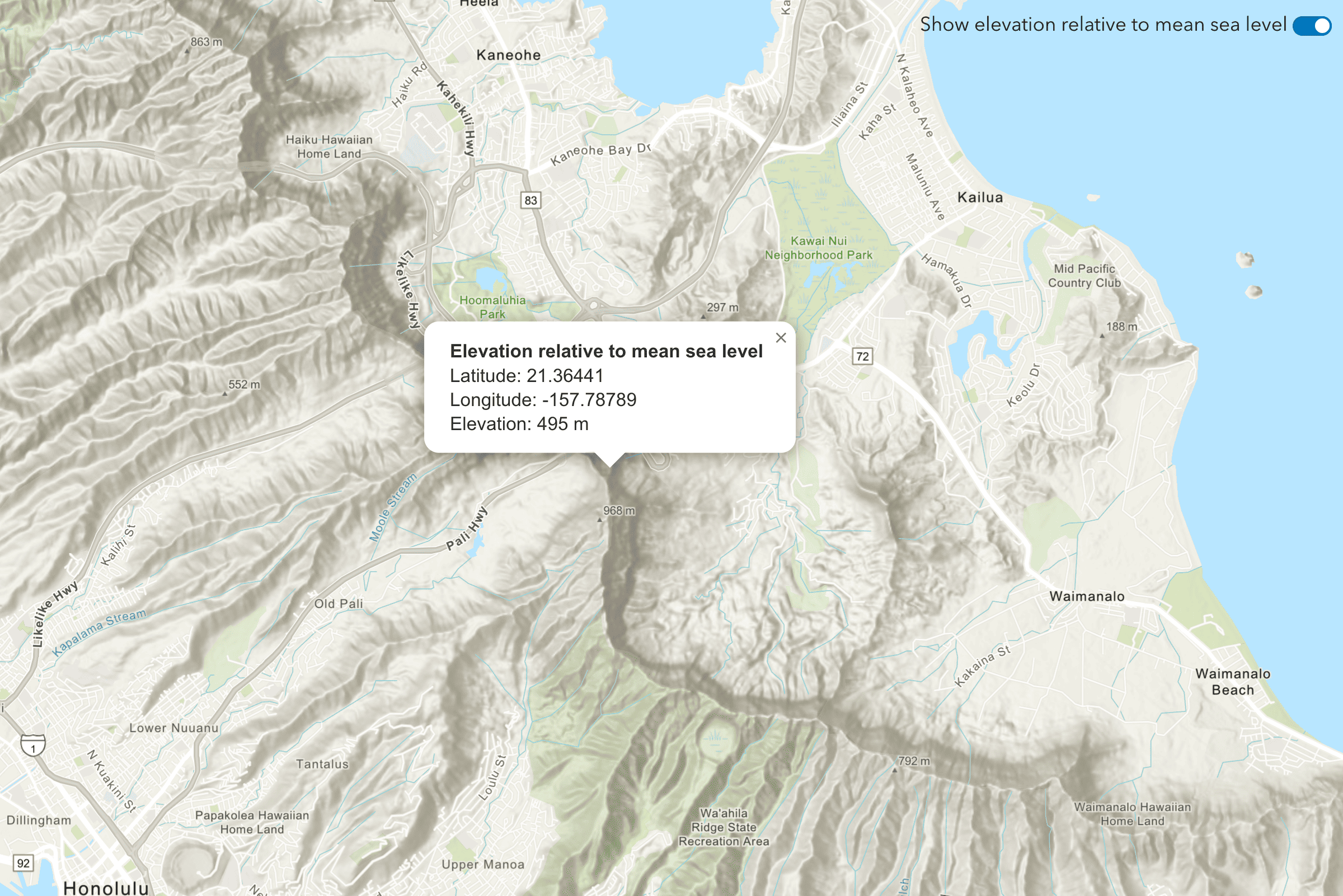
This example uses the /elevation/at-point request to get the elevation value of a point when you click on the map. The point contains a longitude and latitude that is passed to the service. The datum used in this example is mean to show elevation above mean sea level.
Steps
- Reference the Elevation service.
- Set the
lonandlatparameters to the longitude and latitude of the clicked point on the map. - Optionally, include the
relativeparameter with a value of eitherTo meanorSea Level ellipsoid. - Set the token parameter to your access token.
APIs
async function getElevationData(lon, lat) {
const url =
"https://elevation-api.arcgis.com/arcgis/rest/services/elevation-service/v1/elevation/at-point";
const response = await esriRequest(url, {
query: {
lon: lon,
lat: lat,
},
responseType: "json",
});
const { x, y, z } = response.data.result.point;
arcgisMap.popup = {
visibleElements: {
collapseButton: false,
closeButton: false,
actionBar: false,
},
};
const title = `Elevation relative to mean sea level`;
const content = `
Latitude: ${y.toFixed(5)}<br>
Longitude: ${x.toFixed(5)}<br>
Elevation: ${z} m`;
addPointToMap(lon, lat);
arcgisMap.openPopup({
location: [lon, lat],
content: content,
title: title,
});
}
REST API
# You can also use wget
curl -X GET https://elevation-api.arcgis.com/arcgis/rest/services/elevation-service/v1/elevation/at-point?lon=-179.99&lat=-85.05 \
-d "f=json" \
-d "token=<YOUR_ACCESS_TOKEN>"Tutorials
Find the elevation of a point
Find elevation value of a single location on land or water.