Using a place name or street address as input, you can find locations of interest and interact with them on the map. The process of matching locations
What is geocoding?
Geocoding
You can use geocoding to:
- Find the location
A location is a position or region (point, line, or polygon) on the earth's surface. of an address or place. - Convert incomplete address text to a complete address.
- Provide a list of candidates for an incomplete address or place.
Find places
Place search, also known as point of interest (POI) search, uses a name or category to find geographic entities (such as businesses, administrative boundaries, and other features). For example, you can search for restaurants near a location
There are two types of searches you can perform: local and global. A local search uses a location
You can use place search to:
- Find the locations
A location is a position or region (point, line, or polygon) on the earth's surface. of placesA place, also known as a point of interest (POI), is a location that represents a business, administrative entity, or geographic feature around the world. A place can also have attributes associated with it, such as a name, address, category, and ID. around the world. - Locate businesses near a location.
- Search for places by category such as restaurants, gas stations, or schools.
- Find and display places on a map.
Suggest
Suggest functionality allows character-by-character autocomplete suggestions to be generated from user input in your geocoding application. This capability facilitates the interactive search experience by reducing the number of characters that need to be entered before a suggested match is obtained.
You can pass most of the same parameters to generate suggestions as you would pass when geocoding, such as preferred search location and category. Once a suitable auto-complete suggestion is returned, the suggest result can be passed directly to the geocoding operation. To optimize quality and performance you should pass the same parameters to suggest and to geocode.
You can use suggest to:
- Generate more complete input when the user is unsure of an exact place name or address.
- Minimize the number of characters a user needs to type to get a good result.
- Optimize quality and performance by passing a suggest result to geocode with the same parameters.
Reverse geocoding
Reverse geocodingx,y coordinates and a spatial reference.
The geocoding service uses the location and all parameters to return a single address, place, or intersection that is the closest match. This reverse geocoding result may contain a number of attributes such as the place name, full address, city, region, and location.
Reverse geocoding will always return the closest result, and the result may be an address, place, or intersection. If the locator you’re using was built with only POI data, the result will always be a POI. If your locator was built to support multiple feature types, you can pass a feature type parameter to ensure that the result returned is of the desired type.
You can use reverse geocoding to:
- Get the nearest address, place, or intersection to your current location.
- Show an address or place name when you tap on a map.
- Find the nearest address, place, or intersection for a geographic location.
How geocoding works
Geocoding
The locatorPointAddress match will still be a better candidate than a higher score on a postal match, for instance. By default, the matched address, score, and location are returned with the geocode results. To return additional available data fields, set the output fields parameter in the geocode
For a place
You can use geocode parameters to refine or restrict search results when geocoding place names just as you do with an address search.
Locator task
Geocoding
You create a LocatorTask by passing a URI (for an online locator) or a path (for a local locator) to the static LocatorTask.CreateAsync() method on the class. The following example creates a new LocatorTask that uses the Geocoding service.
// Provide an access token for your app (usually when the app starts).// Esri.ArcGISRuntime.ArcGISRuntimeEnvironment.ApiKey = "YOUR_ACCESS_TOKEN";
var locatorTask = new LocatorTask(new Uri("https://geocode-api.arcgis.com/arcgis/rest/services/World/GeocodeServer"));// You can also set an access token directly on the Locator Task:// locatorTask.ApiKey = "YOUR_ACCESS_TOKEN";
var results = await locatorTask.GeocodeAsync("1600 Pennsylvania Ave NW, DC");
if (results?.FirstOrDefault() is GeocodeResult firstResult){    Console.WriteLine($"Found {firstResult.Label} at {firstResult.DisplayLocation} with score {firstResult.Score}");}
Geocode parameters
When geocoding
- Country—The code for the country to which geocoding should be restricted.
- Maximum results—A limit for the maximum number of address candidates to return.
- Output language—The language (culture) in which result attributes
Attributes are fields and values for a single feature or non-spatial record. They are typically stored in a database or service such as a feature service. will be returned (supported output languages will vary depending on how the locator was built.) - Output spatial reference—The spatial reference
A spatial reference is a set of parameters, typically defined by a WKID, that define the coordinate system and spatial properties for geographic data. Applications use a spatial reference to correctly display the position of geographic data in a map or scene. in which geographic locations for address candidates will be returned. - Result attributes—A list of field names to include in the results (available fields can be queried from the locator
A locator is an ArcGIS dataset that stores address information and the rules for translating descriptions of places (such as street addresses or place names) into spatial data that can be displayed on a map. .) - Preferred search location—A geographic point that prioritizes nearby locations as results.
Specify geocoding preferences using a GeocodeParameters object.
// search within Japan and return results in Japanesevar geocodeParams = new GeocodeParameters{    CountryCode = "Japan",    OutputLanguage = new System.Globalization.CultureInfo("ja-JP")};
geocodeParams.ResultAttributeNames.Add("City");
Geocode results
Depending on how specific and complete the input address is, you may get several candidates from a geocode
Examples
Local place name search by category
This example searches for restaurants near a location by setting the Mexican food category near a location in southern California.
To see a full list of categories, visit Category filtering in the ArcGIS services reference.
Steps
-
Reference the Geocoding service.
-
Provide a point
A point is a type of geometry containing a single set of to center the search on.x,ycoordinates and a spatial reference. -
Define the category of places
A place, also known as a point of interest (POI), is a location that represents a business, administrative entity, or geographic feature around the world. A place can also have attributes associated with it, such as a name, address, category, and ID. to find. -
Add to the list of data fields to return: Score and Distance
-
Set the API key.
// Provide an access token for your app (usually when the app starts).// Esri.ArcGISRuntime.ArcGISRuntimeEnvironment.ApiKey = "YOUR_ACCESS_TOKEN";
var locatorTask = new LocatorTask(new Uri("https://geocode-api.arcgis.com/arcgis/rest/services/World/GeocodeServer"));// You can also set an access token directly on the Locator Task:// locatorTask.ApiKey = "YOUR_ACCESS_TOKEN";
var parameters = new GeocodeParameters();parameters.Categories.Add("Mexican food");parameters.PreferredSearchLocation = new MapPoint(    x: -118.20,    y: 34.001,    spatialReference: SpatialReferences.Wgs84);parameters.ResultAttributeNames.Add("Score");parameters.ResultAttributeNames.Add("Distance");
var results = await locatorTask.GeocodeAsync("", parameters);
if (results?.FirstOrDefault() is GeocodeResult result){    Console.WriteLine($"Found {result.Label} at {result.DisplayLocation} with score {result.Score}");}
The result is a collection of candidates, sorted by score, that include the distance from the input location.
Use API keys
Tutorials


Samples
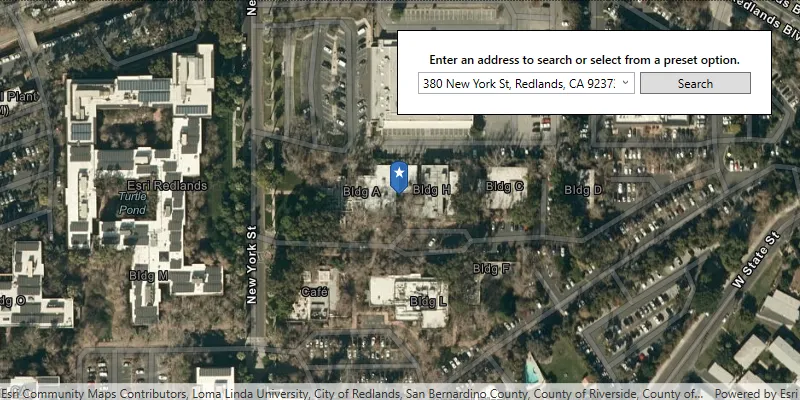
Find address

Find place
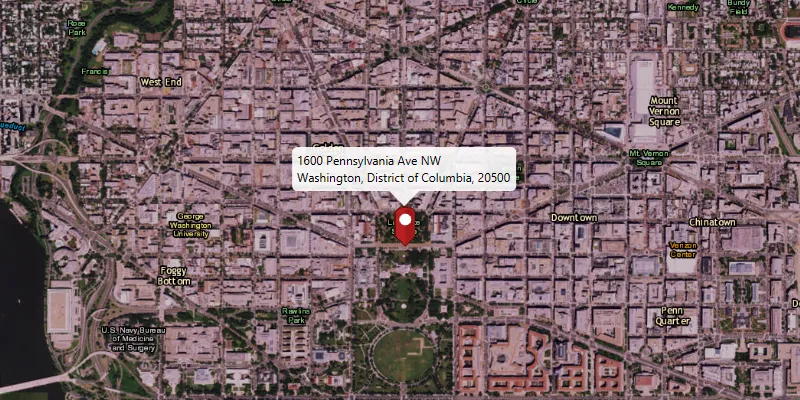
Reverse geocode

Offline geocode

Display device location with autopan modes
