Load an offline copy of a tiled map service as a basemap.
Use case
Constructing a tiled layer from a local tile package (.tpk & .tpkx) allows you to use that basemap tiled service when the application is offline. Dividing a raster into tiles allows the map to provide relevant tiles and level of detail to the user when panning and zooming. For example, when working in an environment that has no connectivity, this could provide access to a map for navigating your surroundings.
How to use the sample
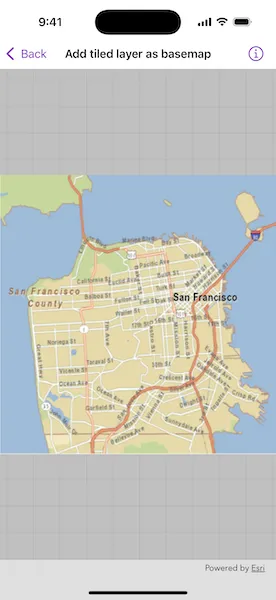
Launch the app to view the “San Francisco offline tile package” as the basemap.
How it works
- Create a
TileCache, specifying the path to the local tile package. - Create an
ArcGISTiledLayerwith the tile cache. - Create a
Basemapwith the tiled layer. - Create a
Mapwith the basemap and pass it to a MapView.
Relevant API
- ArcGISTiledLayer
- Basemap
- Map
- TileCache
Offline data
This sample uses the San Francisco offline tile package. It is downloaded from ArcGIS Online automatically.
About the data
The map opens to a view of the city of San Francisco, CA. In a disconnected environment, this basemap tile service would be fully accessible to zoom and pan as if you were connected to an online service.
Additional information
ArcGISTiledLayer and TileCache supports both .tpk and .tpkx file formats.
Tags
cache, layers, offline, tile
Sample code
// Copyright 2024 Esri//// Licensed under the Apache License, Version 2.0 (the "License");// you may not use this file except in compliance with the License.// You may obtain a copy of the License at////   https://www.apache.org/licenses/LICENSE-2.0//// Unless required by applicable law or agreed to in writing, software// distributed under the License is distributed on an "AS IS" BASIS,// WITHOUT WARRANTIES OR CONDITIONS OF ANY KIND, either express or implied.// See the License for the specific language governing permissions and// limitations under the License.
import ArcGISimport SwiftUI
struct AddTiledLayerAsBasemapView: View {    /// A map of the streets in San Francisco.    @State private var map: Map = {        // Creates a tile cache using a URL to a local tile package file.        let tileCache = TileCache(fileURL: .sanFranciscoStreetsTilePackage)
        // Creates a tiled layer using the tile cache.        let tiledLayer = ArcGISTiledLayer(tileCache: tileCache)
        // Creates a basemap using the layer.        let basemap = Basemap(baseLayer: tiledLayer)
        // Creates a map using the basemap.        return Map(basemap: basemap)    }()
    var body: some View {        // Displays the map using a map view.        MapView(map: map)    }}
private extension URL {    /// The URL to the local tile package file with street data for San Francisco, CA, USA.    static var sanFranciscoStreetsTilePackage: URL {        Bundle.main.url(forResource: "SanFrancisco", withExtension: "tpkx")!    }}