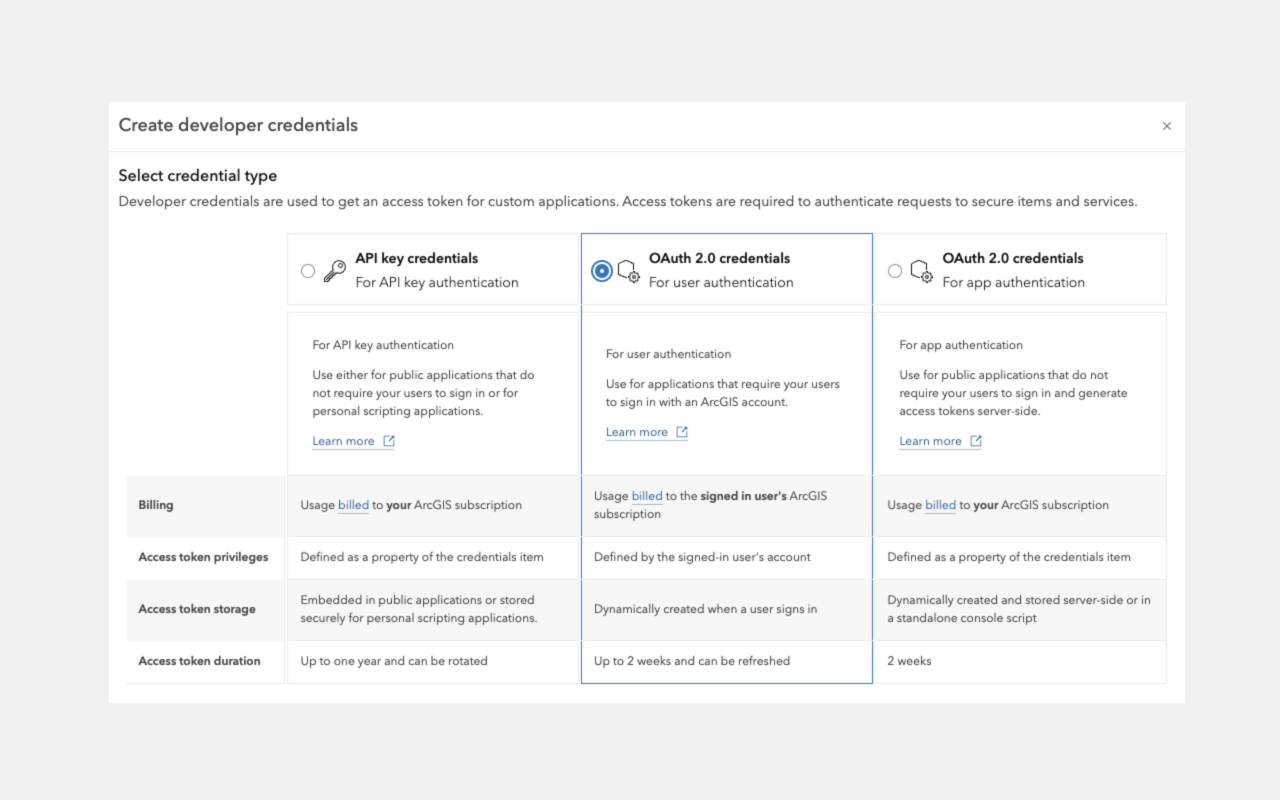
To build applications that use ArcGIS resources and services, you must first implement authentication to obtain an access token
- The ArcGIS product you are using
- The type of application you're developing
- The types of resources and services you need to access
- The types of operations your application will perform
API keys
If you have ArcGIS Location Platform or ArcGIS Online, you can use API key authentication
API keys can be configured to access specific ArcGIS services and functionality, including location services (such as basemaps, geocoding, and routing), hosted data services, and spatial analysis services. However, they do not support operations that require ArcGIS user account permissions, such as portal administration or content management. See user authentication for those scenarios.
API key authentication is well-suited for building public-facing applications that do not require user sign-in.
- Create an API key credential
API key credentials are an item that contains the parameters used to create and manage long-lived access tokens for API key authentication. They are a type of developer credential. item in your portalArcGIS portal, also known as a portal, is a website with applications and tools that can be used to create, manage, access, and share geospatial content and data. It supports security and authentication, developer credentials, content and data service management, user and group management, and site administration. A portal can be hosted in Esri's infrastructure or your own infrastructure. . - Assign privileges (scopes) to define accessible services and data.
- Use the access token to access services.
For step-by-step instructions, go to the tutorial below.
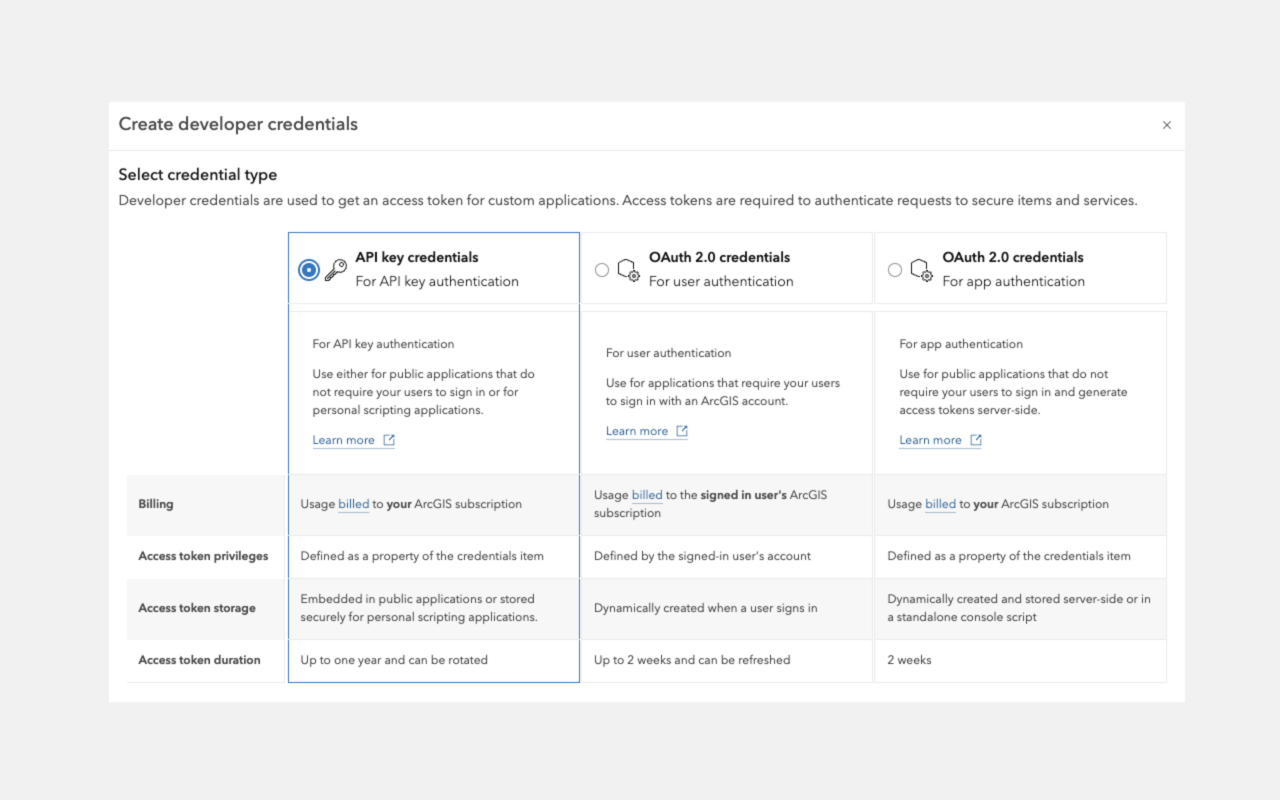
User tokens
If you have ArcGIS Online, you can build applications that authenticate users with their ArcGIS account.client_id, client_secret, and redirect URIs. They are a type of developer credential.
User authentication is well-suited for building private applications for your organization that require users to sign in.
- Create an OAuth credential
OAuth credentials are an item that contains parameters required to implement user authentication or app authentication, including a item in your portalclient_id,client_secret, and redirect URIs. They are a type of developer credential.ArcGIS portal, also known as a portal, is a website with applications and tools that can be used to create, manage, access, and share geospatial content and data. It supports security and authentication, developer credentials, content and data service management, user and group management, and site administration. A portal can be hosted in Esri's infrastructure or your own infrastructure. to obtain a client ID, client secret, and redirect URL. - Use these credentials in your application to initiate the OAuth 2.0 flow and request an access token.
- Use the access token to access services on behalf of the signed-in user.
For step-by-step instructions, go to the tutorial below.