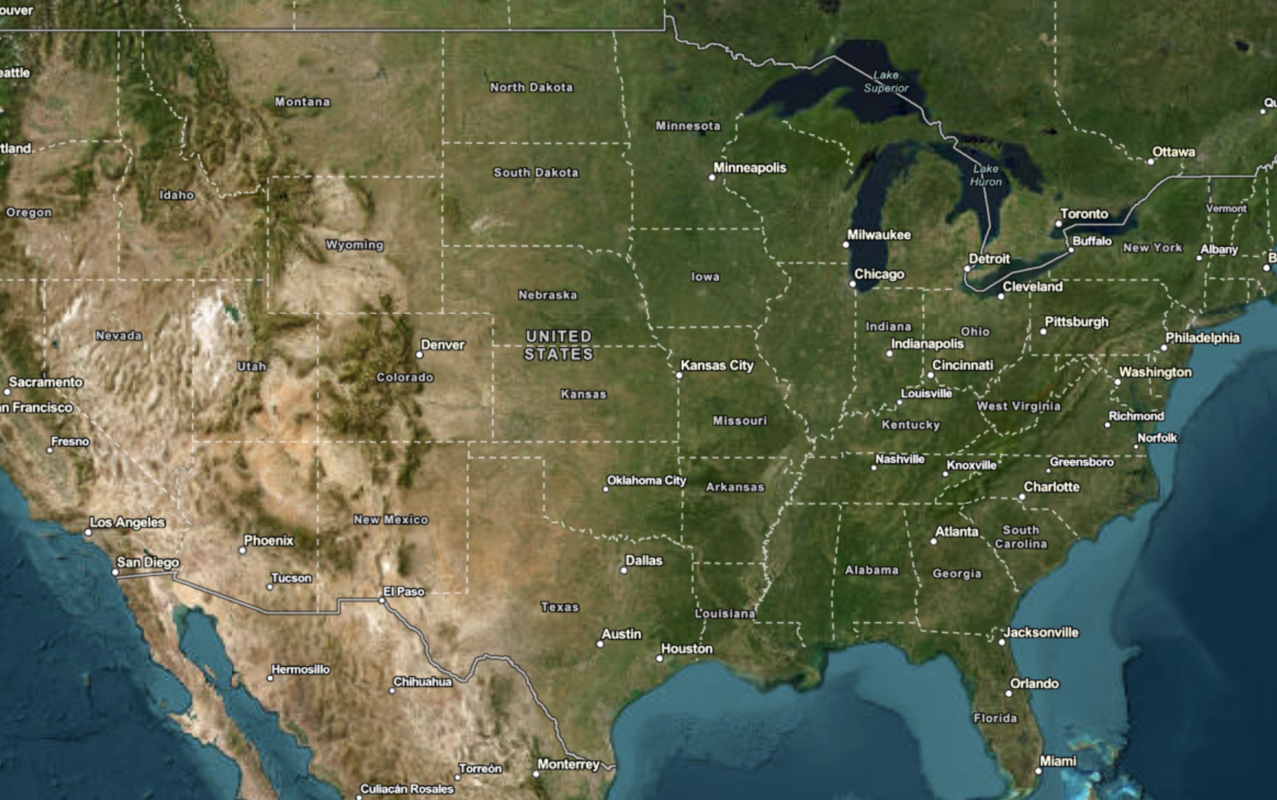
Learn how to change the static basemap tiles style.
The ArcGIS Static Basemap Tiles servicenavigation, streets, outdoor, and light-gray. The tiles are returned as PNG files.
In this tutorial, you use the dropdown menu to toggle between the different static basemap tiles.
Prerequisites
You need an ArcGIS Location Platform account.
ArcGIS Online and ArcGIS Enterprise accounts are not supported.
Steps
Get the starter app
Select a type of authentication and follow the steps to create a new app.
Choose API key authentication if you:
- Want the easiest way to get started.
- Want to build public applications
A public application is an application that allows anonymous access without requiring users to sign in with an ArcGIS account. It supports API key or app authentication. that access ArcGIS Location ServicesArcGIS Location Services, also referred to as Location Services, are services hosted by Esri that provide geospatial functionality for developing mapping applications. They include the ArcGIS Basemap Styles service, ArcGIS Static Basemap Tiles service, ArcGIS Static Maps service, ArcGIS Places service, ArcGIS Geocoding service, ArcGIS Routing service, ArcGIS GeoEnrichment service, and ArcGIS Elevation service. An ArcGIS Location Platform or ArcGIS Online account is required to use the services. and secure itemsAn item, also known as a content item, is a resource stored in a portal such as a web map, hosted layer, style, script tool, file, or notebook. . - Have an ArcGIS Location Platform or ArcGIS Online account.
Choose user authentication if you:
- Want to build private applications.
- Require application users to sign in with their own ArcGIS account
An ArcGIS account is an identity with a user type and set of privileges that can access specific ArcGIS products, tools, APIs, services, and resources. The main account types that can be used for development are an ArcGIS Location Platform account, ArcGIS Online account, and ArcGIS Enterprise account. ArcGIS Location Platform and ArcGIS Online accounts are also associated with a subscription. and access resources their behalf. - Have an ArcGIS Online account.
To learn more about both types of authentication, go to Authentication.
Set up authentication
Set developer credentials
Use the API key or OAuth developer credentials
Add a style selector
-
Create a
<divtag to contain the> <selectdropdown menu, which you will populate in a later step.> Use dark colors for code blocks <div id="map"></div> <div id="basemaps-wrapper"> <select id="basemaps"></select> </div> <script> </script> -
In the
<styleelement, add CSS styling to the> basemaps-wrapperandbasemaps.Use dark colors for code blocks html, body, #map { padding: 0; margin: 0; height: 100%; width: 100%; font-family: Arial, Helvetica, sans-serif; font-size: 14px; color: #323232; } #basemaps-wrapper { position: absolute; top: 20px; right: 20px; background: rgba(255, 255, 255, 0); } #basemaps { font-size: 16px; padding: 4px 8px; }
Update the map's viewpoint
-
Change the map's
centerto[-91.2996, 37.1174]andzoomlevel to5. This will focus the map on the United States of America.Use dark colors for code blocks Copy const map = new ol.Map({ target: "map", view: new ol.View({ center: ol.proj.fromLonLat([-91.2996, 37.1174]), // USA (x, y) zoom: 5 }) });
Set the basemap
Use a function to reference the Static Basemap Tiles service and a style enumeration to update the map. This will be used when a selection is made.
-
Create a
urlfunction to append the name of the basemap selected from the dropdown menu.Use dark colors for code blocks const url = (style) => `${basemapURL}/${style}/static/tile/{z}/{y}/{x}?token=${accessToken}`; -
Modify the
urlproperty of theTileobject to call theurlfunction withbasemapas the default basemap style.Id Use dark colors for code blocks Copy const tileLayer = new ol.layer.Tile({ source: new ol.source.XYZ({ url: url(basemapId), tileSize: 512 }) }); -
Create a
basemapsto return the basemap from the selector.Select Element Use dark colors for code blocks const basemapsSelectElement = document.querySelector("#basemaps"); -
Import
arcgisto make a request to the static basemap tiles service. This dynamically fetches the available basemap styles and populates theRest.request() selectelement.Use dark colors for code blocks <!-- REST JS --> <script src="https://unpkg.com/@esri/arcgis-rest-request@4/dist/bundled/request.umd.js"></script>Use dark colors for code blocks arcgisRest.request(`${basemapURL}/self`, { httpMethod: "GET", authentication: arcgisRest.ApiKeyManager.fromKey(accessToken) }).then((response) => { response.styles.forEach((style) => { const option = document.createElement("option"); option.value = style.path; option.textContent = style.name; basemapsSelectElement.appendChild(option); }); tileLayer.getSource().setUrl(url(response.styles[0].path)); }); -
Run the code to ensure the map displays the default basemap and that the
<selectelement contains different basemap enumerations.>
Add an event listener
Use an event listener to register a basemap change in the <select element and to update the map.
-
Add an event listener to store the selected basemap.
Use dark colors for code blocks const basemapsSelectElement = document.querySelector("#basemaps"); arcgisRest.request(`${basemapURL}/self`, { httpMethod: "GET", authentication: arcgisRest.ApiKeyManager.fromKey(accessToken) }).then((response) => { response.styles.forEach((style) => { const option = document.createElement("option"); option.value = style.path; option.textContent = style.name; basemapsSelectElement.appendChild(option); }); tileLayer.getSource().setUrl(url(response.styles[0].path)); }); basemapsSelectElement.addEventListener("change", (e) => { const style = e.target.value; }); -
Update the
tile's source URL with the new basemap style.Layer Use dark colors for code blocks const basemapsSelectElement = document.querySelector("#basemaps"); arcgisRest.request(`${basemapURL}/self`, { httpMethod: "GET", authentication: arcgisRest.ApiKeyManager.fromKey(accessToken) }).then((response) => { response.styles.forEach((style) => { const option = document.createElement("option"); option.value = style.path; option.textContent = style.name; basemapsSelectElement.appendChild(option); }); tileLayer.getSource().setUrl(url(response.styles[0].path)); }); basemapsSelectElement.addEventListener("change", (e) => { const style = e.target.value; tileLayer.getSource().setUrl(url(style)); });
Run the app
Run the app.
Use the select element to switch between static basemap tiles.