Learn how to display features in a feature layer
A map
A feature layer
In this tutorial, you access and display three different feature layers hosted in ArcGIS Online
Prerequisites
The ArcGIS API for Python tutorials use Jupyter Notebooks to execute Python code. If you are new to this environment, please see the guide to install the API and use notebooks locally.
Steps
Import modules
-
Import the
arcgis.gismodule. This module is the entry point into the GIS and provides the functionality to manage GIS contentContent is a collection of items in a portal that belong to a user, group, or organization. , users, and groups. Additionally, import theFeaturelayerclass from thearcgis.featuresmodule, which has functions for accessing, managing, and displaying featuresA feature is a single record, also known as a row, that represents a real-world entity. It typically contains a geometry (point, multipoint, polyline, or polygon) and attributes but it can also contain just attributes. from feature servicesA feature service is a data service that provides access to spatial and non-spatial data in feature layers, feature layer views, and tables. .Use dark colors for code blocks from arcgis.gis import GIS from arcgis.features import FeatureLayer -
Log in anonymously to access publicly shared content. The data used in this tutorial is public so you do not need credentials to access it. If it were private data, you would be required to provide authentication.
Use dark colors for code blocks from arcgis.gis import GIS from arcgis.features import FeatureLayer portal = GIS()
Create feature layers using URLs
-
Create a
featurelayerinstance for each layer by passing the URL in the constructor.Use dark colors for code blocks portal = GIS() points_layer = FeatureLayer( "https://services3.arcgis.com/GVgbJbqm8hXASVYi/arcgis/rest/services/Trailheads/FeatureServer/0" ) points_layer polylines_layer = FeatureLayer( "https://services3.arcgis.com/GVgbJbqm8hXASVYi/arcgis/rest/services/Trails/FeatureServer/0" ) polylines_layer polygons_layer = FeatureLayer( "https://services3.arcgis.com/GVgbJbqm8hXASVYi/arcgis/rest/services/Parks_and_Open_Space/FeatureServer/0" ) polygons_layer
Display the feature layers
-
Create a map widget instance by calling the
mapmethod and pass in the location ofMalibu, CAto set the maps initial extent. Use theaddmethod to add each of the feature layers._layer Use dark colors for code blocks points_layer = FeatureLayer( "https://services3.arcgis.com/GVgbJbqm8hXASVYi/arcgis/rest/services/Trailheads/FeatureServer/0" ) points_layer polylines_layer = FeatureLayer( "https://services3.arcgis.com/GVgbJbqm8hXASVYi/arcgis/rest/services/Trails/FeatureServer/0" ) polylines_layer polygons_layer = FeatureLayer( "https://services3.arcgis.com/GVgbJbqm8hXASVYi/arcgis/rest/services/Parks_and_Open_Space/FeatureServer/0" ) polygons_layer map = portal.map("Malibu, CA") map for layer in [points_layer, polylines_layer, polygons_layer]: map.add_layer(layer)
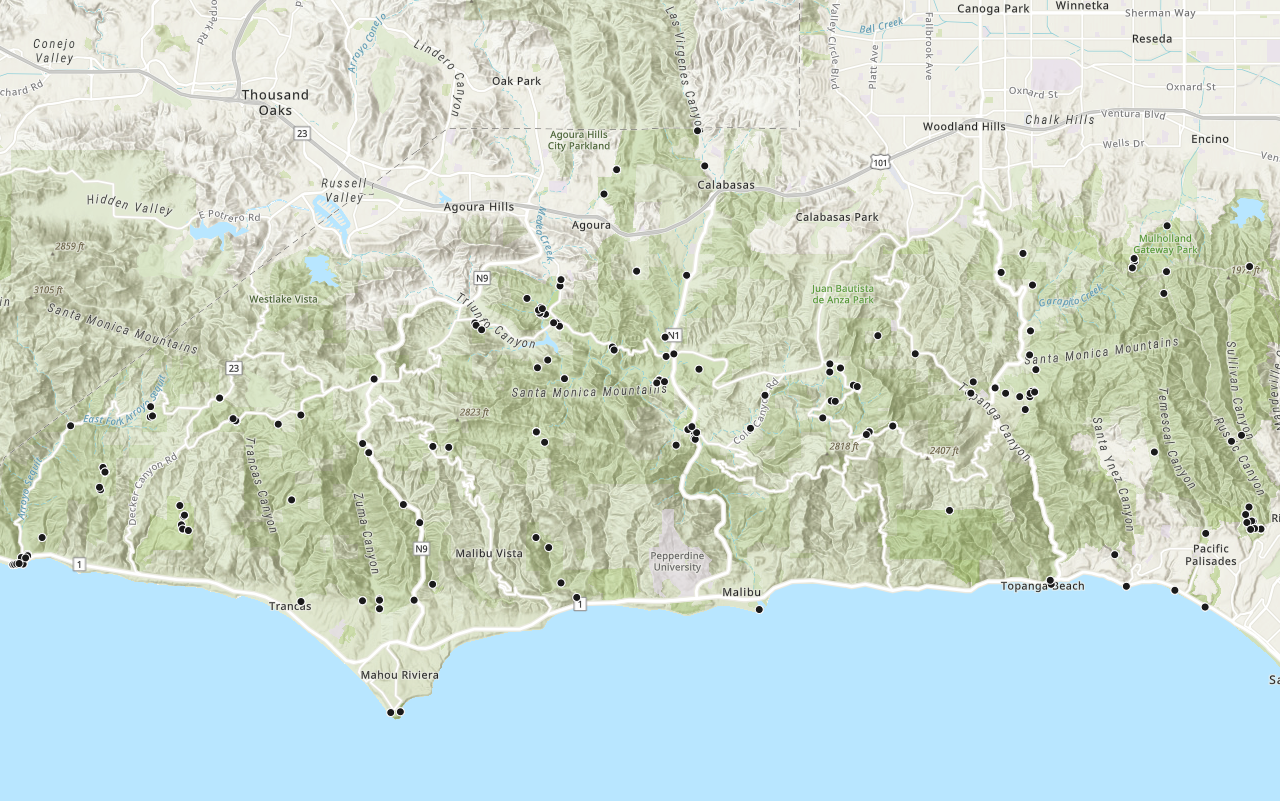
You should see point, line, and polygon features (representing trailheads, trails, and parks) drawn on the map for an area in the Santa Monica Mountains.
Optional: Export the map widget
- Create a standalone HTML page that can be shared and rendered in a web browser.
Use dark colors for code blocks from os import path, getcwd export_dir = path.join(getcwd(), "home") if not path.isdir(export_dir): os.mkdir(export_dir) export_path = path.join(export_dir, "add-a-feature-layer.html") map.export_to_html(export_path, title="Add a feature layer")
What' s next?
Learn how to use additional functionality in these tutorials:
Add a layer from a portal item
Learn how to use a portal item to access and display point features from a feature service.

Query a feature layer (spatial)
Learn how to execute a spatial query to access polygon features from feature services.

Query a feature layer (SQL)
Learn how to execute a SQL query to access polygon features from feature services.