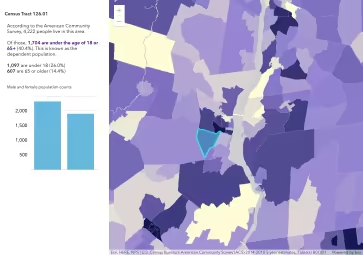
This sample is similar to the Feature component in a side panel sample with the exception that this sample demonstrates working with multiple layers of different types.
It uses two different layers: one imagery layer and one feature layer and shows how to use the arcgis-map fetchPopupFeatures method.
The method returns an array of graphics at a given screen location and the information based on the layer’s associated PopupTemplate is displayed in a Calcite Panel.
How it works
First, listen for the map’s arcgisViewClick event using reactiveUtils and pass this into the fetchPopupFeatures method.
// On map component click, first remove all the previously added features (if any). reactiveUtils.on( () => viewElement, "arcgisViewClick", async (event) => { // Remove any existing highlighted features highlightHandles.removeAll(); // Clear previous results and hide all layer blocks. panel.replaceChildren(); layerBlockArray.forEach((block) => { block.hidden = true; while (block.lastElementChild) { block.removeChild(block.lastElementChild); } }); // Call fetchPopupFeatures and pass in the click event location. const generator = await viewElement.fetchPopupFeatures(event.detail.screenPoint, { pointerType: event.detail.pointerType, });Next, iterate through all of the returned graphics and pass each graphic into the Feature component’s graphic property. If a graphic comes from a feature layer, highlight the graphic in the map using the layerView.highlight method.
          // Iterate through the returned graphics once the generator resolves.          const graphics = await Array.fromAsync(generator);          if (graphics.length === 0) {            return;          }
          const blocksByHeading = new Map(layerBlockArray.map((block) => [block.heading, block]));          graphics.forEach((graphic) => {            const block = blocksByHeading.get(graphic.layer.title);            if (!block) {              return;            }
            // Show/attach only the blocks that have results for this click.            if (block.hidden) {              block.hidden = false;              panel.appendChild(block);            }
            const featureChild = document.createElement("arcgis-feature");            featureChild.graphic = graphic;            block.appendChild(featureChild);
            // If the graphic comes from a feature layer, add a highlight            // to that feature using the layerView.highlight method.            if (graphic.layer.type === "feature") {              layerViews.forEach((layerView) => {                if (graphic.layer.name === layerView.layer.name) {                  highlightHandles.add(layerView.highlight(graphic));                }              });            }          });