With the ArcGIS Maps SDK for JavaScript
The UtilityNetwork contains metadata such as domain network names and shared named trace configurations, along with methods to obtain tier names and terminal configurations. See What is a utility network? for more information on utility networks.
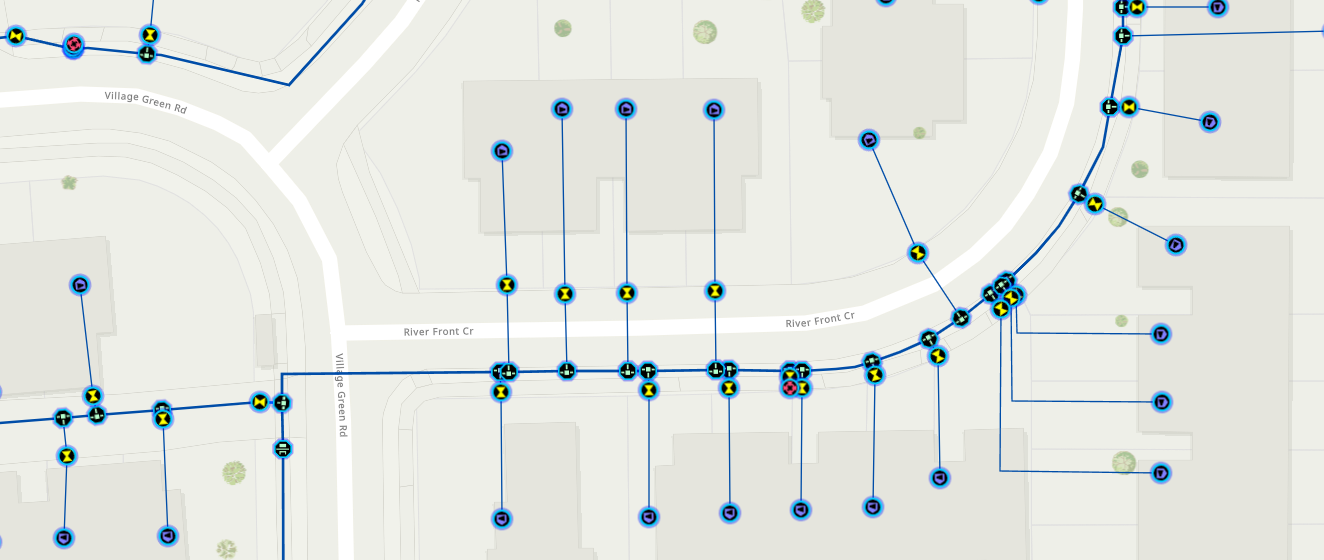
Configure Map component with WebMap
A UtilityNetwork can be obtained from a WebMap containing a utility network layer. See Publish a utility network layer for more information on configuring and publishing a utility network layer. The first step is to load the webmap. The following code snippet demonstrates how to load a webmap hosted on ArcGIS Enterprise.
// Import the WebMap classconst [WebMap, config] = await $arcgis.import([ "@arcgis/core/WebMap.js", "@arcgis/core/config.js",]);// Set the hostname to the portal instanceconfig.portalUrl = "https://myHostName.domain.com/portal";// Get the Map component from HTMLconst mapElement = document.querySelector("arcgis-map");// Create the WebMap and set it on the Map componentconst webMap = new WebMap({ // Define the web map reference portalItem: { id: "myWebmapId", },});// Load the WebMapawait webMap.load();// Set mapElement to webMapmapElement.map = webMap;Load the utility network
The webmap must finish loading before accessing the utility network from the WebMap.utilityNetworks property. Use the load() method to access the UtilityNetwork and its properties. The following document may help as it provides detailed Object Model Diagrams (OMDs) of the Utility Network classes, interfaces and enumerations exposed in the ArcGIS Maps SDK for JavaScript: Utility Network OMD
Additional topics
View associations
Learn how to obtain and visualize associations.
Trace a utility network
Learn how to configure trace configurations and run shared named trace configurations programmatically or with a widget.