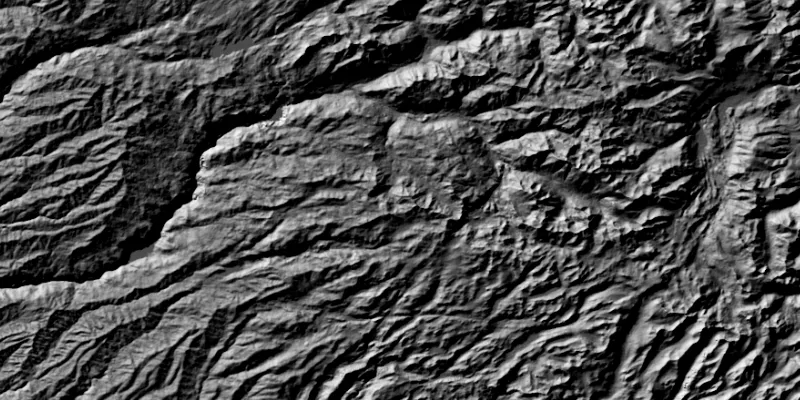
Apply a hillshade renderer to a raster.
Use case
An environmental agency may track coastal erosion by comparing images of an area taken over a longer period of time with hillshade renderers applied.
How to use the sample
Choose and adjust the settings to update the hillshade renderer on the raster layer. The sample allows you to change the Altitude, Azimuth, and Slope Type.
How it works
- Create a
Rasterfrom a grayscale raster file. - Create a
RasterLayerfrom the raster. - Create a
Basemapfrom the raster layer and set it to the map. - Create a
HillshadeRenderer, specifying the slope type and other properties. - Set the hillshade renderer to be used on the raster layer with
rasterLayer.setRenderer(renderer).
Relevant API
- Basemap
- HillshadeRenderer
- Raster
- RasterLayer
Tags
altitude, angle, azimuth, raster, slope, visualization
Sample code
/* * Copyright 2017 Esri. * * Licensed under the Apache License, Version 2.0 (the "License"); you may not * use this file except in compliance with the License. You may obtain a copy of * the License at * * http://www.apache.org/licenses/LICENSE-2.0 * * Unless required by applicable law or agreed to in writing, software * distributed under the License is distributed on an "AS IS" BASIS, WITHOUT * WARRANTIES OR CONDITIONS OF ANY KIND, either express or implied. See the * License for the specific language governing permissions and limitations under * the License. */
package com.esri.samples.hillshade_renderer;
import java.io.File;
import javafx.fxml.FXML;import javafx.scene.control.ComboBox;import javafx.scene.control.Slider;
import com.esri.arcgisruntime.layers.RasterLayer;import com.esri.arcgisruntime.mapping.ArcGISMap;import com.esri.arcgisruntime.mapping.Basemap;import com.esri.arcgisruntime.mapping.view.MapView;import com.esri.arcgisruntime.raster.HillshadeRenderer;import com.esri.arcgisruntime.raster.Raster;import com.esri.arcgisruntime.raster.SlopeType;
public class HillshadeRendererController {
  @FXML private MapView mapView;  @FXML private ComboBox<SlopeType> slopeTypeComboBox;  @FXML private Slider azimuthSlider;  @FXML private Slider altitudeSlider;
  private RasterLayer rasterLayer;
  public void initialize() {
    // create raster    Raster raster = new Raster(new File(System.getProperty("data.dir"), "./samples-data/raster/srtm.tiff").getAbsolutePath());
    // create a raster layer    rasterLayer = new RasterLayer(raster);
    // create a basemap from the raster layer    Basemap basemap = new Basemap(rasterLayer);    ArcGISMap map = new ArcGISMap(basemap);
    // set the map to the map view    mapView.setMap(map);
    // set defaults    slopeTypeComboBox.getItems().setAll(SlopeType.values());    slopeTypeComboBox.getSelectionModel().select(SlopeType.NONE);
    // add listeners    altitudeSlider.valueChangingProperty().addListener(o -> {      if (!altitudeSlider.isValueChanging()) {        updateRenderer();      }    });    azimuthSlider.valueChangingProperty().addListener(o -> {      if (!azimuthSlider.isValueChanging()) {        updateRenderer();      }    });
    updateRenderer();  }
  /**   * Updates the raster layer renderer according to the chosen property values.   */  public void updateRenderer() {
    // create blend renderer    HillshadeRenderer hillshadeRenderer = new HillshadeRenderer(altitudeSlider.getValue(), azimuthSlider.getValue(),        0.000016, slopeTypeComboBox.getSelectionModel().getSelectedItem(), 1, 1, 8);
    rasterLayer.setRasterRenderer(hillshadeRenderer);  }
  /**   * Stops and releases all resources used in application.   */  void terminate() {
    if (mapView != null) {      mapView.dispose();    }  }
}
/* * Copyright 2017 Esri. * * Licensed under the Apache License, Version 2.0 (the "License"); you may not * use this file except in compliance with the License. You may obtain a copy of * the License at * * http://www.apache.org/licenses/LICENSE-2.0 * * Unless required by applicable law or agreed to in writing, software * distributed under the License is distributed on an "AS IS" BASIS, WITHOUT * WARRANTIES OR CONDITIONS OF ANY KIND, either express or implied. See the * License for the specific language governing permissions and limitations under * the License. */
package com.esri.samples.hillshade_renderer;
import java.io.IOException;
import javafx.application.Application;import javafx.fxml.FXMLLoader;import javafx.scene.Parent;import javafx.scene.Scene;import javafx.stage.Stage;
public class HillshadeRendererSample extends Application {
private static HillshadeRendererController controller;
@Override public void start(Stage stage) throws IOException { // set up the scene FXMLLoader loader = new FXMLLoader(getClass().getResource("/hillshade_renderer/main.fxml")); Parent root = loader.load(); controller = loader.getController(); Scene scene = new Scene(root);
// set up the stage stage.setTitle("Hillshade Renderer Sample"); stage.setWidth(800); stage.setHeight(700); stage.setScene(scene); stage.show(); }
/** * Stops and releases all resources used in application. */ @Override public void stop() { controller.terminate(); }
/** * Opens and runs application. * * @param args arguments passed to this application */ public static void main(String[] args) {
Application.launch(args); }}