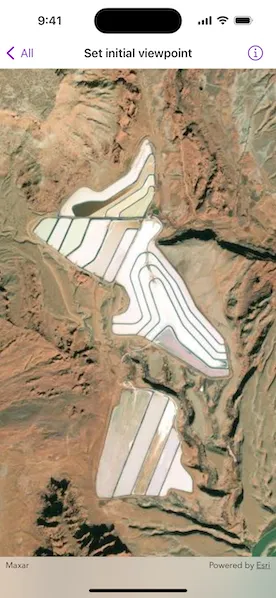
Display the map at an initial viewpoint representing a bounding geometry.
Use case
Setting the initial viewpoint is useful when a user wishes to first load the map at a particular area of interest.
How to use the sample
When the sample loads, note the map is opened at the initial viewpoint that is set to it.
How it works
- Instantiate a
Mapobject. - Instantiate a
Viewpointobject using anEnvelopeobject. - Set the starting location of the map with
map.initialViewpoint = Viewpoint(boundingGeometry:). - Set the map to a
MapViewobject.
Relevant API
- Envelope
- Map
- MapView
- Point
- Viewpoint
Tags
envelope, extent, initial viewpoint, zoom
Sample code
SetInitialViewpointView.swift
// Copyright 2024 Esri//// Licensed under the Apache License, Version 2.0 (the "License");// you may not use this file except in compliance with the License.// You may obtain a copy of the License at////   https://www.apache.org/licenses/LICENSE-2.0//// Unless required by applicable law or agreed to in writing, software// distributed under the License is distributed on an "AS IS" BASIS,// WITHOUT WARRANTIES OR CONDITIONS OF ANY KIND, either express or implied.// See the License for the specific language governing permissions and// limitations under the License.
import ArcGISimport SwiftUI
struct SetInitialViewpointView: View {    /// A map with a basemap and an initial viewpoint.    @State private var map: Map = {        let map = Map(basemapStyle: .arcGISImageryStandard)        map.initialViewpoint = Viewpoint(boundingGeometry: .potashPonds)        return map    }()
    var body: some View {        MapView(map: map)    }}
private extension Geometry {    /// The area around Potash Ponds, Moab, Utah.    static var potashPonds: Envelope {        Envelope(            xRange: -12211308.778729 ... -12208257.879667,            yRange: 4645116.003309 ... 4650542.535773,            spatialReference: .webMercator        )    }}#Preview {    SetInitialViewpointView()}