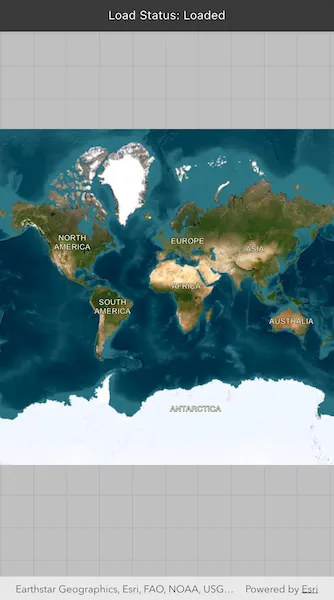
Determine the map’s load status which can be: notLoaded, failedToLoad, loading, loaded.
Use case
Knowing the map’s load state may be required before subsequent actions can be executed.
How to use the sample
Open the sample to load the map. The load status will be displayed on screen.
How it works
The LoadStatus is loaded when any of the following criteria are met:
- The map has a valid spatial reference.
- The map has an initial viewpoint.
- One of the map’s predefined layers has been created.
Relevant API
- ArcGISMap
- ArcGISMap.onLoadStatusChanged
- ArcGISMapView
- LoadStatus
Tags
load status, loadable pattern, map
Sample code
monitor_changes_to_map_load_status.dart
// Copyright 2026 Esri//// Licensed under the Apache License, Version 2.0 (the "License");// you may not use this file except in compliance with the License.// You may obtain a copy of the License at////   https://www.apache.org/licenses/LICENSE-2.0//// Unless required by applicable law or agreed to in writing, software// distributed under the License is distributed on an "AS IS" BASIS,// WITHOUT WARRANTIES OR CONDITIONS OF ANY KIND, either express or implied.// See the License for the specific language governing permissions and// limitations under the License.//
import 'dart:async';import 'package:arcgis_maps/arcgis_maps.dart';import 'package:arcgis_maps_sdk_flutter_samples/common/common.dart';import 'package:flutter/material.dart';
class MonitorChangesToMapLoadStatus extends StatefulWidget {  const MonitorChangesToMapLoadStatus({super.key});
  @override  State<MonitorChangesToMapLoadStatus> createState() =>      _MonitorChangesToMapLoadStatusState();}
class _MonitorChangesToMapLoadStatusState    extends State<MonitorChangesToMapLoadStatus>    with SampleStateSupport {  // Create a controller for the map view.  final _mapViewController = ArcGISMapView.createController();
  // Subscription for map load status changes.  StreamSubscription<LoadStatus>? _loadStatusSubscription;
  // A variable indicating the load status of the map.  var _mapLoadStatus = 'Unknown';
  @override  Widget build(BuildContext context) {    return Scaffold(      body: Stack(        children: [          // Add a map view to the widget tree and set a controller.          ArcGISMapView(            controllerProvider: () => _mapViewController,            onMapViewReady: onMapViewReady,          ),          // Display the status of the current map.          MapBanner(text: 'Load Status: $_mapLoadStatus'),        ],      ),    );  }
  @override  void dispose() {    // Cancel the load status subscription when the widget is disposed.    _loadStatusSubscription?.cancel().ignore();    super.dispose();  }
  // Updates the displayed map load status based on the current load state.  void updateMapStatus(LoadStatus status) {    setState(() {      _mapLoadStatus = switch (status) {        LoadStatus.notLoaded => 'Not Loaded',        LoadStatus.loading => 'Loading',        LoadStatus.loaded => 'Loaded',        LoadStatus.failedToLoad => 'Failed',        _ => 'Unknown',      };    });  }
  void onMapViewReady() {    // Create a map with an imagery basemap style    final map = ArcGISMap.withBasemapStyle(.arcGISImagery);
    // Set the map to the map view controller.    _mapViewController.arcGISMap = map;
    // Monitor changes to the map's load status.    _loadStatusSubscription = map.onLoadStatusChanged.listen(updateMapStatus);  }}