Maps
See Scenes (3D) in this guide for more information about working with scenes.
You can use a map to:
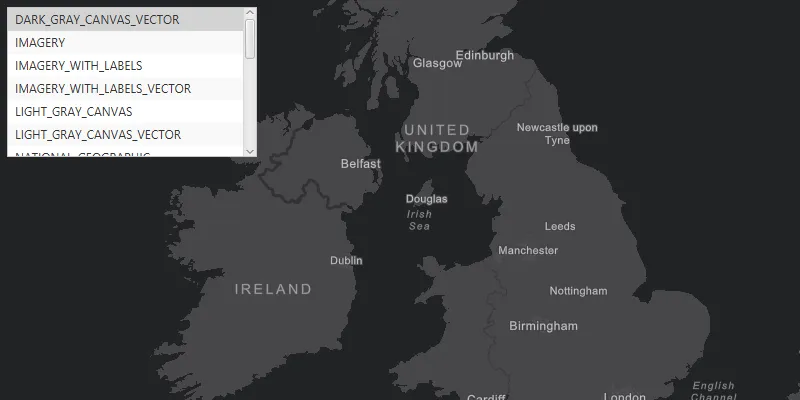
- Display a basemap layer
A basemap layer is the layer in a map or scene that displays basemap data. The data source for a basemap layer is typically a basemap service. such as streets or satellite imagery. - Access and display data layers
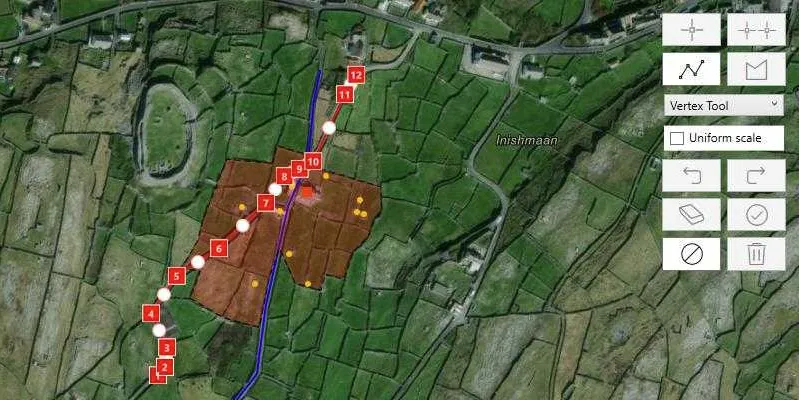
A data layer is a layer that references geographic data from a file or a service and is used to visualize the data in a map or scene. based on files or services, including data you have authored. - Provide context for temporary points, lines, polygons, or text displayed as graphics
A graphic is a visual element composed of a geometry, symbol, and attributes that is displayed on a map or scene. . - Inspect data layers and display information from attributes
Attributes are fields and values for a single feature or non-spatial record. They are typically stored in a database or service such as a feature service. . - Measure distance and explore spatial relationships between geometries
A geometry is a geometric shape, such as a point, polyline, or polygon, that contains one or more coordinates and a spatial reference. . - Save a collection of layers as a web map
A web map is a map stored as a JSON object that defines properties such as the basemap layer, data layers, layer styles, and pop-up styles. Its JSON structure is defined by the web map specification. to be shared across ArcGIS.
How a map works
A map
For offline
Map
A map contains a collection of layers
You can open an existing map or create one entirely with code. To create a map, you typically first add a basemap layer
// Authenticate your application using a supported method:// - API key authentication// - User authentication
@overrideWidget build(BuildContext context) {  return Scaffold(    // Add a map view to the widget tree and set a controller and a map with a basemap style.    body: ArcGISMapView(      controllerProvider: () => ArcGISMapView.createController()        // Creates a map with the topographic basemap style.        ..arcGISMap = ArcGISMap.withBasemapStyle(BasemapStyle.arcGISTopographic),    ),  );}
You can also open a map stored in a portal
@overrideWidget build(BuildContext context) { return Scaffold( // Add a map view to the widget tree and set a controller and a map with a web map from a URL. body: ArcGISMapView( controllerProvider: () => ArcGISMapView.createController() // Creates a map with the web map. ..arcGISMap = ArcGISMap.withUri( Uri.parse( 'https://www.arcgis.com/home/item.html?id=acc027394bc84c2fb04d1ed317aac674', ), ), ), );}You can define the initial extent at which the map will display by setting the ArcGISMap.initialViewpoint property.
Layer
Each layer
The Layer class is the base class for all types of layers. The type of layer you create depends on the type of data you want to display. For example, to display feature data you can create an FeatureLayer that references an online service (such as a feature service
// Create a new trail heads feature layer from its URL.final trailheadsLayer = FeatureLayer.withFeatureTable(  ServiceFeatureTable.withUri(    Uri.parse(      'https://services3.arcgis.com/GVgbJbqm8hXASVYi/arcgis/rest/services/Trailheads_Styled/FeatureServer/0',    ),  ),);
// Create a new trails feature layer from its URL.final trailsLayer = FeatureLayer.withFeatureTable(  ServiceFeatureTable.withUri(    Uri.parse(      'https://services3.arcgis.com/GVgbJbqm8hXASVYi/arcgis/rest/services/Trails_Styled/FeatureServer/0',    ),  ),);
// Create a new open spaces feature layer from its URL.final openSpacesLayer = FeatureLayer.withFeatureTable(  ServiceFeatureTable.withUri(    Uri.parse(      'https://services3.arcgis.com/GVgbJbqm8hXASVYi/arcgis/rest/services/Parks_and_Open_Space_Styled/FeatureServer/0',    ),  ),);
// Add all feature layers to the map.map.operationalLayers.addAll([trailheadsLayer, trailsLayer, openSpacesLayer]);
MapView
A map view
A map view
- Access data for data layers and graphics.
- Display the current location as a point on the map.
- Identify and select features at a specified location.
- Export an image of the current display.
- Rotate the map display.
- Apply a time extent to filter the display of features.
- Filter layer data using attribute and spatial criteria.
- Display image overlays on the map view.
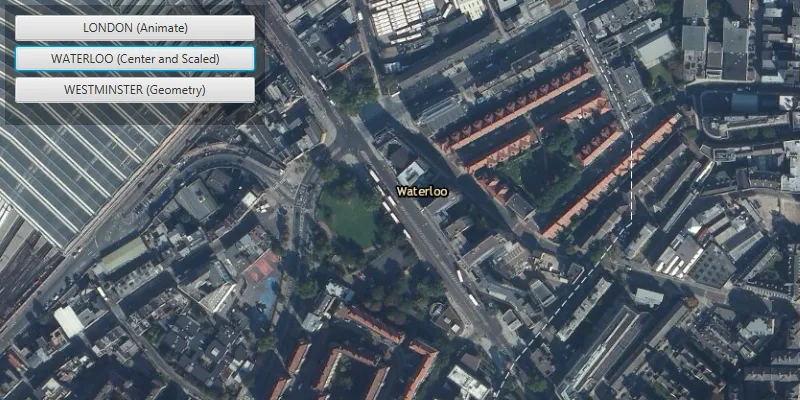
Display a mapArcGISMapView control. Changes you make to the map, such as adding, removing, or reordering layers, will immediately be reflected in the map view display. The ArcGISMap.initialViewpoint property will determine the area of the map shown when the map loads. You can also adjust the ArcGISMapViewController.setViewpoint() and ArcGISMapViewController.setViewpointRotation() programmatically to change the map area or orientation shown in the display.
// Create a map with a topographic basemap style.final map = ArcGISMap.withBasemapStyle(BasemapStyle.arcGISTopographic);
// Create an initial envelope.final initialEnvelope = Envelope.fromXY(  xMin: -118.805,  yMin: 34.027,  xMax: -118.795,  yMax: 34.037,  spatialReference: SpatialReference.wgs84,);
// Create and set the initial viewpoint to the map.map.initialViewpoint = Viewpoint.fromTargetExtent(initialEnvelope.extent);
// Set the map to the map view.mapViewController.arcGISMap = map;
Examples
Create and display a map
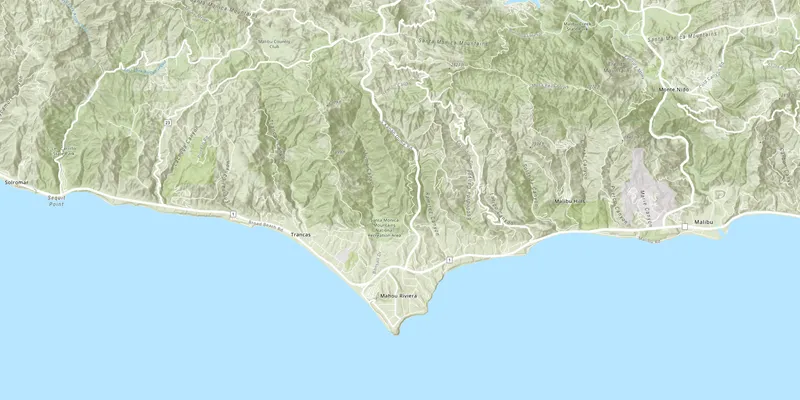
You can display a basic map by creating one with a basemap layer, setting its initial extent, and adding it to a map view.
Steps
-
Create a new
ArcGISMapwith theBasemapStyleconstructor. -
Optionally, add one or more data layers to the map.
-
Assign the map to the ArcGIS map view controller’s
arcGISMapproperty. -
Call the ArcGIS map view controller’s
setViewpoint()and pass in aViewpointto focus on a specified area of the map.
38 collapsed lines
import 'package:arcgis_maps/arcgis_maps.dart';import 'package:flutter/material.dart';
void main() {
ArcGISEnvironment.apiKey = 'YOUR_ACCESS_TOKEN';
runApp( const MaterialApp( home: DisplayAMapExample(), ), );
}
class DisplayAMapExample extends StatefulWidget { const DisplayAMapExample({super.key});
@override State<DisplayAMapExample> createState() => _DisplayAMapExample();}
class _DisplayAMapExample extends State<DisplayAMapExample> {
final _mapViewController = ArcGISMapView.createController();
@override Widget build(BuildContext context) { return Scaffold( body: ArcGISMapView( controllerProvider: () => _mapViewController, onMapViewReady: onMapViewReady, ), ); }
void onMapViewReady() {
// Define a final variable, map, and initialize it to an ArcGISMap // with the ArcGIS Topographic basemap style. final map = ArcGISMap.withBasemapStyle(BasemapStyle.arcGISTopographic);
// Set the ArcGIS map view controller's arcgisMap property to the map. _mapViewController.arcGISMap = map;
// Call setViewpoint() to zoom to the Santa Monica Mountains in // California. _mapViewController.setViewpoint( Viewpoint.withLatLongScale( latitude: 34.02700, longitude: -118.80500, scale: 72000, ), );3 collapsed lines
}}You can also create and save a web map
Display a web map
You can open a web map
Steps
-
Create a
Portalobject to connect to ArcGIS Online that is hosting a web map you want to load. -
Create a
PortalItemobject using the itemIdAn item ID is a unique identifier representing a single item stored, managed, and accessed in a portal, such as a web map, hosted layer, or file. for the item that stores the web map. -
Create a new
ArcGISMap, passing the portalItemAn item, also known as a content item, is a resource stored in a portal such as a web map, hosted layer, style, script tool, file, or notebook. into the constructor. -
Assign the map view controller’s
arcGISMapproperty to your map.
41 collapsed lines
import 'package:arcgis_maps/arcgis_maps.dart';import 'package:flutter/material.dart';
void main() { ArcGISEnvironment.apiKey = 'YOUR_ACCESS_TOKEN';
runApp( const MaterialApp( home: DisplayAWebMapExample(), ), );}
class DisplayAWebMapExample extends StatefulWidget { const DisplayAWebMapExample({super.key});
@override State<DisplayAWebMapExample> createState() => _DisplayAWebMapExample();}
class _DisplayAWebMapExample extends State<DisplayAWebMapExample> { final _mapViewController = ArcGISMapView.createController();
@override Widget build(BuildContext context) { return Scaffold( body: Column( children: [ Expanded( child: ArcGISMapView( controllerProvider: () => _mapViewController, onMapViewReady: onMapViewReady, ), ), ], ), ); }
void onMapViewReady() {
// Instantiate a Portal object to connect to the portal anonymously. final portal = Portal.arcGISOnline(); const itemId = '41281c51f9de45edaf1c8ed44bb10e30';
// Create a PortalItem object using the item ID that // references the web map. PortalItem portalItem = PortalItem.withPortalAndItemId( portal: portal, itemId: itemId, );
// Create a new map with the portal item. final map = ArcGISMap.withItem(portalItem);
// Assign the map to the map view controller's arcGISMap property. _mapViewController.arcGISMap = map;3 collapsed lines
}}Display a mobile map
This example displays a map
Steps
-
Create a
MobileMapPackageusing the path to a local .mmpk file. -
Call
MobileMapPackage.load()to load the package. -
When the package loads, get the first map from the package using the
MobileMapPackage.mapsproperty. -
Display the map in a
ArcGISMapView.
63 collapsed lines
import 'dart:io';
import 'package:arcgis_maps/arcgis_maps.dart';import 'package:flutter/material.dart';import 'package:flutter/services.dart';import 'package:path_provider/path_provider.dart';
void main() { runApp(const MaterialApp(home: DisplayAMobileMapExample()));}
class DisplayAMobileMapExample extends StatefulWidget { const DisplayAMobileMapExample({super.key});
@override State<DisplayAMobileMapExample> createState() => _DisplayAMobileMapExampleState();}
class _DisplayAMobileMapExampleState extends State<DisplayAMobileMapExample> { final _mapViewController = ArcGISMapView.createController();
@override Widget build(BuildContext context) { return Scaffold( body: Column( children: [ Expanded( child: ArcGISMapView( controllerProvider: () => _mapViewController, onMapViewReady: onMapViewReady, ), ), ], ), ); }
void onMapViewReady() async { const mobileMapPackageName = 'Yellowstone.mmpk';
// Retrieve the mobile map package from the asset bundle. final mobileMapPackageData = await rootBundle.load( 'assets/$mobileMapPackageName', );
// Path to a temporary directory on the device. // NOTE: This location is not backed up and is suitable for storing // caches of downloaded files, in this case, your mobile map package. final platformTempDir = await getTemporaryDirectory();
// Define the path on the device to the mobile map package. final pathToFile = '${platformTempDir.absolute.path}/$mobileMapPackageName';
// Create a new file using the path to the mobile map package. final mobileMapPackageFile = File(pathToFile);
// Synchronously write the mobile map package to the file // on the device. mobileMapPackageFile.writeAsBytesSync( mobileMapPackageData.buffer.asUint8List(), flush: true, );
// Create a mobile map package using the Uri to the mobile map package file. final mobileMapPackage = MobileMapPackage.withFileUri( mobileMapPackageFile.uri, );
// Load the metadata for the mobile map package. await mobileMapPackage.load();
// Check that the mobile map package is not empty. if (mobileMapPackage.maps.isNotEmpty) { // Display the first map in the mobile map package in the map // view controller. _mapViewController.arcGISMap = mobileMapPackage.maps.first; }3 collapsed lines
}}Use API key access tokens
An API key access tokenApiKeyResource.