What are simple styles?
A simple style is a single set of visual properties applied to all features in a feature layer
You use simple styles when you want to:
- Style all features (points, lines, and polygons) the same
- Style features based on their location
- Create a uniform visualization for all features
- Not emphasize or deemphasize features
- Not use a data-driven approach to visualize features
How to create a simple style
In general, there are two ways to style features
-
Apply symbols to graphics: You use this approach when you need to display the location for temporary graphics
A graphic is a visual element composed of a geometry, symbol, and attributes that is displayed on a map or scene. in a mapA map is a collection of layers that are displayed in 2D. It is typically composed of a basemap layer and data layers. or sceneA scene is a collection of layers that are displayed in 3D. It is typically composed of a basemap layer, data layers, and 3D data. . The symbolA symbol defines the properties used to display a geometry or text. type must match the geometryA geometry is a geometric shape, such as a point, polyline, or polygon, that contains one or more coordinates and a spatial reference. type of the graphic. Learn more about how to create graphics in Graphics. -
Apply a renderer (with symbols) to a data layer: You use this approach when you want to style all features
A feature is a single record, also known as a row, that represents a real-world entity. It typically contains a geometry (point, multipoint, polyline, or polygon) and attributes but it can also contain just attributes. in a data layer in a mapA map is a collection of layers that are displayed in 2D. It is typically composed of a basemap layer and data layers. or sceneA scene is a collection of layers that are displayed in 3D. It is typically composed of a basemap layer, data layers, and 3D data. . A rendererA renderer is a collection of rules and symbols used to display the data in a layer. defines the "rules" for applying symbolsA symbol defines the properties used to display a geometry or text. to features, and the symbols define the style used to display the feature. Learn more about layers that support features in Data layers.
Symbols
There are many different types of symbols
2D Symbols
You use 2D symbols to style point, line, and polygon geometries and display them in a map
const symbol = new SimpleMarkerSymbol({
color: "rgba(0,128,155,0.8)",
size: "10px",
outline: new SimpleLineSymbol({
width: 0.5,
color: "rgba(255,255,255,0.3)"
})
});3D Symbols
You use 3D symbols to style point, line, polygon, and mesh geometries and display them in a scene
- 2D symbols such as marker symbols, line symbols and polygon fill symbols.
- 3D symbols such as 3D model symbols, path symbols and extruded polygon symbols.
See below for more examples.
const pointSymbol = new PointSymbol3D({
symbolLayers: [ new IconSymbol3DLayer({
resource: { href: "pin.svg" },
size: 15,
material: {
color: "#4c397f"
},
anchor: "bottom"
})]
});Simple renderer
The most common type of renderer
const renderer = new SimpleRenderer({
symbol: new SimpleMarkerSymbol({
size: 4,
color: [0, 255, 255],
outline: null,
}),
});
2D examples
Points
To visualize the location of point features
This example visualizes the locations of major US cities.
- Create a simple marker symbol and add it to a simple renderer
A simple renderer is a renderer that defines a single symbol used to display all features in a layer. . - Set the renderer to a data layer.
const renderer = new SimpleRenderer({
symbol: new SimpleMarkerSymbol({
size: 4,
color: [0, 255, 255],
outline: null,
}),
});
Lines
To visualize the location of line features
This example displays the locations of major highways using a single symbol.
Steps
- Create a simple line symbol and add it to a simple renderer
A simple renderer is a renderer that defines a single symbol used to display all features in a layer. . - Set the renderer to the data layer.
const renderer = new SimpleRenderer({
symbol: new SimpleLineSymbol({
width: 1,
color: "#fb12ff",
}),
});
Polygons
To visualize the location of polygon features
This example visualizes the borders of the states in the U.S. with very transparent polygons.
Steps
- Create a simple fill symbol and add it to a simple renderer
A simple renderer is a renderer that defines a single symbol used to display all features in a layer. . - Set the renderer to the data layer.
const renderer = new SimpleRenderer({
symbol: new SimpleFillSymbol({
color: "rgba(249, 249, 199, .05)",
outline: {
color: "white",
width: 0.15,
},
}),
});
3D examples
Points
To visualize the location of point features
Steps
- Create a marker symbol and add it to a simple renderer
A simple renderer is a renderer that defines a single symbol used to display all features in a layer. . - Apply the renderer to the data layer so that each feature is displayed with the marker symbol.
const renderer = new SimpleRenderer({
symbol: new PointSymbol3D({
symbolLayers: [
new IconSymbol3DLayer({
resource: {
href: "https://static.arcgis.com/arcgis/styleItems/Icons/web/resource/Pushpin3.svg",
},
size: 15,
material: {
color: "#4c397f",
},
anchor: "bottom",
}),
],
}),
});
Lines
To visualize the location of line features
Steps
- Create a path symbol with a width and a height of 10 meters.
- Add it to a simple renderer
A simple renderer is a renderer that defines a single symbol used to display all features in a layer. . - Apply the renderer to the data layer.
const renderer = new SimpleRenderer({
symbol: new LineSymbol3D({
symbolLayers: [
new PathSymbol3DLayer({
profile: "quad",
material: {
color: [46, 255, 238],
},
width: 10,
height: 10,
join: "miter",
cap: "round",
anchor: "bottom",
profileRotation: "all",
}),
],
}),
});
Polygons
To visualize polygon features
Steps
- Create an extruded polygon symbol and add it to a simple renderer
A simple renderer is a renderer that defines a single symbol used to display all features in a layer. . - Apply the renderer to the data layer.
const renderer = new SimpleRenderer({
symbol: new PolygonSymbol3D({
symbolLayers: [
new ExtrudeSymbol3DLayer({
material: {
color: "#ffc53d",
},
size: 10,
edges: {
type: "solid",
color: "#a67400",
size: 1.5,
},
}),
],
}),
});
Tutorials
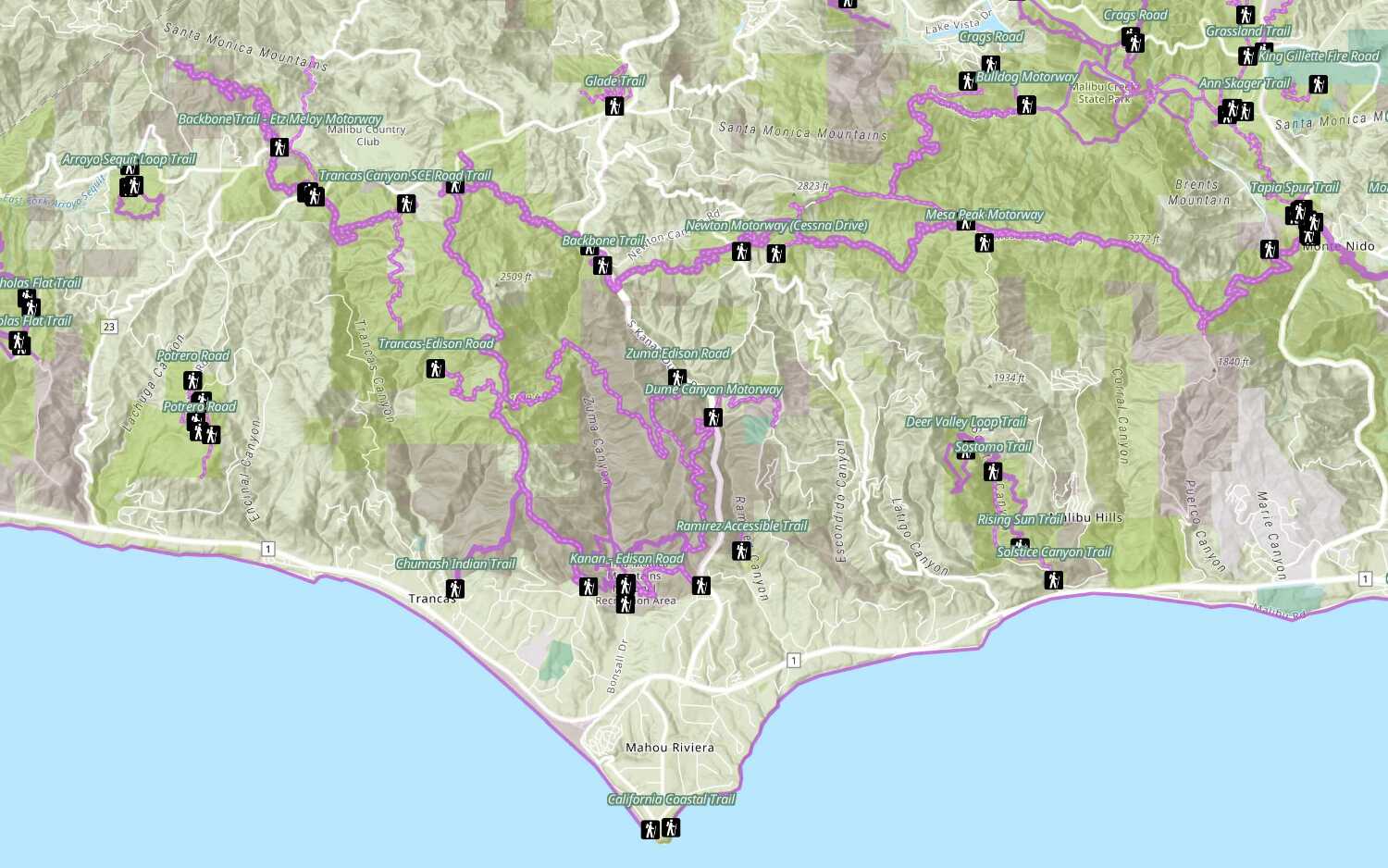
Style a feature layer
Use symbols and renderers to style feature layers.

