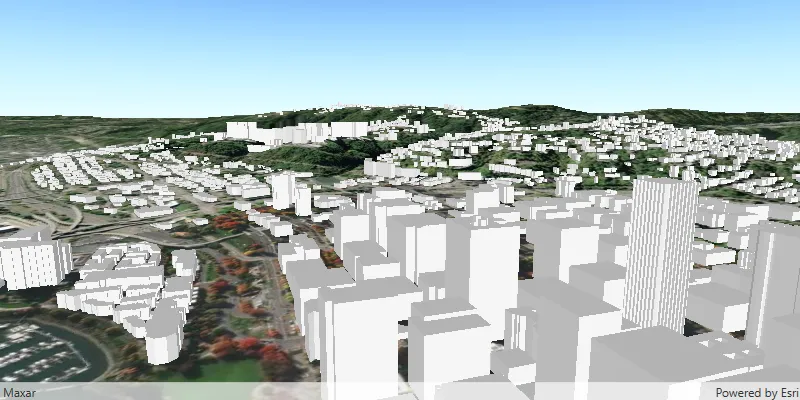
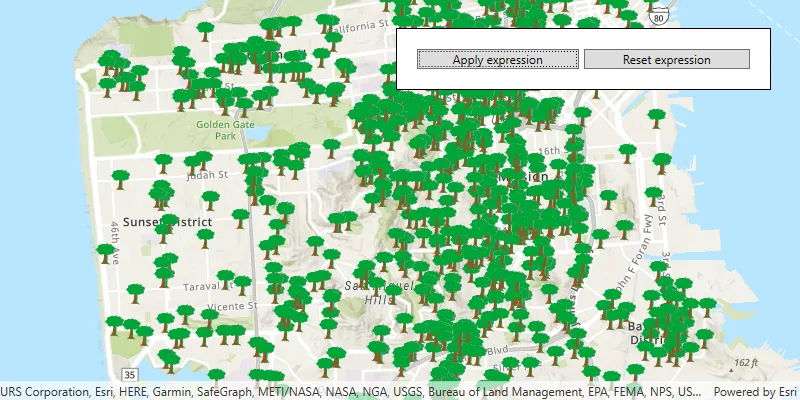
Maps A map is a collection of layers that are displayed in 2D. It is typically composed of a basemap layer and data layers. Learn more and scenes A scene is a collection of layers that are displayed in 3D. It is typically composed of a basemap layer, data layers, and 3D data. Learn more use a collection of layers A layer is a reference to a collection of geographic data that is used to access and display data. The data for layers are typically provided by the basemap layer service and data services. Learn more to display geographic data from a variety of sources and formats. These can include several basemap layers A basemap layer is the layer in a map or scene that displays basemap data. The data source for a basemap layer is typically a basemap service. Learn more and data layers A data layer is a layer that references geographic data from a file or a service and is used to visualize the data in a map or scene. Learn more from online or local sources.

Each layer A layer is a reference to a collection of geographic data that is used to access and display data. The data for layers are typically provided by the basemap layer service and data services. Learn more in a map references geographic data, either from an online service or from a local dataset. There are a variety of layers that can be added to a map, each designed to display a particular type of data. Some layers display images, such as satellite photos or aerial photography, others are composed of a collection of features A feature is a single record, also known as a row, that represents a real-world entity. It typically contains a geometry (point, multipoint, polyline, or polygon) and attributes but it can also contain just attributes. Learn more to represent real-world entities using point, line, or polygon geometries A geometry is a geometric shape, such as a point, polyline, or polygon, that contains one or more coordinates and a spatial reference. Learn more . In addition to geometry, features have attributes Attributes are fields and values for a single feature or non-spatial record. They are typically stored in a database or service such as a feature service. Learn more that provide details about the entity it represents.

Basemap layers

A basemap is the foundational layer and data that provides the overall visual and geographic context for a map A map is a collection of layers that are displayed in 2D. It is typically composed of a basemap layer and data layers. Learn more or scene A scene is a collection of layers that are displayed in 3D. It is typically composed of a basemap layer, data layers, and 3D data. Learn more . They enable your users to see where geographic features are located relative to other features and to visualize spatial relationships. A basemap typically includes features and labels for real-world topographic features such as land, water, roads, buildings, cities, places, and administrative boundaries, but may also include satellite and aerial image data. The content of a basemap is usually static and does not change frequently.

A basemap is composed of a collection of base layers and reference layers A reference layer is a layer of information in a map that provides context to a location, such as labels for place-names, transportation routes, or other features of reference. Typically a reference layer is part of a basemap. Learn more . Base layers are displayed at the bottom of a map or scene to display geographic context, and reference layers are displayed on top to provide labels and other reference data. Your operational data, or data layers, are displayed between the base layers and reference layers. You can create a basemap from your own data or choose from one of the many hosted basemap styles The ArcGIS Basemap Styles service, also referred to as the Basemap Styles service, is a location service that provides basemap styles and data for the world. It returns styles as Mapbox styles and web maps, and data as vector tiles and/or map tiles. It supports all of the styles in the ArcGIS Basemap style and Open Basemap style family. An ArcGIS Location Platform or ArcGIS Online account is required to use the service. Learn more .

The basemap styles service The ArcGIS Basemap Styles service, also referred to as the Basemap Styles service, is a location service that provides basemap styles and data for the world. It returns styles as Mapbox styles and web maps, and data as vector tiles and/or map tiles. It supports all of the styles in the ArcGIS Basemap style and Open Basemap style family. An ArcGIS Location Platform or ArcGIS Online account is required to use the service. Learn more provides a number of vector tile and image tile basemap layers that are categorized by the type of data they support and the type of cartographic design they represent. This is known as the basemap style. In ArcGIS, there are two main families of basemap styles based on data provider type: ArcGIS Basemap styles ArcGIS Basemap styles are the family of basemap styles that use authoritative data from Esri and partners such as TomTom, Garmin, FAO, NOAA, USGS, OpenStreetMap contributors, and the GIS User Community. Learn more and Open Basemap styles Open Basemap styles are the family of basemap styles that use open source data from Overture Maps, which includes data from OpenStreetMap (OSM), Microsoft, Esri Community Maps, and other open data sources. Learn more . The list of available basemap styles is defined in an enumeration based on the data source and style name. For example, you can use a Navigation style to create an application that supports driving directions, or you can an Imagery style to create an application that displays a real-world view of the earth. You can also use Open Basemap styles Open Basemap styles are the family of basemap styles that use open source data from Overture Maps, which includes data from OpenStreetMap (OSM), Microsoft, Esri Community Maps, and other open data sources. Learn more to access vector basemaps, hosted by Esri, that use map data from the Overture Maps Foundation.

Add a vector tile basemap
// Set your API key during app initialization.
// ArcGISEnvironment.apiKey = APIKey("<#YOUR-ACCESS-TOKEN#>")
let map = Map(
basemapStyle: .arcGISNavigation // .arcGISTopographic, .arcGISLightGray, .openDarkGray
)
Add an image tile basemap
// Set your API key during app initialization.
// ArcGISEnvironment.apiKey = APIKey("<#YOUR-ACCESS-TOKEN#>")
let map = Map(
basemapStyle: .arcGISImagery // .arcGISHillshadeLight, .arcGISHillshadeDark
)

Data layers

A data layer A data layer is a layer that references geographic data from a file or a service and is used to visualize the data in a map or scene. Learn more , also known as an operational layer, is a layer A layer is a reference to a collection of geographic data that is used to access and display data. The data for layers are typically provided by the basemap layer service and data services. Learn more that can access geographic data from a data source A data source is a service or file containing geographic data that is accessed by a data layer. Learn more . You use a data layer to display geographic data on top of a basemap layer A basemap layer is the layer in a map or scene that displays basemap data. The data source for a basemap layer is typically a basemap service. Learn more in a map A map is a collection of layers that are displayed in 2D. It is typically composed of a basemap layer and data layers. Learn more or scene A scene is a collection of layers that are displayed in 3D. It is typically composed of a basemap layer, data layers, and 3D data. Learn more . The data source for the layer can be a data service Data services, also known as hosted data services, are services created dynamically to store and provide access to your data in ArcGIS. Examples are feature services, vector tile services, map tile services, image services, and scene services. Learn more or a file such as a shapefile A shapefile is a vector data storage format that contains geometry and attribute data for geographic features. It can also include spatial and non-spatial indexes. Learn more or GeoPackage A geopackage is an OGC spatial data storage format that can contain multiple datasets of geographic features, non-spatial tabular data, and raster data. Learn more .

A data layer A data layer is a layer that references geographic data from a file or a service and is used to visualize the data in a map or scene. Learn more provides access to geographic data that is displayed in a map or scene. Each layer references a file or service data source A data source is a service or file containing geographic data that is accessed by a data layer. Learn more . The data source contains either as vector data (points, lines, polygons and attributes) or raster data (images). Different types of layers can access and display different types of data.

The data for a data layer A data layer is a layer that references geographic data from a file or a service and is used to visualize the data in a map or scene. Learn more is typically stored in ArcGIS as a data service Data services, also known as hosted data services, are services created dynamically to store and provide access to your data in ArcGIS. Examples are feature services, vector tile services, map tile services, image services, and scene services. Learn more . You can use feature services A feature service is a data service that provides access to spatial and non-spatial data in feature layers, feature layer views, and tables. Learn more , map tile services A map tile service, formerly known as image tile service, is a data service that provides access to static, pre-rendered mao tiles. The tiles are typical in PNG format. Map tiles are typically retrieved by specifying a specific level, row, and column value. Learn more , and vector tile services A vector tile service is a data service that provides access to vector tile data and a style definition. Learn more to host your data. Learn more in Data hosting.

A data layer can also be created from a dataset stored on the device A device is nearly any kind of computer, including desktops, laptops, mobile phones, and tablets. Learn more . For example, data stored in a shapefile A shapefile is a vector data storage format that contains geometry and attribute data for geographic features. It can also include spatial and non-spatial indexes. Learn more , mobile map package A mobile map package (MMPK) is a standalone file that contains one or more map definitions, including the basemap layers, data layers, layer styles, and pop-up styles for use in offline applications built with ArcGIS Maps SDKs for Native Apps. Learn more , or geodatabase A geodatabase is a spatial data storage format that can contain multiple datasets of geographic features and non-spatial tabular data, as well as attachments, field domain definitions, and relationships between layers/tables. Learn more . Learn more about using offline data in Offline maps, scenes, and data.

To add a data layer A data layer is a layer that references geographic data from a file or a service and is used to visualize the data in a map or scene. Learn more to a map or scene, you typically add imagery or tile layers first, and then polygons, lines, and points layers last. A map or scene controls the order of the layers, and the map or scene view combines the layers to create the final display.

Add data layers to a map
// Set your API key during app initialization.
// ArcGISEnvironment.apiKey = APIKey("<#YOUR-ACCESS-TOKEN#>")
let map = Map(
basemapStyle: .arcGISTopographic
)
let trailheadsLayer = FeatureLayer(
featureTable: ServiceFeatureTable(
url: URL(string: "https://services3.arcgis.com/GVgbJbqm8hXASVYi/arcgis/rest/services/Trailheads_Styled/FeatureServer/0")!
)
)
let trailsLayer = FeatureLayer(
featureTable: ServiceFeatureTable(
url:
URL(string: "https://services3.arcgis.com/GVgbJbqm8hXASVYi/arcgis/rest/services/Trails_Styled/FeatureServer/0")!
)
)
let openSpaceLayer = FeatureLayer(
featureTable: ServiceFeatureTable(
url:
URL(string: "https://services3.arcgis.com/GVgbJbqm8hXASVYi/arcgis/rest/services/Parks_and_Open_Space_Styled/FeatureServer/0")!
)
)
map.addOperationalLayers([trailheadsLayer, trailsLayer, openSpaceLayer])

Use API key access tokens

An API key access token An access token is an authorization string that provides access to secure ArcGIS content, data, and services. Its capabilities are determined by the privileges it supports. It is obtained by implementing API key authentication, User authentication, or App authentication. Learn more can be used to authorize access to ArcGIS services A service, also known as an ArcGIS service, is software that supports an ArcGIS REST API and provides geospatial functionality or data. A service can be hosted by Esri or in ArcGIS Enterprise. Learn more and portal items from your app, as well as to monitor access to those services. You can use a single access token An access token is an authorization string that provides access to secure ArcGIS content, data, and services. Its capabilities are determined by the privileges it supports. It is obtained by implementing API key authentication, User authentication, or App authentication. Learn more for all requests made by your app, or assign individual access tokens An access token is an authorization string that provides access to secure ArcGIS content, data, and services. Its capabilities are determined by the privileges it supports. It is obtained by implementing API key authentication, User authentication, or App authentication. Learn more for any classes that implement APIKeyResource.

Learn more about API key authentication

Tutorials

Samples

Services