Steppers are used to show context and linear progress through a workflow.
Overview
Stepper has the ability to display a variety of applications with Stepper Items, such as completed steps. Functionally similar to Tabs, Stepper switches content in the display based on which step the user is on. Stepper can be used in vertical or horizontal layouts.
Sample
Usage
- Multiple step workflows
- Onboarding experiences
Component comparison
Stepper, Tabs, and Navigation may look similar, but each supports a distinct type of user flow and interaction.
Best practices
Below are important guidelines on using the Stepper component.


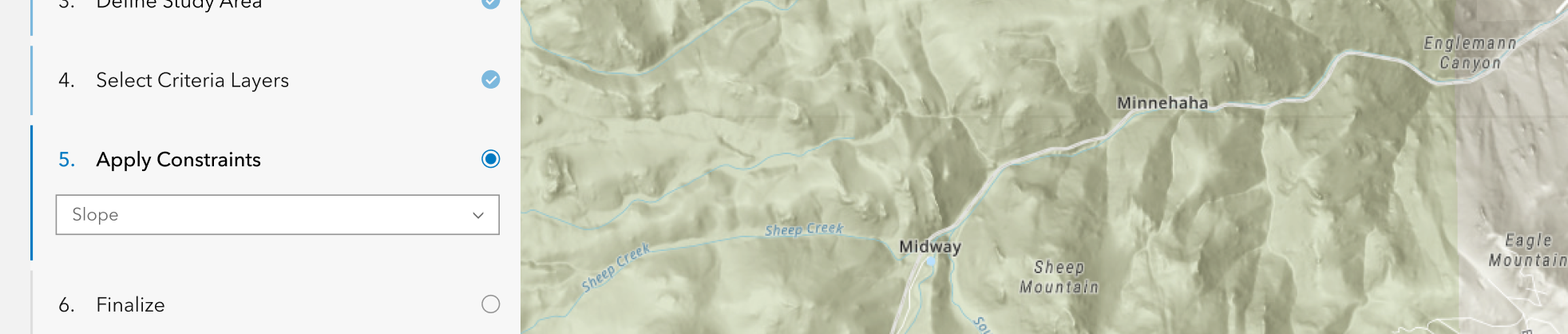
"vertical" layout when space is limited.
"horizontal-single" layout when space is limited, but a horizontal Stepper is preferred.Accessibility
Keyboard navigation
| Key | Function |
|---|---|
Arrow left | Moves focus to the previous non-disabled calcite-stepper-item. If the current focus and selection is the first calcite-stepper-item, focus will cycle to the last calcite-stepper-item. |
Arrow right | Moves focus to the next non-disabled calcite-stepper-item. If the current focus and selection is the last calcite-stepper-item, focus will cycle to the first calcite-stepper-item. |
Arrow down | Moves focus to the next non-disabled calcite-stepper-item. If the current focus and selection is the last calcite-stepper-item, focus will cycle to the first calcite-stepper-item. |
Arrow up | Moves focus to the previous non-disabled calcite-stepper-item. If the current focus and selection is the first calcite-stepper-item, focus will cycle to the last calcite-stepper-item. |
Home | Moves focus to first non-disabled calcite-stepper-item. |
End | Moves focus to last non-disabled calcite-stepper-item. |
Space | Selects the currently focused calcite-stepper-item. |
Enter | Selects the currently focused calcite-stepper-item. |
Tab | Moves focus to next non-disabled calcite-stepper-item. If the currently focused calcite-stepper-item is the last calcite-stepper-item, focus will leave the component. |
Tab and Shift | Moves focus to previous non-disabled calcite-stepper-item. If the currently focused calcite-stepper-item is the first calcite-stepper-item, focus will leave the component. |
Writing and copy

headings.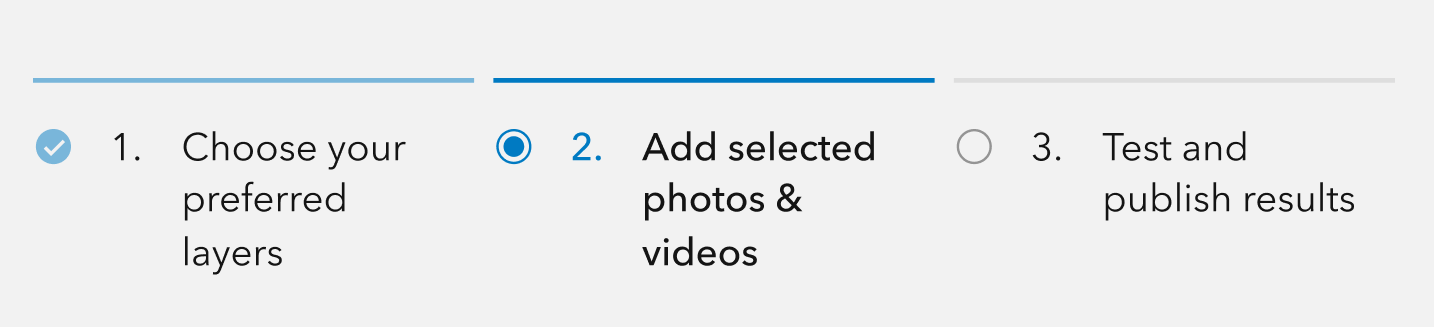
headings.API reference
Properties
| Property | Attribute | Description | Type | Default |
|---|---|---|---|---|
| icon | icon | When | boolean | false |
| layout | layout | Defines the component's layout. | StepperLayout | "horizontal" |
| messageOverrides | Overrides individual strings used by the component. | Record<string, unknown> | undefined | ||
| numbered | numbered | When | boolean | false |
| numberingSystem | numbering-system | Specifies the Unicode numeral system used by the component for localization. | NumberingSystem | undefined | |
| scale | scale | Specifies the component's size. | Scale | "m" |
| selectedItem | Specifies the component's selected item. | StepperItem |
Slots
| Name | Description |
|---|---|
| default (unnamed) | A slot for adding |
Events
| Name | Description | Behavior |
|---|---|---|
| calciteStepperChange | Fires when the active |
Styles
| Name | Description |
|---|---|
| --calcite-stepper-bar-gap | Specifies the space between the component's |
| --calcite-stepper-bar-inactive-fill-color | --calcite-stepper-bar-fill-color instead. Specifies the calcite-stepper-items' bar fill color of the component's calcite-stepper-items. |
| --calcite-stepper-bar-active-fill-color | --calcite-stepper-bar-selected-fill-color instead. Specifies the calcite-stepper-items' bar fill color of the component's active calcite-stepper-items. |
| --calcite-stepper-bar-complete-fill-color | When |
| --calcite-stepper-bar-error-fill-color | When |
Methods
| Name | Description | Signature |
|---|---|---|
| componentOnReady | Creates a promise that resolves once the component is fully loaded. | componentOnReady(): Promise<this> |
| endStep | Set the last | endStep(): Promise<void> |
| goToStep | Set a specified | goToStep(step: number): Promise<void> |
| nextStep | Set the next | nextStep(): Promise<void> |
| prevStep | Set the previous | prevStep(): Promise<void> |
| startStep | Set the first | startStep(): Promise<void> |