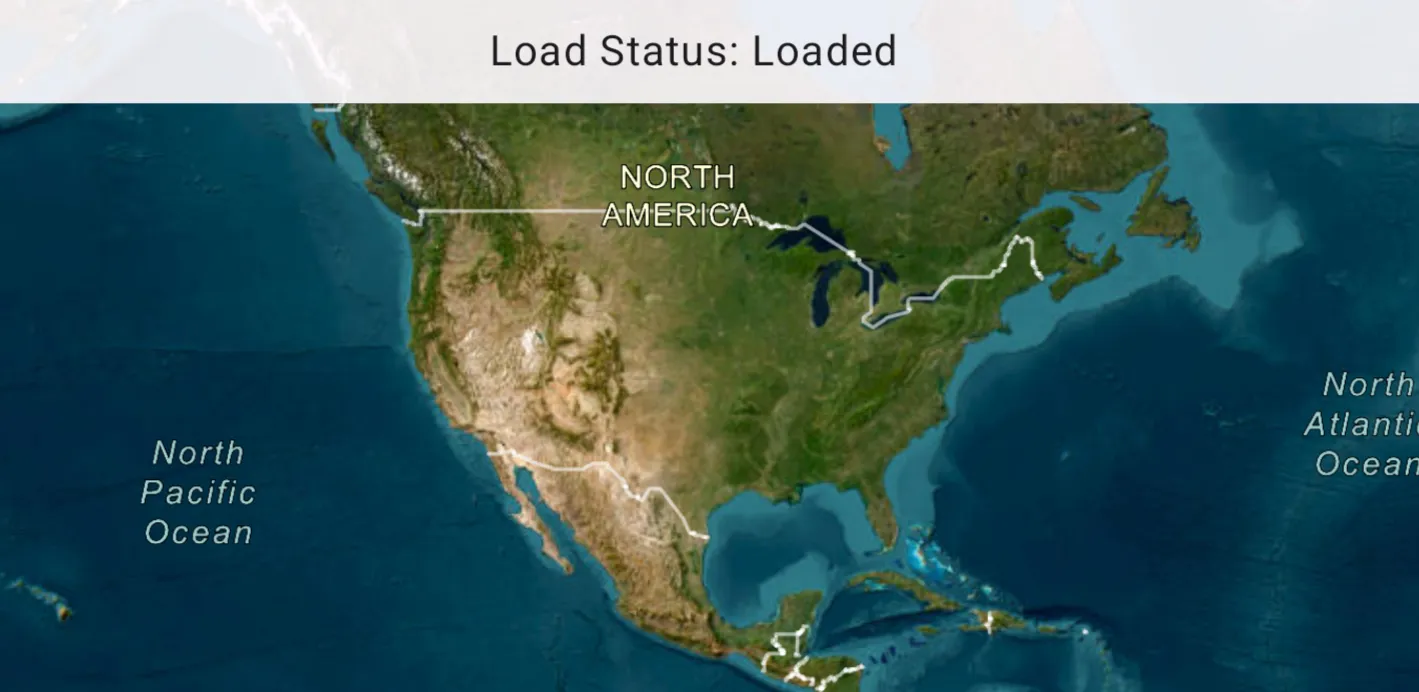
Determine the map’s load status which can be: NotLoaded, FailedToLoad, Loading, Loaded.
Use case
Knowing the map’s load state may be required before subsequent actions can be executed.
How to use the sample
Click on the button to reload the ArcGISMap. The load status of the ArcGISMap will be displayed on screen.
How it works
The LoadStatus is Loaded when any of the following criteria are met:
- The map has a valid spatial reference.
- The map has an initial viewpoint.
- One of the map’s predefined layers has been created.
Relevant API
- ArcGISMap
- LoadStatus StateFlow
- MapView
Tags
load status, loadable pattern, map
Sample code
/* Copyright 2025 Esri * * Licensed under the Apache License, Version 2.0 (the "License"); * you may not use this file except in compliance with the License. * You may obtain a copy of the License at * *    http://www.apache.org/licenses/LICENSE-2.0 * * Unless required by applicable law or agreed to in writing, software * distributed under the License is distributed on an "AS IS" BASIS, * WITHOUT WARRANTIES OR CONDITIONS OF ANY KIND, either express or implied. * See the License for the specific language governing permissions and * limitations under the License. * */
package com.esri.arcgismaps.sample.monitorchangestomaploadstatus.components
import android.app.Applicationimport androidx.lifecycle.AndroidViewModelimport androidx.lifecycle.viewModelScopeimport com.arcgismaps.LoadStatusimport com.arcgismaps.mapping.ArcGISMapimport com.arcgismaps.mapping.BasemapStyleimport com.arcgismaps.mapping.Viewpointimport com.esri.arcgismaps.sample.sampleslib.components.MessageDialogViewModelimport kotlinx.coroutines.flow.MutableStateFlowimport kotlinx.coroutines.flow.asStateFlowimport kotlinx.coroutines.launch
/** * ViewModel that holds an ArcGISMap and exposes its load status as a StateFlow */class MonitorChangesToMapLoadStatusViewModel(app: Application) : AndroidViewModel(app) {
    // ArcGISMap created once and exposed as a compose state so UI can consume it    val arcGISMap = ArcGISMap(BasemapStyle.ArcGISImagery).apply {        // Provide an initial viewpoint        initialViewpoint = Viewpoint(39.8, -98.6, 10e7)    }
    // Expose load status string as StateFlow to be observed by the UI    private val _loadStatusText = MutableStateFlow(LoadStatus.NotLoaded::class.simpleName)    val loadStatusText = _loadStatusText.asStateFlow()
    // Message dialog view model to show errors    val messageDialogVM = MessageDialogViewModel()
    init {        // Load the map and monitor load status changes        viewModelScope.launch {            // Start loading the map and show any immediate failure            arcGISMap.load().onFailure { throwable ->                messageDialogVM.showMessageDialog(throwable)            }
            // Collect load status updates and update the StateFlow            arcGISMap.loadStatus.collect { loadStatus ->                _loadStatusText.value = loadStatus::class.simpleName            }        }    }}
/* Copyright 2025 Esri * * Licensed under the Apache License, Version 2.0 (the "License"); * you may not use this file except in compliance with the License. * You may obtain a copy of the License at * * http://www.apache.org/licenses/LICENSE-2.0 * * Unless required by applicable law or agreed to in writing, software * distributed under the License is distributed on an "AS IS" BASIS, * WITHOUT WARRANTIES OR CONDITIONS OF ANY KIND, either express or implied. * See the License for the specific language governing permissions and * limitations under the License. * */
package com.esri.arcgismaps.sample.monitorchangestomaploadstatus
import android.os.Bundleimport androidx.activity.ComponentActivityimport androidx.activity.enableEdgeToEdgeimport androidx.activity.compose.setContentimport androidx.compose.material3.MaterialThemeimport androidx.compose.material3.Surfaceimport androidx.compose.runtime.Composableimport com.esri.arcgismaps.sample.sampleslib.theme.SampleAppThemeimport com.esri.arcgismaps.sample.monitorchangestomaploadstatus.screens.MonitorChangesToMapLoadStatusScreen
class MainActivity : ComponentActivity() {
override fun onCreate(savedInstanceState: Bundle?) { super.onCreate(savedInstanceState) enableEdgeToEdge() setContent { SampleAppTheme { MonitorChangesToMapLoadStatusApp() } } }
@Composable private fun MonitorChangesToMapLoadStatusApp() { Surface(color = MaterialTheme.colorScheme.background) { MonitorChangesToMapLoadStatusScreen( sampleName = getString(R.string.monitor_changes_to_map_load_status_app_name) ) } }}/* Copyright 2025 Esri * * Licensed under the Apache License, Version 2.0 (the "License"); * you may not use this file except in compliance with the License. * You may obtain a copy of the License at * * http://www.apache.org/licenses/LICENSE-2.0 * * Unless required by applicable law or agreed to in writing, software * distributed under the License is distributed on an "AS IS" BASIS, * WITHOUT WARRANTIES OR CONDITIONS OF ANY KIND, either express or implied. * See the License for the specific language governing permissions and * limitations under the License. * */
package com.esri.arcgismaps.sample.monitorchangestomaploadstatus.screens
import androidx.compose.foundation.layout.Boximport androidx.compose.material3.Scaffoldimport androidx.compose.foundation.layout.fillMaxSizeimport androidx.compose.foundation.layout.fillMaxWidthimport androidx.compose.foundation.layout.paddingimport androidx.compose.material3.MaterialThemeimport androidx.compose.material3.Surfaceimport androidx.compose.material3.Textimport androidx.compose.runtime.Composableimport androidx.compose.runtime.getValueimport androidx.compose.ui.Alignmentimport androidx.compose.ui.Modifierimport androidx.compose.ui.text.style.TextAlignimport androidx.compose.ui.unit.dpimport androidx.lifecycle.compose.collectAsStateWithLifecycleimport androidx.lifecycle.viewmodel.compose.viewModelimport com.arcgismaps.toolkit.geoviewcompose.MapViewimport com.esri.arcgismaps.sample.monitorchangestomaploadstatus.components.MonitorChangesToMapLoadStatusViewModelimport com.esri.arcgismaps.sample.sampleslib.components.MessageDialogimport com.esri.arcgismaps.sample.sampleslib.components.SampleTopAppBar
/** * Main screen that displays a MapView and an overlay showing the map's load status. */@Composablefun MonitorChangesToMapLoadStatusScreen(sampleName: String) { val mapViewModel: MonitorChangesToMapLoadStatusViewModel = viewModel()
// Observe the load status from the ViewModel val loadStatusText by mapViewModel.loadStatusText.collectAsStateWithLifecycle()
Scaffold(topBar = { SampleTopAppBar(title = sampleName) }) { padding ->
Box( modifier = Modifier .fillMaxSize() .padding(padding) ) {
MapView( modifier = Modifier .fillMaxSize(), arcGISMap = mapViewModel.arcGISMap )
// Overlay at the top center that shows the current load status Surface( modifier = Modifier .fillMaxWidth() .align(Alignment.TopCenter), color = MaterialTheme.colorScheme.surface.copy(alpha = 0.9f) ) { Text( modifier = Modifier .fillMaxWidth() .padding(8.dp), text = "Load Status: $loadStatusText", textAlign = TextAlign.Center, style = MaterialTheme.typography.bodyLarge, ) } }
// Display an error dialog if there's a load error mapViewModel.messageDialogVM.apply { if (dialogStatus) { MessageDialog( title = messageTitle, description = messageDescription, onDismissRequest = ::dismissDialog ) } } }}