You can create different types of offline apps with ArcGIS Maps SDKs for Native Apps
Partially offline apps
Partially offline apps
There are two scenarios for using partially offline apps:
- Online-first: You download maps and synchronize data in a connected environment before going offline. This strategy is well-suited for a field worker who wants to be prepared for periods of limited or no connectivity.
- Offline-first: You use the app with data you have previously downloaded and then later access online capabilities when connected to a network, such as using hosted layers
A hosted layer is an item in a portal that contains the properties and settings for a hosted data service or a layer in a hosted data service. .
Fully offline apps
Fully offline apps
Offline app comparison
Capabilities
The following table compares the capabilities of a partially offline app and a fully offline app:
| Partially offline app | Fully offline app | |
|---|---|---|
| Use 2D maps | ||
| Use 3D scenes | ||
| Partial network connectivity | ||
| No network connectivity | ||
| Use online services | ||
| Edit while offline | ||
| Synchronize offline edits with online source | ||
| Offline geocoding | 1 | 1 |
| Offline routing | 1 | 1 |
| Offline spatial analysis | 1 | 1 |
- 1. Mobile packages only
Use cases
The following table shows common use cases and their corresponding types of offline applications.
| Use case | Solution |
|---|---|
| You are a mobile worker who wants to view and edit 2D maps or 3D scenes in areas without network connectivity. | Partially offline app or fully offline app |
| You want to prepare data in advance for fieldwork in remote areas. | Partially offline app |
| You want to access maps and data in areas where network access is restricted for security reasons. | Fully offline app |
| You want to use online services alongside local data when network is available, such as accessing weather or traffic information. | Partially offline app |
| You want to collect field data without network access. | Partially offline app or fully offline app |
| You want to synchronize field data collected offline with the online feature service upon returning to the office. | Partially offline app |
| You want to search for an address without network access. | Partially offline app or fully offline app |
| You want to plan routes in areas without network access. | Partially offline app or fully offline app |
| You want to analyze terrain data in a 3D scene and provide viewshed, line-of-sight, and interactive distance measurement capabilities using the device's GPU. | Partially offline app and fully offline app |
Tutorials

Create an offline-enabled web map
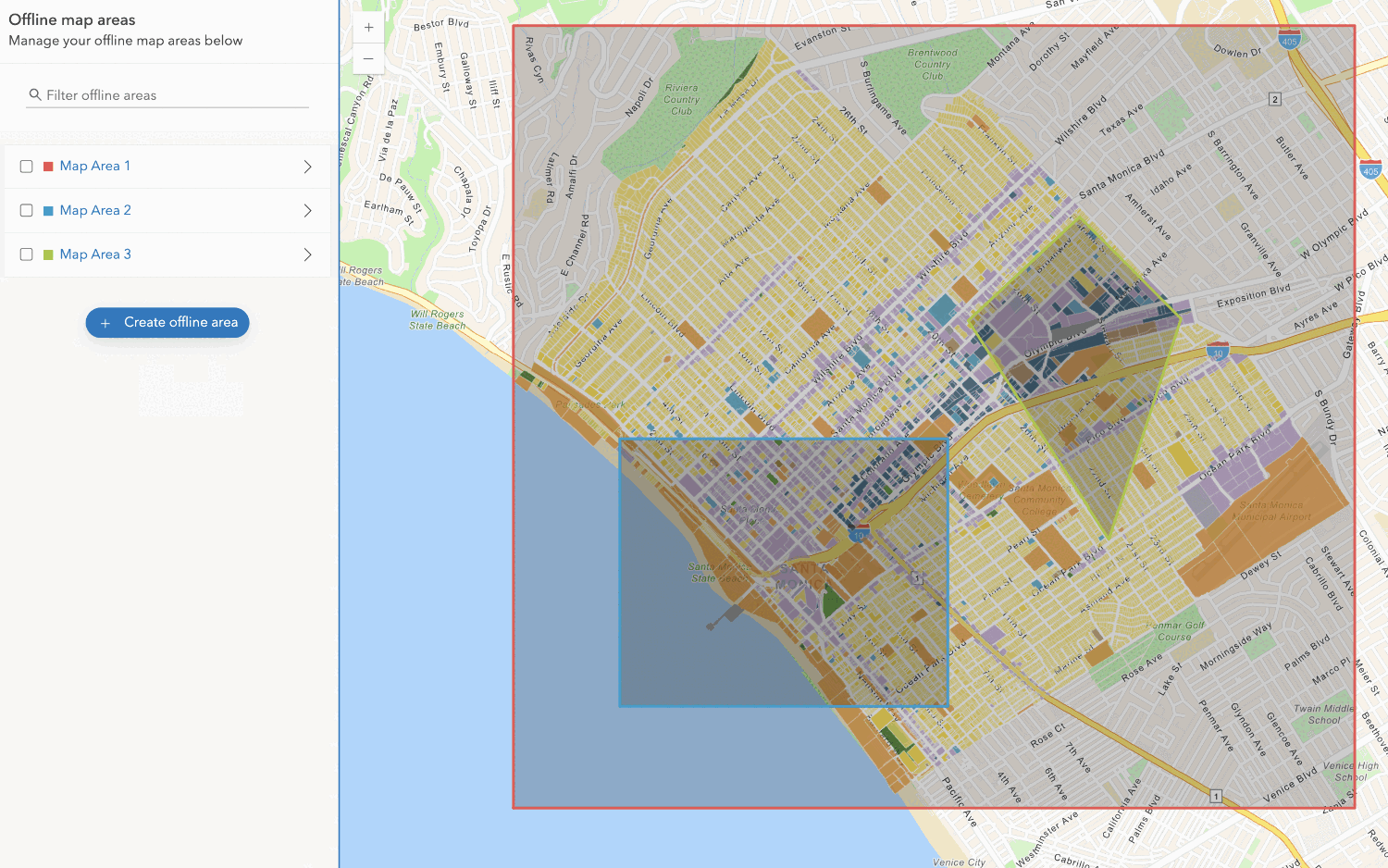
Create an offline map area
Use your portal to create an offline map area from an offline-enabled web map.




