This topic provides an overview of the key concepts and terminology you should be familiar with to build offline mapping apps

What are offline mapping apps?
Offline mapping apps, also referred to as offline apps
Offline app capabilities
Offline apps are a good solution for scenarios where network connectivity is unreliable or entirely absent. They are also ideal when involving large amounts of data that need to be preloaded into a device. These apps facilitate direct data transactions and interactions on the device, eliminating the unpredictability of network connectivity.
Below is a list of capabilities that offline apps offer:
- Maps, scenes, and feature layers: Display and interact with 2D maps
A map is a collection of layers that are displayed in 2D. It is typically composed of a basemap layer and data layers. and 3D scenesA scene is a collection of layers that are displayed in 3D. It is typically composed of a basemap layer, data layers, and 3D data. , edit data in feature layersA feature layer (client-side) is a data layer that can access and display features from a feature service that has the same type of geometry and attribute fields. , display pop-upsA pop-up is a visual element used to display data for features or graphics in a map. and feature forms, style layers, control visible scale ranges, read bookmarks, and trace utility networksA utility network is a feature service that represents a utility system, such as water, gas, or electricity. A utility network provides the capabilities to visualize, edit, and analyze utility assets and data. . - Geocoding and routing: Find addresses and places with auto-complete, reverse geocode
Reverse geocoding is the process of converting a point to its nearest address or place. locations, calculate routesA route is a polyline that defines the best path between two or more points in a street network. and turn-by-turn directions, find service areas, and locate the closest facilities to events. - Data editing: Create and modify feature geometry and attributes offline, edit attachments, and synchronize edits with source feature services
A feature service is a data service that provides access to spatial and non-spatial data in feature layers, feature layer views, and tables. in the portal. - Geometry analysis: Derive new geometries, project geometries between spatial references
A spatial reference is a set of parameters, typically defined by a WKID, that define the coordinate system and spatial properties for geographic data. Applications use a spatial reference to correctly display the position of geographic data in a map or scene. , analyze relationships between geometries, perform set operations, calculate geodesicGeodesic is the shortest distance between two points on the surface of a spheroid (also known as an ellipsoid). Any two points along a meridian form a geodesic line. and planarPlanar measurements are measurements made on a flat surface. When using geographic coordinates, planar measurements must cut through the curved surface of the earth, causing the measurement to be shorter than the true distance. lengths, and query against the geodatabaseA geodatabase is a spatial data storage format that can contain multiple datasets of geographic features and non-spatial tabular data, as well as attachments, field domain definitions, and relationships between layers/tables. using spatial relationships. - 3D capabilities: Display 3D object layers, integrated meshes, point cloud
A point cloud is a (usually) large collection of points in 3D space representing locations of points on real-world surfaces and objects, collected with a 3D scanning device such as lidar. layers, OGC 3D tiles, elevation layersAn elevation layer is a layer that defines the ground height or the surface for a scene. , viewshedsA viewshed represents the locations visible from one or more specified points or lines. , lines of sight, and measure distances in 3D.
How offline apps work
Offline apps require preparing a mobile data source
The general process of how an offline app works is:
- A mobile data source, such as an offline map from a web map, is prepared using tools.
- An application built with ArcGIS Maps SDKs for Native Apps consumes the mobile data source, displays it, and allows users to interact with it.

Types of offline apps
In general, there are two types of offline apps you can build:
- Partially offline app
A partially offline app is a type of offline app built with ArcGIS Maps SDKs for Native Apps that is designed to work where network connectivity is unreliable. : This type of offline app is designed for scenarios where network connectivity is unreliable or not always available. Users can still perform operations with the app both in offline and online states. - Fully offline app
A fully offline app is a type of offline app built with ArcGIS Maps SDKs for Native Apps that is designed to work where network connectivity is entirely absent. : This type of offline app is designed for scenarios where network connectivity is never available. This is best when working behind a firewall or when data is too heavy to load over the network.
Terminology
Below is a list of important terminology you should be familiar with to build offline apps:
- Partially offline apps: A partially offline app is a type of offline app that is designed to work where network connectivity is unreliable.
- Fully offline apps: A fully offline app is a type of offline app that is designed to work without a network connection.
- Mobile data sources: A mobile data source is a data format used to build offline apps. Mobile data sources include offline maps downloaded from a web map, offline data from data services
Data services, also known as hosted data services, are services created dynamically to store and provide access to your data in ArcGIS. Examples are feature services, vector tile services, map tile services, image services, and scene services. , mobile packages authored in ArcGIS Pro, and data files. - Offline-enabled: Offline enabled is a setting in a web map or hosted layer item that allows it to be downloaded and used by offline apps.
- Offline maps: An offline map is a map area and its data content downloaded from an offline-enabled web map for use in offline applications.
- Ahead-of-time workflow: The ahead-of-time workflow, also known as preplanned workflow, is a development pattern for building offline applications where offline map areas in a web map are used by the offline app. The offline map areas are defined by the web map author in the portal to be packaged as an offline map. Then, ArcGIS Online or ArcGIS Enterprise will generate an offline map for the specified area which is ready for download when connected to a network.
- On-demand workflow: The on-demand workflow is a development pattern for building offline applications where the offline app defines an area of a web map to take offline. Then, ArcGIS Maps SDKs for Native Apps will generate an offline map from the specified area and download it to the device.
- Offline data: Offline data is data that is generated and downloaded from a data service for use in offline applications. Offline data can be downloaded from feature services, vector tile services, and map tile services.
- Mobile packages: A mobile package is a Mobile Map Package
A mobile map package (MMPK) is a standalone file that contains one or more map definitions, including the basemap layers, data layers, layer styles, and pop-up styles for use in offline applications built with ArcGIS Maps SDKs for Native Apps. (MMPK) or a Mobile Scene PackageA mobile scene package (MSPK) is a standalone file that contains one or more scene definitions, including the basemap layers, elevation layers, data layers, layer styles, and pop-up styles for use in offline applications built with ArcGIS Maps SDKs for Native Apps. (MSPK) file. It is created in ArcGIS Pro and contains one or more map or scene definitions. - Data files: A data file is a stand-alone file or package containing geographic data that can be sideloaded on to a device. Examples of data files include shapefiles
A shapefile is a vector data storage format that contains geometry and attribute data for geographic features. It can also include spatial and non-spatial indexes. , tile packagesA tile package is a tiled layer that has been bundled into a single , vector tile packages.tpk/.tpkxfile. The file contains a tile cache of the data and metadata about the layer, packaged into a single, portable file.A vector tile package, also known as a VTPK, is a read-only data file containing static tiles of vector data. , geopackagesA geopackage is an OGC spatial data storage format that can contain multiple datasets of geographic features, non-spatial tabular data, and raster data. , raster filesA raster file is georeferenced bitmap data. It can be a single, standalone file or a collection of files that work together. Raster files are typically used in offline applications. , and KMLKeyhole Markup Language (KML) is an XML-based format that describes geographic entities. Developed and popularized for use with Google Earth, the KML specification is now maintained by the Open Geospatial Consortium (OGC). .
Tutorials

Create an offline-enabled web map
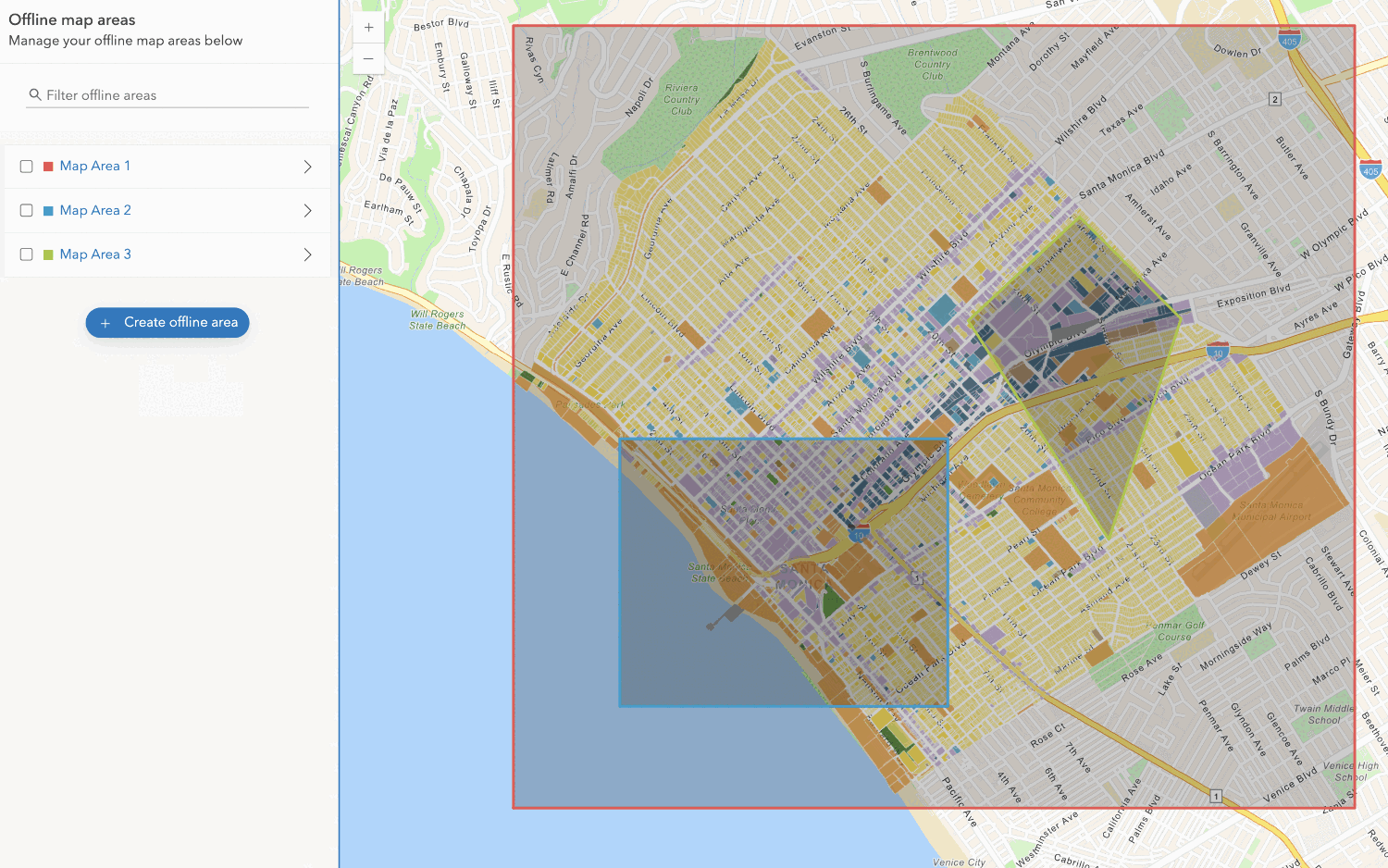
Create an offline map area
Use your portal to create an offline map area from an offline-enabled web map.


Workflows



API support
- 1. Manage offline map areas