Learn how to execute a spatial query to access polygon features
A feature layer
In this tutorial, you sketch a feature
Prerequisites
You need an ArcGIS Location Platform or ArcGIS Online account.
Steps
Get the starter app
Select a type of authentication and follow the steps to create a new app.
Choose API key authentication if you:
- Want the easiest way to get started.
- Want to build public applications
A public application is an application that allows anonymous access without requiring users to sign in with an ArcGIS account. It supports API key or app authentication. that access ArcGIS Location ServicesArcGIS Location Services, also referred to as Location Services, are services hosted by Esri that provide geospatial functionality for developing mapping applications. They include the ArcGIS Basemap Styles service, ArcGIS Static Basemap Tiles service, ArcGIS Static Maps service, ArcGIS Places service, ArcGIS Geocoding service, ArcGIS Routing service, ArcGIS GeoEnrichment service, and ArcGIS Elevation service. An ArcGIS Location Platform or ArcGIS Online account is required to use the services. and secure itemsAn item, also known as a content item, is a resource stored in a portal such as a web map, hosted layer, style, script tool, file, or notebook. . - Have an ArcGIS Location Platform or ArcGIS Online account.
Choose user authentication if you:
- Want to build private applications.
- Require application users to sign in with their own ArcGIS account
An ArcGIS account is an identity with a user type and set of privileges that can access specific ArcGIS products, tools, APIs, services, and resources. The main account types that can be used for development are an ArcGIS Location Platform account, ArcGIS Online account, and ArcGIS Enterprise account. ArcGIS Location Platform and ArcGIS Online accounts are also associated with a subscription. and access resources their behalf. - Have an ArcGIS Online account.
To learn more about both types of authentication, go to Authentication.
Set up authentication
Set developer credentials
Use the API key or OAuth developer credentials
Add script references
In addition to Leaflet and Esri Leaflet, reference the Leaflet Geoman plugin. The plugin allows you to create pointx,y coordinates and a spatial reference.
-
Add
<scriptand> <linktags to reference the libraries.> Use dark colors for code blocks <!-- Load Leaflet from CDN --> <link rel="stylesheet" href="https://unpkg.com/leaflet@1.9.4/dist/leaflet.css" crossorigin=""> <script src="https://unpkg.com/leaflet@1.9.4/dist/leaflet.js" crossorigin=""></script> <!-- Load Esri Leaflet from CDN --> <script src="https://unpkg.com/esri-leaflet@3.0.19/dist/esri-leaflet.js"></script> <script src="https://unpkg.com/esri-leaflet-vector@4.3.2/dist/esri-leaflet-vector.js"></script> <!-- Load Leaflet Geoman from CDN --> <link rel="stylesheet" href="https://unpkg.com/@geoman-io/leaflet-geoman-free@latest/dist/leaflet-geoman.css"> <script src="https://unpkg.com/@geoman-io/leaflet-geoman-free@latest/dist/leaflet-geoman.min.js"></script>
Add the parcels layer
Use the Feature class to perform a query against the LA County Parcels feature layer
-
Create a
Featureobject with the LA County Parcels hosted feature layer as its source.Layer Use dark colors for code blocks L.esri.Vector.vectorBasemapLayer(basemapEnum, { token: accessToken }).addTo(map); var parcels = L.esri .featureLayer({ url: "https://services3.arcgis.com/GVgbJbqm8hXASVYi/arcgis/rest/services/LA_County_Parcels/FeatureServer/0", simplifyFactor: 0.5, precision: 4, }) .addTo(map); -
Hide all features in the layer using a layer definition
A layer definition is a .SQL WHEREclause for a feature layer that is used to select a subset of features from a feature service.Use dark colors for code blocks var parcels = L.esri .featureLayer({ url: "https://services3.arcgis.com/GVgbJbqm8hXASVYi/arcgis/rest/services/LA_County_Parcels/FeatureServer/0", simplifyFactor: 0.5, precision: 4, where: "1 = 0" // Hide the feature layer until queried }) .addTo(map);
Set up the Geoman toolbar
You can use the Leaflet Geoman toolbar to create point, line, and polygon geometries via a user interface.
-
Add
map.pm.addto create the Geoman toolbar. Hide all buttons except forControls draw,Marker draw, andPolyline draw.Polygon Use dark colors for code blocks var parcels = L.esri .featureLayer({ url: "https://services3.arcgis.com/GVgbJbqm8hXASVYi/arcgis/rest/services/LA_County_Parcels/FeatureServer/0", simplifyFactor: 0.5, precision: 4, where: "1 = 0" // Hide the feature layer until queried }) .addTo(map); map.pm.addControls({ position: "topleft", // Customize the visible tools editControls: false, drawRectangle: false, drawCircle: false, drawCircleMarker: false, drawText: false }); -
Set
map.pm.setto define the style properties for the drawn geometries.Global Options Use dark colors for code blocks map.pm.addControls({ position: "topleft", // Customize the visible tools editControls: false, drawRectangle: false, drawCircle: false, drawCircleMarker: false, drawText: false }); map.pm.setGlobalOptions({ pathOptions: { weight: 2, color: "#4d4d4d", fillColor: "#808080", fillOpacity: 0.2, dashArray: [4, 4] } }); -
Click Run at the top right to test your code. You should be able to sketch a point, line, or polygon.
Get the drawn feature
Leaflet Geoman emits a pm event when you have finished sketching a feature. You can listen to this event to respond to the newly created feature.
-
Add an event handler for the
pmevent. Format its output to access the new:create layerobject.Use dark colors for code blocks map.pm.setGlobalOptions({ pathOptions: { weight: 2, color: "#4d4d4d", fillColor: "#808080", fillOpacity: 0.2, dashArray: [4, 4] } }); map.on("pm:create", ({ layer }) => { }); -
Remove the
previouswith theLayer removemethod. Setpreviousto the newly drawnLayer layer.Use dark colors for code blocks var previousLayer; map.on("pm:create", ({ layer }) => { if (previousLayer) { previousLayer.remove(); } previousLayer = layer; });
Run the query
Use the Feature method to find features in the LA County Parcels feature layer that intersect the sketched geometry.
The maximum number of features returned by a query for hosted feature layers is 2000, except when using ids without setting a limit. To learn more, visit the ArcGIS services documentation.
-
Convert the sketched feature into GeoJSON to access its geometry. Create a query on the parcels layer that returns all parcels intersecting the sketched geometry.
Use dark colors for code blocks var previousLayer; map.on("pm:create", ({ layer }) => { if (previousLayer) { previousLayer.remove(); } previousLayer = layer; var feature = layer.toGeoJSON(); parcels .query() .intersects(feature.geometry) .limit(2000) }); -
Return the feature
ids. Display the results with thesetmethod.Where Use dark colors for code blocks var feature = layer.toGeoJSON(); parcels .query() .intersects(feature.geometry) .limit(2000) .ids(function (error, queryResult) { parcels.setWhere("OBJECTID IN (" + queryResult.join(",") + ")"); }); -
Create a pop-up using
bind. Set its contents dynamically based on the currently clicked feature.Popup Use dark colors for code blocks var feature = layer.toGeoJSON(); parcels .query() .intersects(feature.geometry) .limit(2000) .ids(function (error, queryResult) { parcels.setWhere("OBJECTID IN (" + queryResult.join(",") + ")"); }); }); parcels.bindPopup(function (layer) { return L.Util.template("<b>Parcel {APN}</b>" + "Type: {UseType} <br>" + "Tax Rate City: {TaxRateCity}", layer.feature.properties); });
Run the app
Run the app.
When you click on the map to draw a polygonWhat's next?
Learn how to use additional location services in these tutorials:
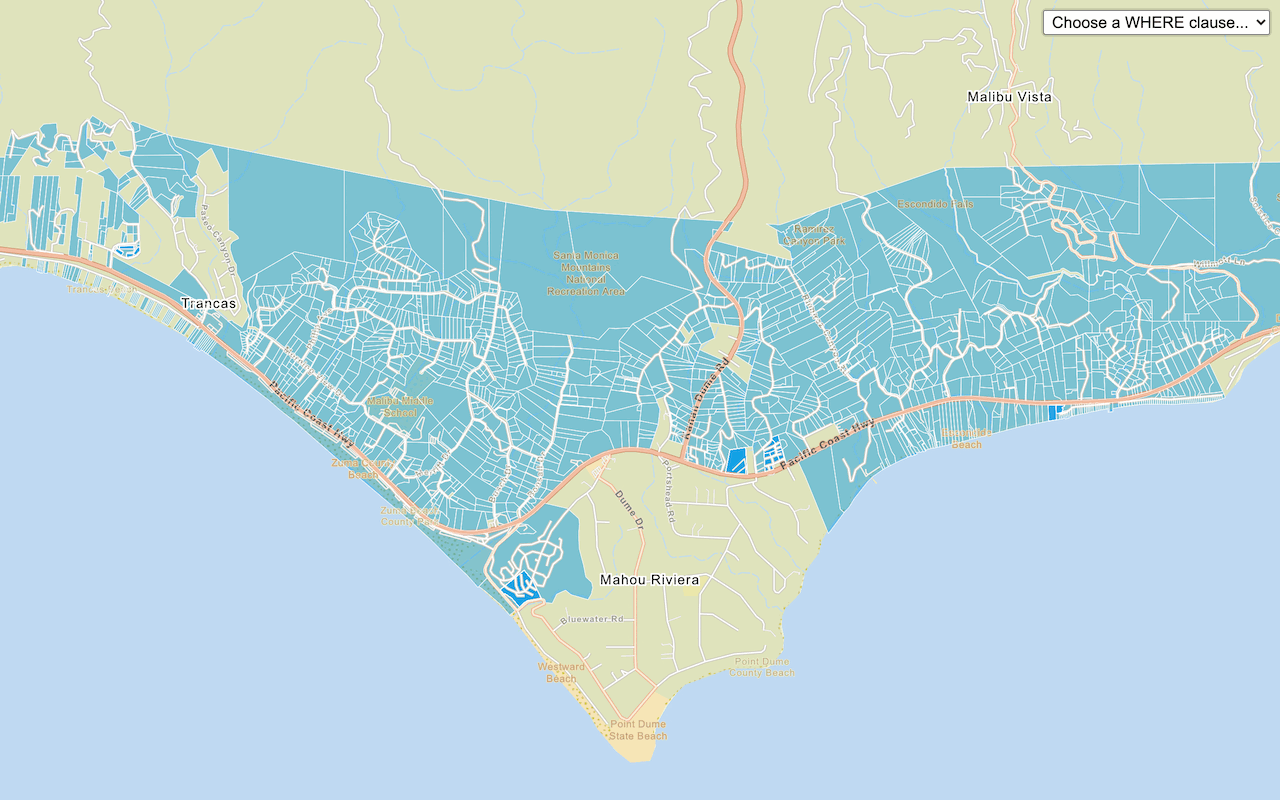
Query a feature layer (SQL)
Execute a SQL query to access polygon features from a feature layer.

Get global data
Query demographic information for locations around the world.

Get local data
Query regional facts and spending trends for a study area in the United States.

Add a feature layer as GeoJSON
Display and style GeoJSON features from a feature service.

Style a feature layer
Use data-driven styling to apply symbol colors and styles to feature layers.