Restrict zooming between specific scale ranges.
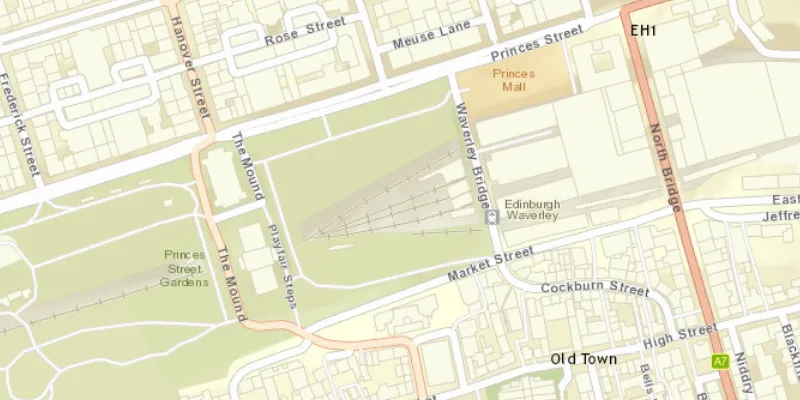
Use case
Data may only appear at a certain scale on a map, and may be visually lost if zooming too far in or out. Setting the minimum and maximum scales ensures the zoom extents are appropriately limited for the purposes of the map.
How to use the sample
Zoom in and out of the map. The zoom extents of the map are limited between the given minimum and maximum scales.
How it works
- Instantiate an
ArcGISMapobject. - Set min and max scales of map with
setMaxScale()andsetMinScale(). - Set the map to a
MapViewobject.
Relevant API
- ArcGISMap
- BasemapStyle
- MapView
- Viewpoint
Tags
area of interest, level of detail, maximum, minimum, scale, viewpoint
Sample code
MinMaxScaleSample.java
/* * Copyright 2017 Esri. * * Licensed under the Apache License, Version 2.0 (the "License"); you may not * use this file except in compliance with the License. You may obtain a copy of * the License at * * http://www.apache.org/licenses/LICENSE-2.0 * * Unless required by applicable law or agreed to in writing, software * distributed under the License is distributed on an "AS IS" BASIS, WITHOUT * WARRANTIES OR CONDITIONS OF ANY KIND, either express or implied. See the * License for the specific language governing permissions and limitations under * the License. */
package com.esri.samples.min_max_scale;
import javafx.application.Application;import javafx.scene.Scene;import javafx.scene.layout.StackPane;import javafx.stage.Stage;
import com.esri.arcgisruntime.ArcGISRuntimeEnvironment;import com.esri.arcgisruntime.geometry.Point;import com.esri.arcgisruntime.geometry.SpatialReferences;import com.esri.arcgisruntime.mapping.ArcGISMap;import com.esri.arcgisruntime.mapping.BasemapStyle;import com.esri.arcgisruntime.mapping.Viewpoint;import com.esri.arcgisruntime.mapping.view.MapView;
public class MinMaxScaleSample extends Application {
  private MapView mapView;
  @Override  public void start(Stage stage) {
    try {      // create stack pane and application scene      StackPane stackPane = new StackPane();      Scene scene = new Scene(stackPane);
      // set title, size, and add scene to stage      stage.setTitle("Min Max Scale Sample");      stage.setWidth(800);      stage.setHeight(700);      stage.setScene(scene);      stage.show();
      // authentication with an API key or named user is required to access basemaps and other location services      String yourAPIKey = System.getProperty("apiKey");      ArcGISRuntimeEnvironment.setApiKey(yourAPIKey);
      // create a map with the streets basemap style      ArcGISMap map = new ArcGISMap(BasemapStyle.ARCGIS_STREETS);
      // set the scale at which this layer can be viewed      map.setMinScale(8000);      map.setMaxScale(2000);
      // create a map view and set the map to it      mapView = new MapView();      mapView.setMap(map);
      // set a viewpoint on the map view      mapView.setViewpoint(new Viewpoint(new Point(-355453, 7548720, SpatialReferences.getWebMercator()), 3000));
      // add the map view to stack pane      stackPane.getChildren().addAll(mapView);
    } catch (Exception e) {      // on any error, display the stack trace      e.printStackTrace();    }  }
  /**   * Stops and releases all resources used in application.   */  @Override  public void stop() {
    if (mapView != null) {      mapView.dispose();    }  }
  /**   * Opens and runs application.   *   * @param args arguments passed to this application   */  public static void main(String[] args) {
    Application.launch(args);  }
}