import AttachmentInfo from "@arcgis/core/rest/query/support/AttachmentInfo.js";const AttachmentInfo = await $arcgis.import("@arcgis/core/rest/query/support/AttachmentInfo.js");- Inheritance:
- AttachmentInfo→
Accessor
- Since
- ArcGIS Maps SDK for JavaScript 4.19
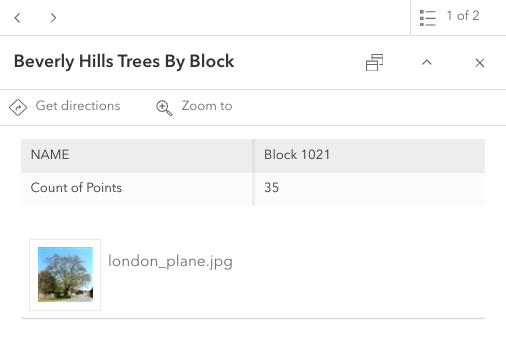
The AttachmentInfo class returns information about attachments associated with a
feature. The contents of the attachment are streamed to the client.
Attachments are available if the FeatureLayer.capabilities.data.supportsAttachment
is true.
Constructors
Constructor
Parameters
| Parameter | Type | Description | Required |
|---|---|---|---|
| properties | | |
Properties
| Property | Type | Class |
|---|---|---|
| | ||
declaredClass readonly inherited | ||
| | ||
| | ||
| | ||
| | ||
| | ||
orientationInfo readonly | | |
| | ||
| | ||
| | ||
| |
contentType
- Type
- string
The content type of the attachment. For example, 'image/jpeg'.
See the ArcGIS REST API documentation
for more information on supported attachment types.
orientationInfo
- Type
- OrientationInfo
The OrientationInfo for the attachment.
This is derived from the exifInfo.
In order to read this, you must first set the attachment query's AttachmentQuery.returnMetadata
to true to get the exif info associated with the attachment.
Methods
fromJSON
- Signature
-
fromJSON (json: any): any
Creates a new instance of this class and initializes it with values from a JSON object
generated from an ArcGIS product. The object passed into the input json
parameter often comes from a response to a query operation in the REST API or a
toJSON()
method from another ArcGIS product. See the Using fromJSON()
topic in the Guide for details and examples of when and how to use this function.
Parameters
| Parameter | Type | Description | Required |
|---|---|---|---|
| json | A JSON representation of the instance in the ArcGIS format. See the ArcGIS REST API documentation for examples of the structure of various input JSON objects. | |
- Returns
- any
Returns a new instance of this class.
clone
- Signature
-
clone (): AttachmentInfo
Creates a deep clone of the AttachmentInfo class.
- Returns
- AttachmentInfo
A deep clone of the AttachmentInfo instance.
toJSON
- Signature
-
toJSON (): any
Converts an instance of this class to its ArcGIS portal JSON representation. See the Using fromJSON() guide topic for more information.
- Returns
- any
The ArcGIS portal JSON representation of an instance of this class.
Type definitions
OrientationInfo
An object containing properties specific to the orientation of an image attachment.
This information is stored within the attachment's exifInfo.
In order to read this, you must first set the attachment query's AttachmentQuery.returnMetadata
to true to get the exif info associated with the attachment.