import { createRenderer } from "@arcgis/core/smartMapping/raster/renderers/flow.js";const { createRenderer } = await $arcgis.import("@arcgis/core/smartMapping/raster/renderers/flow.js");- Since
- ArcGIS Maps SDK for JavaScript 4.23
This object contains helper methods for generating a FlowRenderer for a
Vector-UV or Vector-MagDir ImageryLayer or
ImageryTileLayer.
The createRenderer() method in this module generates a renderer that may be applied directly to the input layer.
Known Limitations
FlowRenderer is only supported with ImageryTileLayer and
ImageryLayer where the
source type
is Vector-UV or Vector-MagDir.
Functions
| Name | Return Type | Object |
|---|---|---|
| | ||
| | |
| |
createRenderer
Generates a FlowRenderer to display raster data with streamlines. This renderer is often used for visualizing flow direction and magnitude information in meteorology and oceanography raster data.
- Signature
-
createRenderer (parameters: FlowRendererParameters): Promise<FlowRendererResult>
Parameters
| Parameter | Type | Description | Required |
|---|---|---|---|
| parameters | Input parameters for generating a flow visualization. | |
- Returns
- Promise<FlowRendererResult>
Resolves to an object containing a FlowRenderer that can be set on the input layer.
Example
const { renderer } = await flowRendererCreator.createRenderer({  layer,  view,  theme: "wave-front",  flowRepresentation: "flow-to"});
// renders animated wave-like lines on the rasterlayer.renderer = renderer;
Type definitions
FlowRendererParameters
- Supertypes
- RasterRendererParameters
flowRepresentation
- Type
- FlowRenderer["flowRepresentation"] | null | undefined
Defines the flow direction of the data. This can be modified to display meteorological (the direction it is flowing from) or oceanographic data (the direction it is flowing to). See FlowRenderer.flowRepresentation for more information.
theme
Determines how flow lines will render. Possible values are listed below.
| Value | Description | Example |
|---|---|---|
| flow-line | Renders the uv and magnitude data as animated flow lines. This is ideal for representing wind and other atmospheric data. | 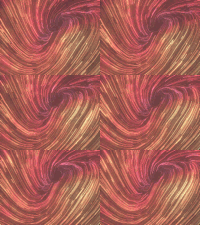 |
| wave-front | Renders UV and magnitude data in a wave-like animation. This theme works well for ocean data. | 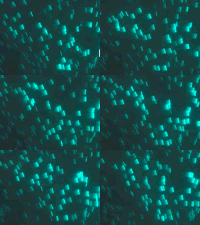 |
Known Limitations
The wave-front flow theme is not supported in 3D SceneView.
- Default value
- "flow-line"
legendOptions
- Type
- RendererLegendOptionsProperties | null | undefined
Provides options for setting a title to the renderer in the Legend.
flowScheme
- Type
- FlowScheme | null | undefined
The flow scheme used to set colors and sizes to the flow lines.
view
- Type
- MapViewOrSceneView | null | undefined
The view where the input layer is rendered. This method inspects the view's background (i.e. basemap, web map background, or view container) to determine optimal colors for the output renderer. This parameter should always be set in practice, but if not provided this method will assume the generated renderer will display on a light background.
FlowRendererResult
The result object of the createRenderer() method. See the table below for details of each property.
visualVariables
- Type
- Exclude<VisualVariable, RotationVariable>[]
Visual variables included in the output renderer.