import RasterShadedReliefRenderer from "@arcgis/core/renderers/RasterShadedReliefRenderer.js";const RasterShadedReliefRenderer = await $arcgis.import("@arcgis/core/renderers/RasterShadedReliefRenderer.js");- Inheritance:
- RasterShadedReliefRenderer→
Accessor
- Since
- ArcGIS Maps SDK for JavaScript 4.16
RasterShadedReliefRenderer produces a grayscale or colored 3D representation of the surface on an ImageryLayer or ImageryTileLayer, with the sun's relative position taken into account for shading the image. This renderer uses the altitude and azimuth properties to specify the sun's position. By default, a grayscale color ramp is used to display a hillshade elevation model.
This renderer uses a hillshading technique for visualizing terrain determined by a light source and the slope and aspect of the elevation
surface. It is a qualitative method for visualizing topography and does not give absolute elevation values. This renderer provides two
options for generating hillshades: traditional and multi-directional.
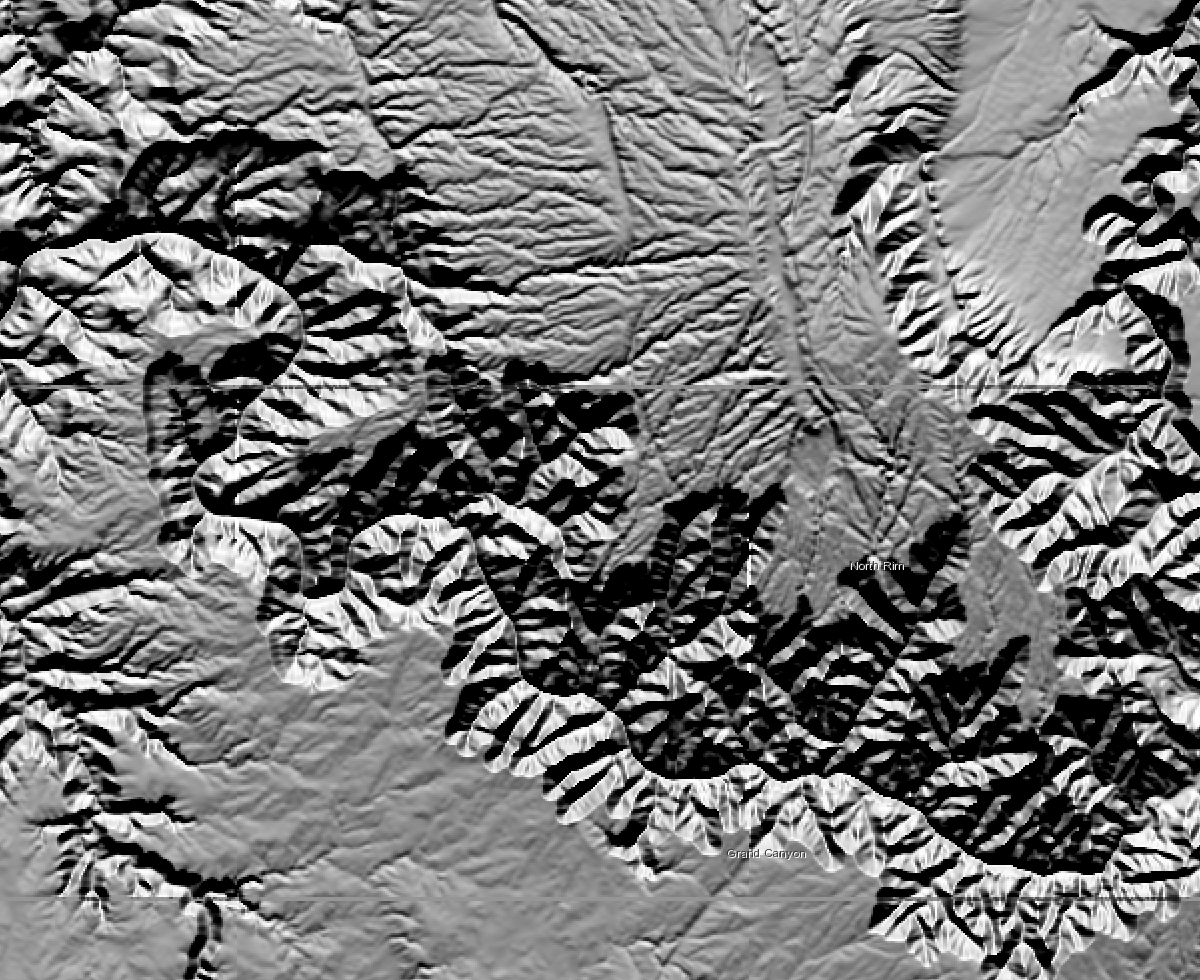
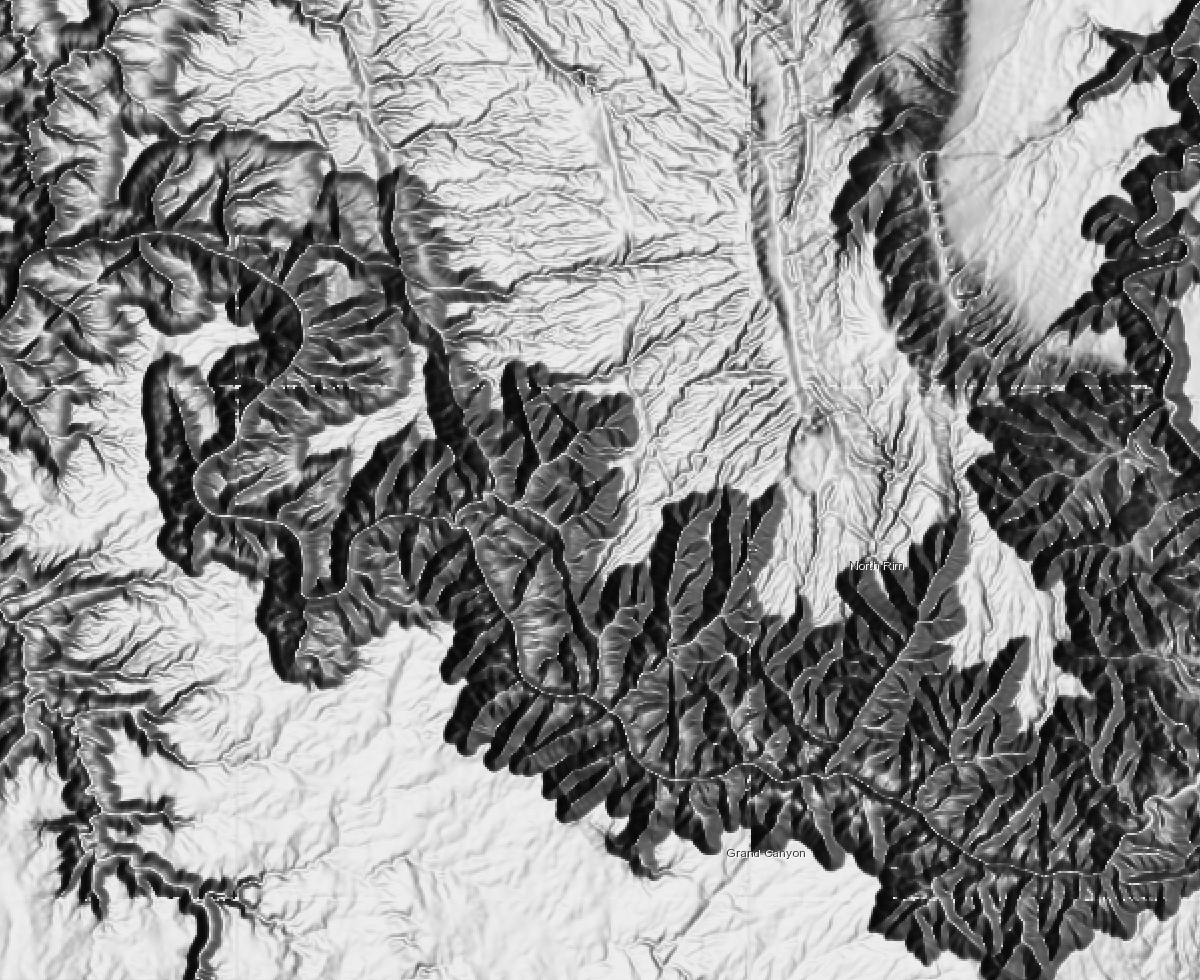
The following images display an elevation model using the traditional hillshade type, followed by the multi-directional hillshade type.
| Traditional | Multi-directional |
|---|---|
 |  |
Constructors
Constructor
Parameters
| Parameter | Type | Description | Required |
|---|---|---|---|
| properties | | |
Properties
| Property | Type | Class |
|---|---|---|
| | ||
| | ||
| | ||
declaredClass readonly inherited | ||
| | ||
| | ||
| | ||
"none" | "adjusted" | | |
type readonly | "raster-shaded-relief" | |
| |
altitude
- Type
- number
The sun's angle of elevation above the horizon, ranging from 0 to 90 degrees. A value of 0 degrees indicates that the sun is on the horizon, that is, on the same horizontal plane as the frame of reference. A value of 90 degrees indicates that the sun is directly overhead.
- Default value
- 45
azimuth
- Type
- number
The sun's relative position along the horizon, ranging from 0 to 360 degrees. This position is indicated by the angle of the sun measured clockwise from due north. An azimuth of 0 degrees indicates north, east is 90 degrees, south is 180 degrees, and west is 270 degrees.
- Default value
- 315
hillshadeType
- Type
- HillshadeType
The type of hillshading being applied on the elevation surface.
| Value | Description |
|---|---|
| traditional | Calculates the hillshade using an illumination source from one direction using the altitude and azimuth properties to specify the sun's position. |
| multi-directional | Combines light from multiple sources to represent the hillshaded terrain. The advantage of the multidirectional hillshade method is that more detail is displayed in areas typically affected by over saturation and deep shadows than when using the traditional hillshade method. |
- Default value
- "traditional"
pixelSizeFactor
- Type
- number
Pixel size factor accounts for changes in scale as the viewer zooms in and out on the map display. It controls the rate at which the Z Factor changes.
This parameter is only valid when the scalingType is adjusted.
- Default value
- 0.024
pixelSizePower
- Type
- number
Pixel Size Power accounts for the altitude changes (or scale) as the viewer zooms in and out on the map display. It is the exponent applied to the pixel
size term in the equation that controls the rate at which the Z Factor changes to avoid significant loss of relief.
This parameter is only valid when the scalingType is adjusted.
- Default value
- 0.664
scalingType
- Type
- "none" | "adjusted"
Applies a constant or adjusted z-factor based on resolution changes. The shaded result is scaled dynamically by adjusting the z-factor using one of two options.
Possible Values
| Value | Description |
|---|---|
| none | No scaling is applied. This is ideal for a single raster dataset covering a local area. This is not recommended for worldwide datasets with large variations in elevation or multi scale maps, as it will produce terrain relief with little variation at small scales. |
| adjusted | A nonlinear adjustment is applied using the pixelSizePower and pixelSizeFactor values, which accommodate a wide variety of altitude changes (scale) as the viewer zooms in and out. The Adjusted option is recommended when using a worldwide dataset. |
- Default value
- "none"
zFactor
- Type
- number
A ratio of z unit / xy unit, with optional exaggeration factored in. If the units for the z (elevation) units are the same as the x,y (linear) units, then the z conversion factor is 1. If your dataset is using a projected coordinate system and your elevation and linear units are different, then you will need to define a z conversion factor to account for the difference.
- Default value
- 1
Methods
fromJSON
- Signature
-
fromJSON (json: any): any
Creates a new instance of this class and initializes it with values from a JSON object
generated from an ArcGIS product. The object passed into the input json
parameter often comes from a response to a query operation in the REST API or a
toJSON()
method from another ArcGIS product. See the Using fromJSON()
topic in the Guide for details and examples of when and how to use this function.
Parameters
| Parameter | Type | Description | Required |
|---|---|---|---|
| json | A JSON representation of the instance in the ArcGIS format. See the ArcGIS REST API documentation for examples of the structure of various input JSON objects. | |
- Returns
- any
Returns a new instance of this class.
clone
- Signature
-
clone (): RasterShadedReliefRenderer
Creates a deep clone of the renderer.
- Returns
- RasterShadedReliefRenderer
A deep clone of the object that invoked this method.
Example
// Creates a deep clone of the first layer's rendererlet renderer = view.map.layers.at(0).renderer.clone(); toJSON
- Signature
-
toJSON (): any
Converts an instance of this class to its ArcGIS portal JSON representation. See the Using fromJSON() guide topic for more information.
- Returns
- any
The ArcGIS portal JSON representation of an instance of this class.