AI components available in @arcgis/ai-components enable developers to build agentic web mapping applications. An agentic mapping application is an application whose primary UI is a natural language interface that allows users to interact with a web map and its data through conversational prompts. This has the benefit of allowing end users to interact with web maps with a simplified, accessible UX.
The arcgis-assistant component provides the chat interface that allows users to interact with a web map using natural language.
Agents
The arcgis-assistant component requires one or more agents to be registered to it. Agents process natural language user inputs and generate appropriate responses as either plain text or by executing a tool or action that interacts with the map. In the context of the JavaScript Maps SDK, an agent’s core logic is defined within the browser, though it makes calls to an LLM or other services to determine intent, define parameters, and summarize information. On a fundamental level, agents have the following components:
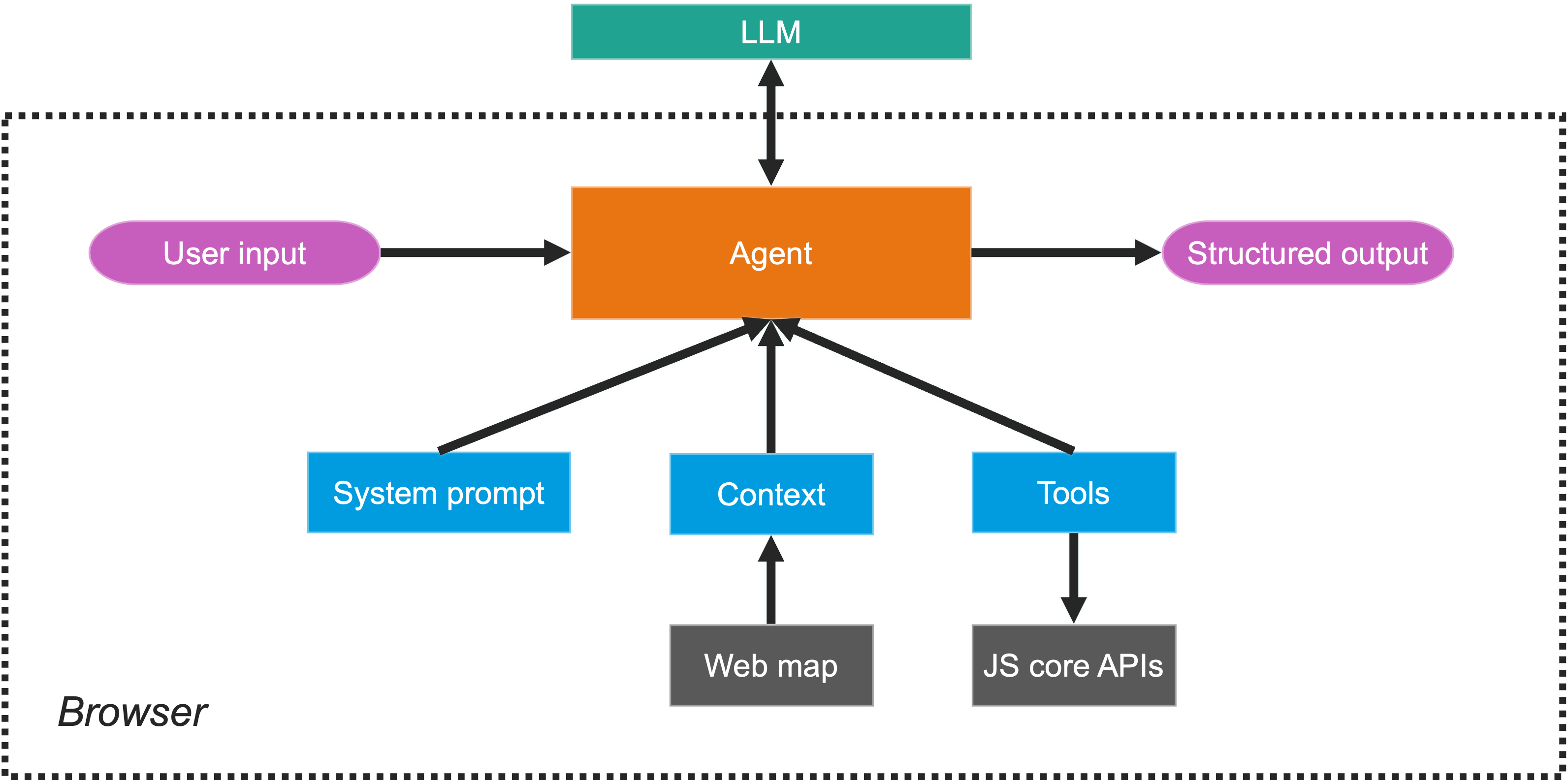
- System prompt: Instructions that guide the agent’s behavior and responses.
- Context: Information the agent uses to generate responses. In the case of ArcGIS agents, the context is scoped to the layers of a web map.
- Tools: Predefined functions the agent can execute to interact with the map or perform specific tasks. These tools leverage core JS SDK capabilities to perform actions such as querying a layer or zooming to a location.
- Output: The agent generates a response based on the user’s intent. This can be a simple text response or the execution of a tool that interacts with the map.
ArcGIS agents
The JavaScript SDK provides out-of-the-box ArcGIS agents for common tasks like map navigation and data exploration, but developers can also create custom agents to provide additional or specialized capabilities to the web application. Currently, the following agents are provided as part of the AI components package. Click the links below to learn more about each agent, their capabilities, and examples of how they work:
Together, these agents allow users to explore web maps through navigation, statistic queries, attribute queries, and spatial queries.
Agent orchestration
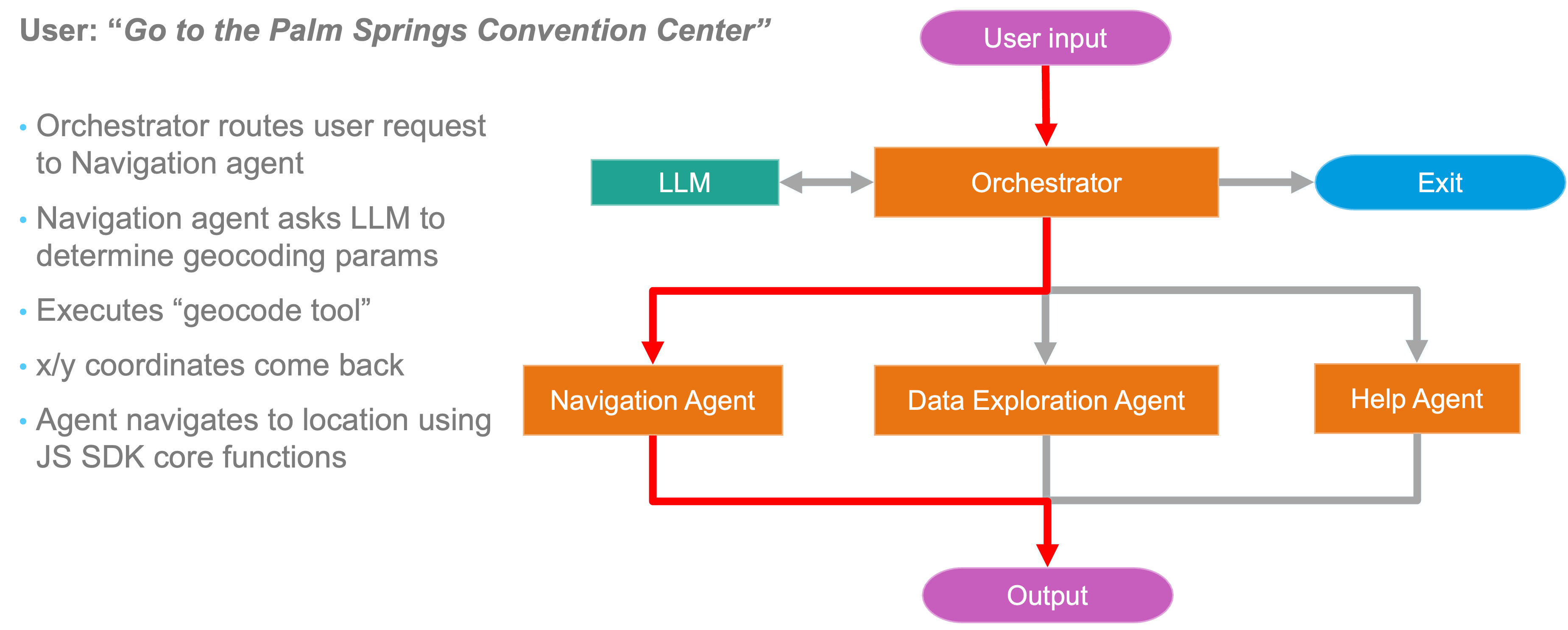
When a user submits a natural language prompt, the arcgis-assistant component uses an orchestration agent that determines the user’s intent. This intent is used to to route the portions of the users prompt to the appropriate agent(s) based on the content of the prompt and the capabilities of the agents. The agents then generate responses based on their functionality and return them to the Assistant component, which displays them in the chat interface or executes the appropriate action in the map.
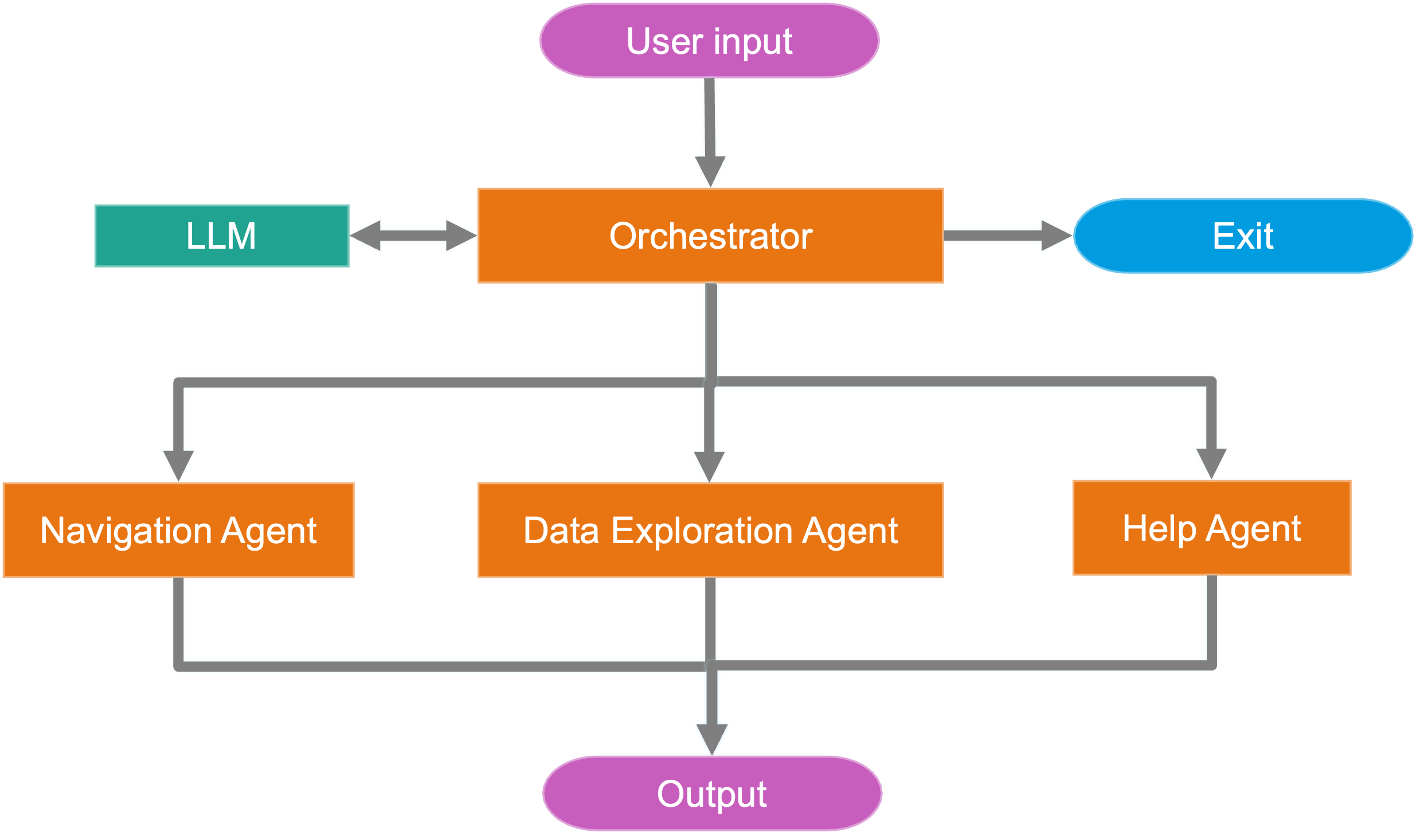
The following image shows the logical flow of how the Assistant component orchestrates a user request to navigate a map.
Best practices
When building agentic applications with AI components, consider the following best practices to ensure a good user experience and effective agent performance:
- Present a clear scope of capabilities to users. When building an agentic application, it’s important to set expectations for users about what the assistant can and cannot do. This can be achieved by providing a description of the assistant’s capabilities in the UI, and by providing a set of example prompts that users can ask the assistant.
- When creating custom agents, design agents with specific tasks or workflows in mind, rather than trying to build a single agent that can do everything.
- Deliberate map design is crucial for agentic applications. Ensure that your web map is set up to support the types of interactions and queries your agents will handle. For details, see the Setup your web map for agentic applications topic.