import Environment from "@arcgis/core/views/3d/environment/Environment.js";const Environment = await $arcgis.import("@arcgis/core/views/3d/environment/Environment.js");- Inheritance:
- Environment→
Environment→ Accessor
- Since
- ArcGIS Maps SDK for JavaScript 5.0
Constructors
Constructor
Parameters
| Parameter | Type | Description | Required |
|---|---|---|---|
| properties | | |
Properties
| Property | Type | Class |
|---|---|---|
atmosphereEnabled inherited | ||
background inherited | Background | null | undefined | |
declaredClass readonly inherited | ||
| | ||
starsEnabled inherited | ||
weather inherited | ||
weatherAvailable readonly | |
atmosphereEnabled
- Type
- boolean
Indicates whether atmosphere visualization is enabled.
Disabling the atmosphere will disable the following features:
- Sky and haze
- Any weather visualization
- Natural light scattering in fog and haze around light emitters.
- Default value
- true
background
- Type
- Background | null | undefined
Specifies how the background of the scene (which lies behind sky, stars and atmosphere) should be displayed. By default this is simply a single, fully opaque, black color. Currently ColorBackground is the only type of background supported.
lighting
- Type
- LightingUnion
Indicates the type of lighting in the scene.
| Known Value | Example |
|---|---|
| SunLighting | 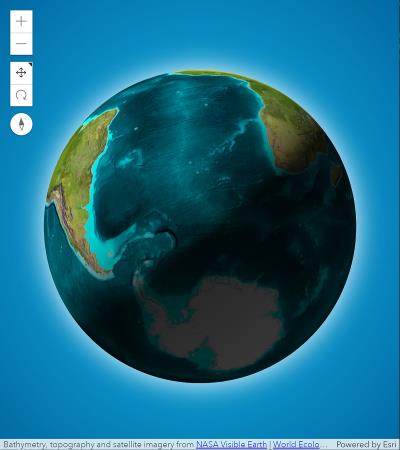 |
| VirtualLighting | 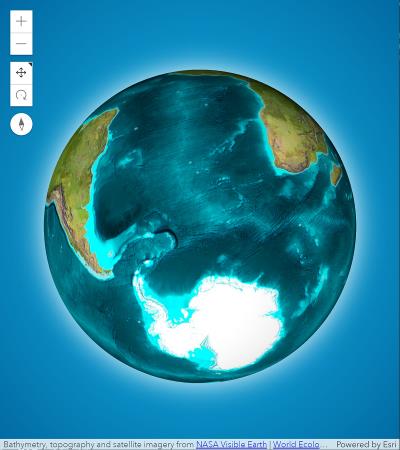 |
starsEnabled
- Type
- boolean
Indicates whether stars visualization is enabled.
- Default value
- true
weather
- Type
- WeatherUnion
Indicates the type of weather visualization in the scene. This setting does not have any effect in local scenes.
| Known Value | Example |
|---|---|
| SunnyWeather | 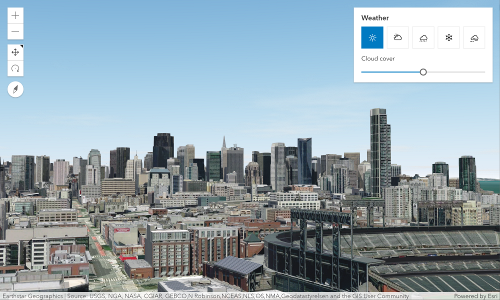 |
| CloudyWeather | 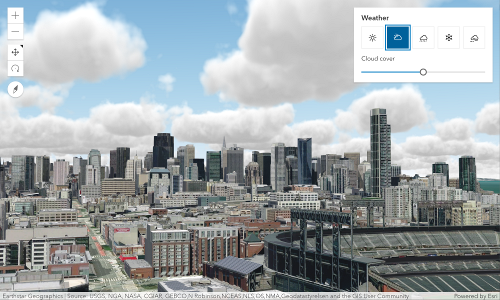 |
| RainyWeather | 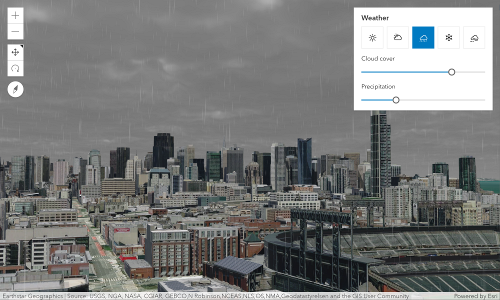 |
| SnowyWeather | 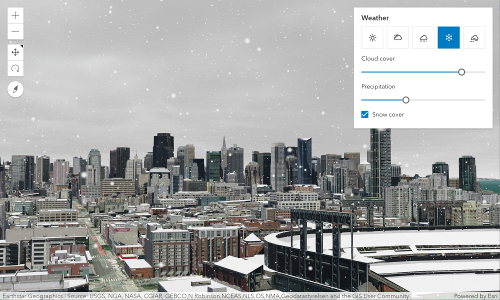 |
| FoggyWeather | 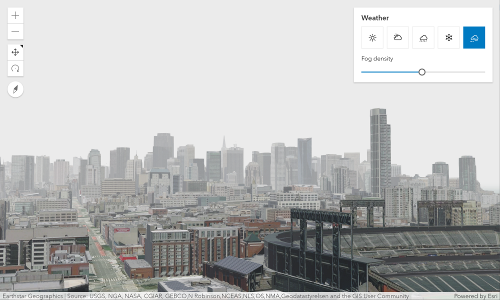 |
- Default value
- SunnyWeather
weatherAvailable
- Type
- boolean
Indicates if weather visualization is available. This read-only property is
true only in global scenes at low altitudes. It is false in local scenes or at high altitudes.
Methods
fromJSON
- Signature
-
fromJSON (json: any): any
Creates a new instance of this class and initializes it with values from a JSON object
generated from an ArcGIS product. The object passed into the input json
parameter often comes from a response to a query operation in the REST API or a
toJSON()
method from another ArcGIS product. See the Using fromJSON()
topic in the Guide for details and examples of when and how to use this function.
Parameters
| Parameter | Type | Description | Required |
|---|---|---|---|
| json | A JSON representation of the instance in the ArcGIS format. See the ArcGIS REST API documentation for examples of the structure of various input JSON objects. | |
- Returns
- any
Returns a new instance of this class.
clone
- Signature
-
clone (): Environment
Creates a deep clone of this object.
- Returns
- Environment
Creates a deep clone of the instance calling this method.
toJSON
- Signature
-
toJSON (): any
Converts an instance of this class to its ArcGIS portal JSON representation. See the Using fromJSON() guide topic for more information.
- Returns
- any
The ArcGIS portal JSON representation of an instance of this class.