import SnappingOptions from "@arcgis/core/views/interactive/snapping/SnappingOptions.js";const SnappingOptions = await $arcgis.import("@arcgis/core/views/interactive/snapping/SnappingOptions.js");- Inheritance:
- SnappingOptions→
Accessor
- Since
- ArcGIS Maps SDK for JavaScript 4.19
The SnappingOptions allows users to configure snapping for their editing or drawing experience in both the Sketch.snappingOptions and Editor.snappingOptions widgets.
Snapping options provide the ability to specify whether an application will utilize self snapping, feature snapping, or both. Both are described below.
It is also possible to toggle snapping by pressing and holding down the CTRL key. This toggles the snapping on/off.
Self snapping (Geometry guides)
Self snapping is set via the selfEnabled property. This means that while a user is actively creating or updating a feature or graphic, they will see visualizations to help identify perpendicular and parallel lines, in addition to visualizations which aid in snapping to an extension of an existing feature. The following briefly demonstrates what self snapping looks like in a 2D application. Although this is shown for 2D, the same premise applies for 3D as well.

Feature snapping
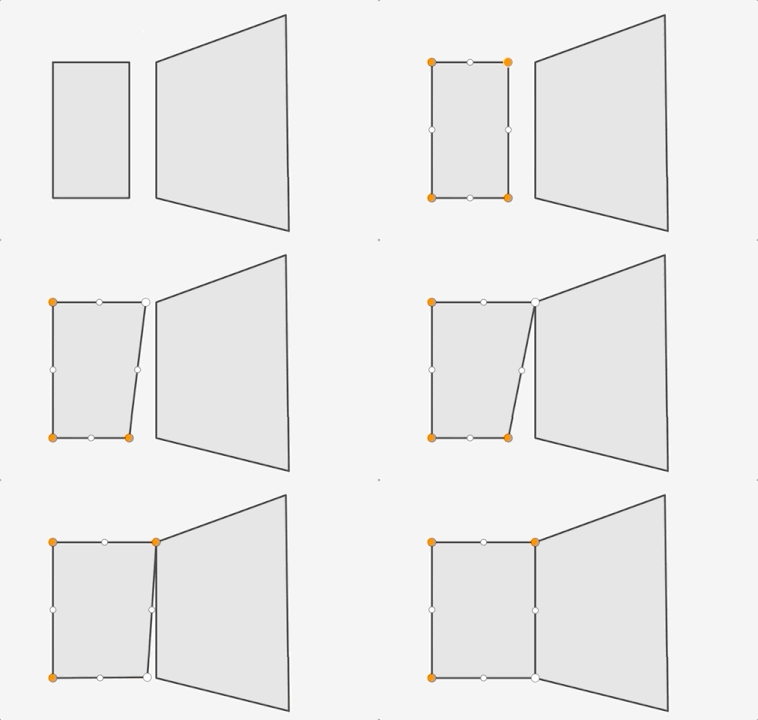
Feature snapping is set via the featureEnabled property. It provides the ability to snap vertices of a graphic or feature that is currently being drawn or reshaped to that of an existing feature's vertex, edge, or end point. These existing features belong to layers within the Map and must be specified in the featureSources property. The following two images demonstrate feature snapping in a 2D application. Similar to self snapping, the same premise applies for 3D as well.

The above shows feature snapping to an existing feature's vertex endpoint and edge while creating a new feature. The bottom demonstrates taking an existing feature and reshaping its geometry to snap to another feature's vertex points.
Things to consider:
Layer types currently supported for snapping are: FeatureLayer, GraphicsLayer (except Mesh geometries),
GeoJSONLayer, WFSLayer, CSVLayer,
MapNotesLayer (2D only), 3D Object SceneLayer (3D only), and
BuildingSceneLayer (3D only).
Snapping is not yet implemented when using the Sketch widget's circle tool. It will be addressed in a future release.
Enabling snapping via the CTRL key is not currently supported using the Sketch widget's rectangle and circle tools. However, snapping can still be activated by setting the enabled property to true in the Sketch widget or its view model. Note that this enables snapping for all tools. This behavior is subject to change in a future release.
| Name | Details | 3D Example | 2D Example |
|---|---|---|---|
| Rectangle | Snap lines that are perpendicular to each other | 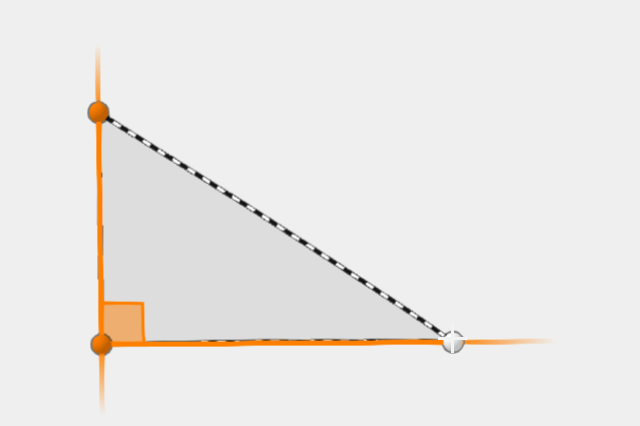 | 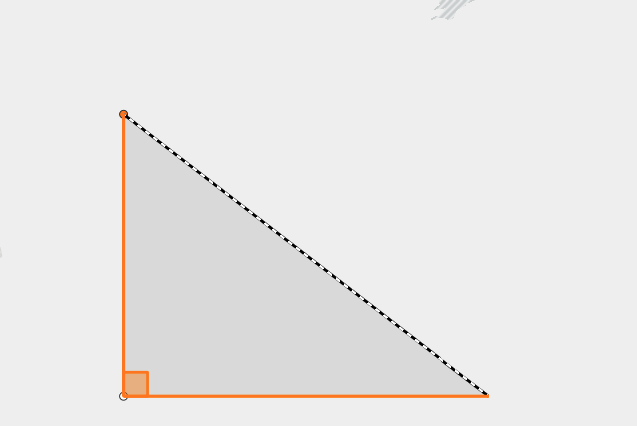 |
| Parallel | Snap to all parallel lines | 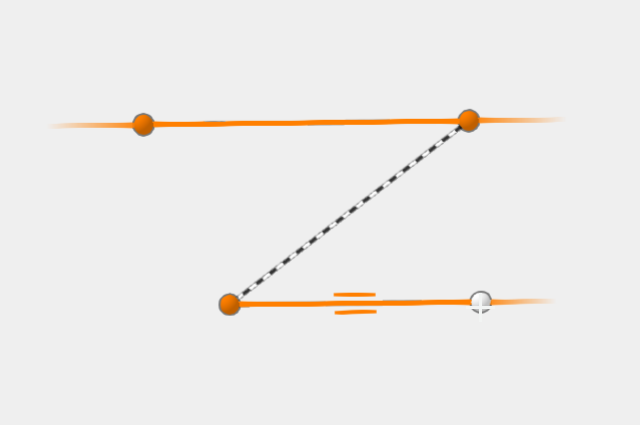 | 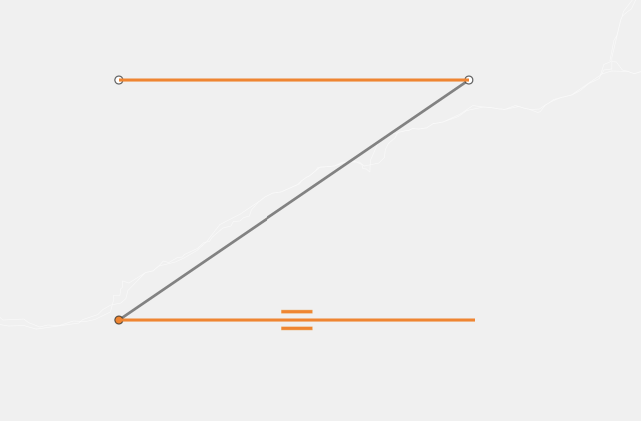 |
| Extension | Snap to an extension of the current shape | 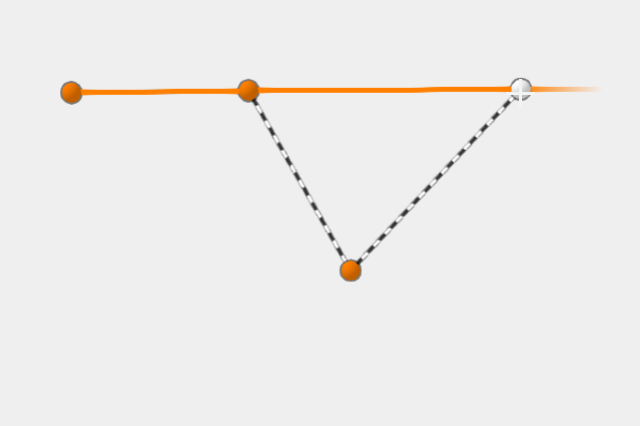 | 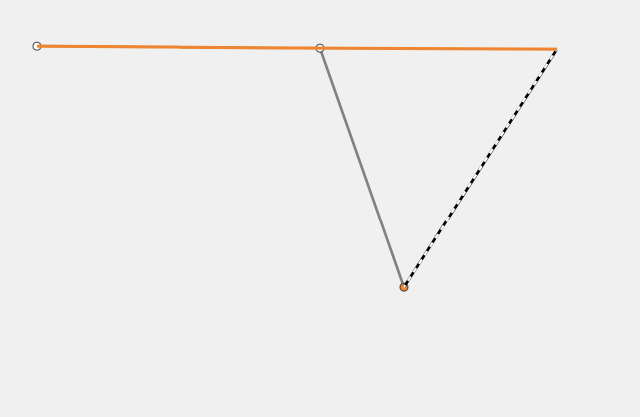 |
| Vertex (as seen when updating geometries) | Snap vertices to an existing vertex | 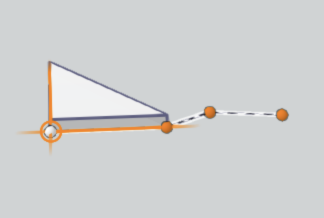 | 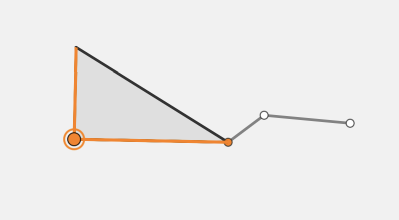 |
Example
// Create a new instance of Sketch, and set// a layer for one of the featureSources property.// This enables feature snapping on that layer.const sketch = new Sketch({ layer: graphicsLayer, view: view, snappingOptions: { // autocasts to SnappingOptions() enabled: true, // global snapping is turned on // assigns a collection of FeatureSnappingLayerSource() and enables feature snapping on this layer featureSources: [{ layer: graphicsLayer, enabled: true }] }});Constructors
Constructor
Parameters
| Parameter | Type | Description | Required |
|---|---|---|---|
| properties | | |
Properties
| Property | Type | Class |
|---|---|---|
| | ||
declaredClass readonly inherited | ||
| | ||
| | ||
| | ||
| | ||
| | ||
| |
attributeRulesEnabled
- Type
- boolean
- Since
- ArcGIS Maps SDK for JavaScript 4.30
When true, enables support for attribute rule-based snapping. When enabled, resources needed for rule-based snapping, including any Utility Networks present in the map, will be automatically loaded.
- Default value
- false
enabled
- Type
- boolean
Global configuration to turn snapping on or off. Note that snapping is turned off by default.
- Default value
- false
featureEnabled
- Type
- boolean
Global configuration option to turn feature snapping on or off.
- Default value
- true
featureSources
List of sources for feature snapping. Please refer to FeatureSnappingLayerSource for additional information on what layer sources are supported.
gridEnabled
- Type
- boolean
- Since
- ArcGIS Maps SDK for JavaScript 4.31
Turns the grid on or off. The grid is a network of columns and rows used to divide the view into equal-area squares. The GridControls provides a user interface to interact and configure the grid's properties.
Note
It is recommended to wait for the view to be loaded first before setting the gridEnabled prop in the GridControls constructor. The grid is dependent on the view to be loaded first for it to be displayed.
- This grid is only supported in a 2D MapView.
- See also
- Default value
- false
Example
// Turn on the grid programmatically for the GridControls.// Wait for the view to load first.view.when(() => { const gridControls = new GridControls({ view, snappingOptions: { enabled: true, gridEnabled: true } }); // Add GridControls to the view view.ui.add(gridControls, "top-left");}); selfEnabled
- Type
- boolean
Global configuration option to turn self snapping (within one feature while either drawing or reshaping) on or off.
- Default value
- true