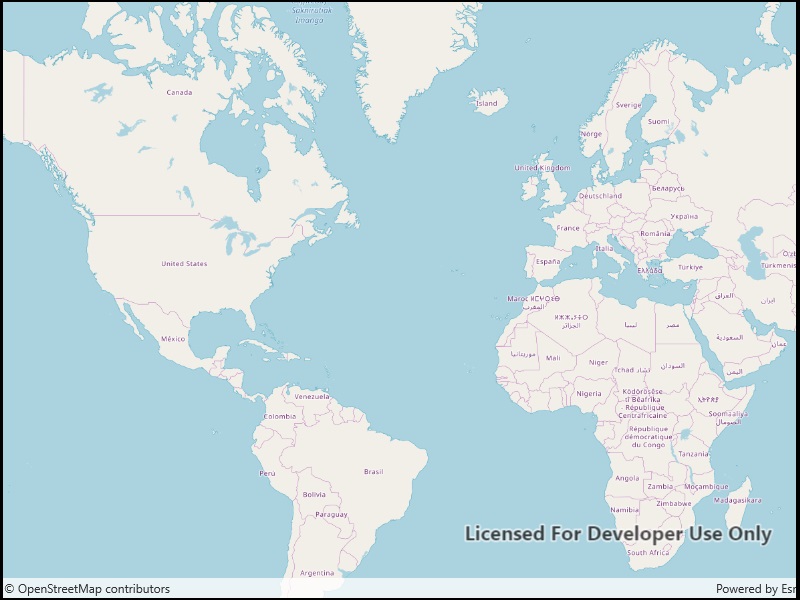
Add OpenStreetMap as a basemap layer.
Use case
OpenStreetMap is a free community-edited basemap.
How to use the sample
When the sample opens, it will automatically display the map with the OpenStreetMap basemap. Pan and zoom to observe the basemap.
How it works
- Create a basemap wwith a basemap style.
- Create a map with that basemap.
- Show the map in a map view.
Relevant API
- Basemap
- BasemapStyle.OSMStandard
- Map
- MapView
- OpenStreetMapLayer
Additional information
OpenStreetMap (OSM) basemaps are in mature support and will no longer be updated. They will be removed in a future version of the ArcGIS Native Maps SDKs. For more information, see the Overture Maps Data in ArcGIS blog. We recommend that you replace your OSM with the equivalent Open Basemap styles.
Tags
basemap, layers, map, open, OpenStreetMap, OSM, street
Sample Code
<UserControl x:Class="ArcGIS.WinUI.Samples.OpenStreetMapLayer.OpenStreetMapLayer" xmlns="http://schemas.microsoft.com/winfx/2006/xaml/presentation" xmlns:x="http://schemas.microsoft.com/winfx/2006/xaml" xmlns:esriUI="using:Esri.ArcGISRuntime.UI.Controls"> <Grid> <esriUI:MapView x:Name="MyMapView" /> </Grid></UserControl>// Copyright 2019 Esri.//// Licensed under the Apache License, Version 2.0 (the "License"); you may not use this file except in compliance with the License.// You may obtain a copy of the License at: http://www.apache.org/licenses/LICENSE-2.0//// Unless required by applicable law or agreed to in writing, software distributed under the License is distributed on an// "AS IS" BASIS, WITHOUT WARRANTIES OR CONDITIONS OF ANY KIND, either express or implied. See the License for the specific// language governing permissions and limitations under the License.
using Esri.ArcGISRuntime.Mapping;
namespace ArcGIS.WinUI.Samples.OpenStreetMapLayer{ [ArcGIS.Samples.Shared.Attributes.Sample( name: "OpenStreetMap layer", category: "Layers", description: "Add OpenStreetMap as a basemap layer.", instructions: "When the sample opens, it will automatically display the map with the OpenStreetMap basemap. Pan and zoom to observe the basemap.", tags: new[] { "OSM", "OpenStreetMap", "basemap", "layers", "map", "open", "street" })] public partial class OpenStreetMapLayer { public OpenStreetMapLayer() { InitializeComponent(); Initialize(); }
private void Initialize() { // Create the OpenStreetMap basemap. Basemap osmBasemap = new Basemap(BasemapStyle.OpenOSMStyle);
// Create the map with the OpenStreetMap basemap. Map osmMap = new Map(osmBasemap);
// Show the map in the view. MyMapView.Map = osmMap; } }}