import "@arcgis/map-components/components/arcgis-daylight";- Inheritance:
- ArcgisDaylight→
PublicLitElement
- Since
- ArcGIS Maps SDK for JavaScript 4.28
The Daylight component can be used to manipulate the lighting conditions of an
arcgis-scene.
To achieve this, the component modifies the lighting property of the
arcgis-scene.environment of the Scene component.
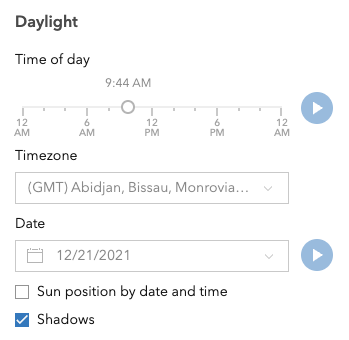
To illuminate the scene, one can either use a configuration of date and time to position the sun or switch to the virtual mode, where the light source is relative to the camera.
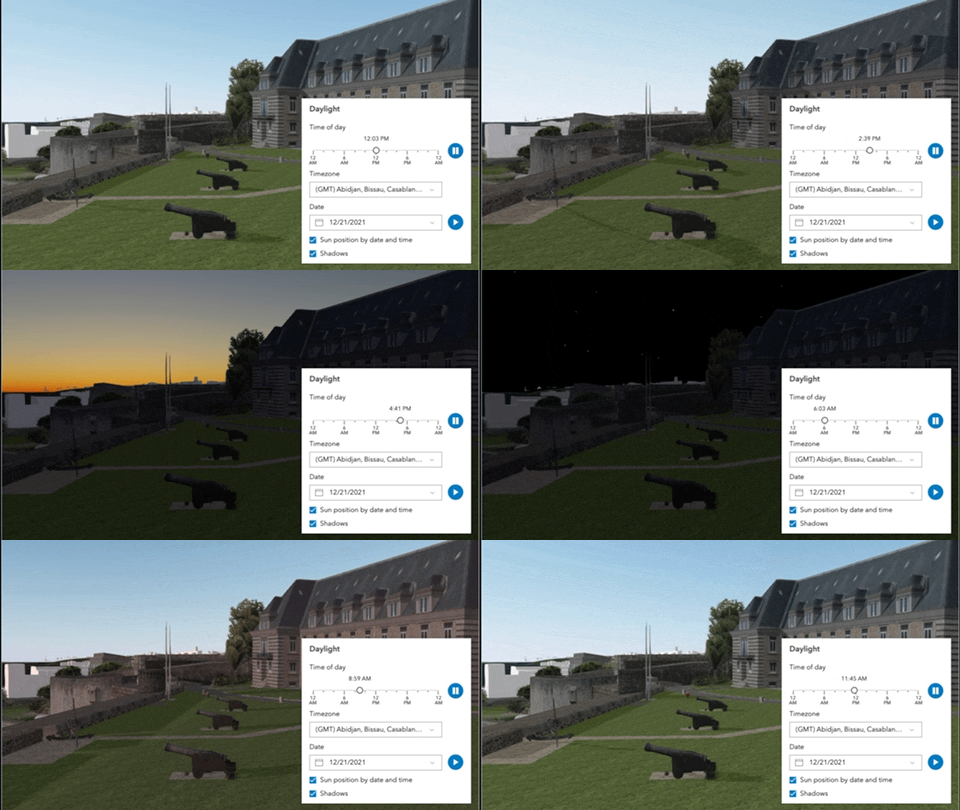
When illuminating the scene with sunlight and adjusting the time and date, the positions of the sun and stars are updated accordingly. This also updates the date property of arcgis-scene.environment.
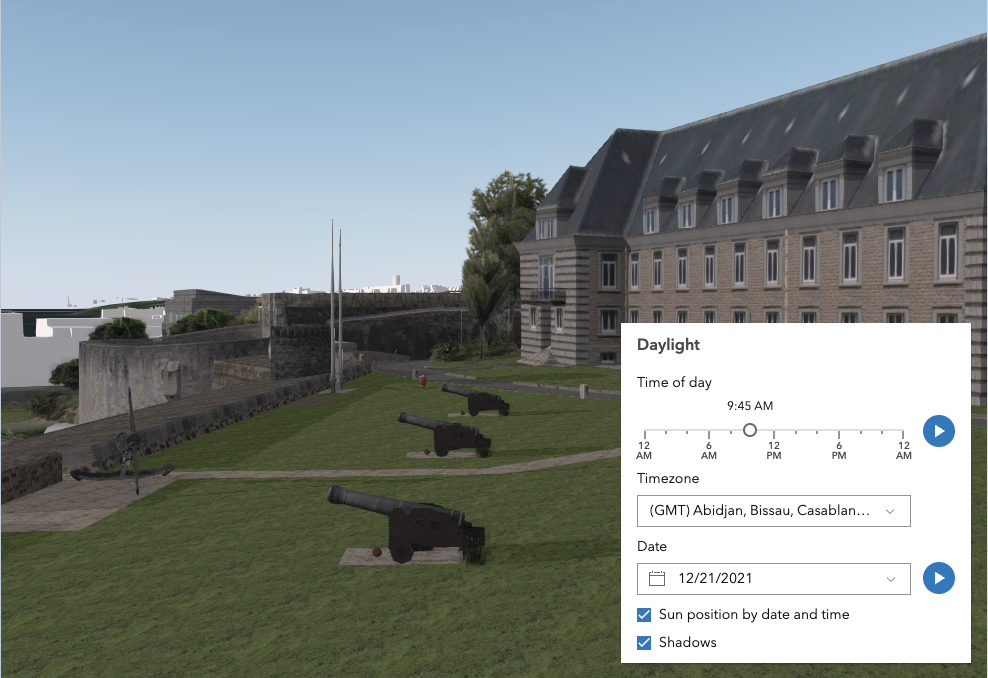
The component has an option to select the timezone. When the user makes any adjustments here, a new time in the chosen timezone is calculated and displayed in the slider. The timezone selector can be disabled by using the hideTimezone property.
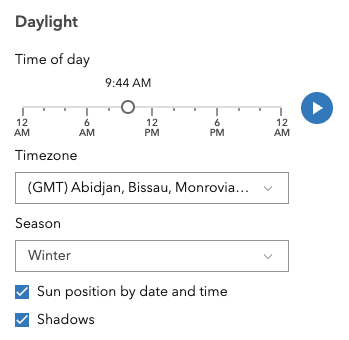
By default, a calendar is displayed to select the day, month, and year. With the dateOrSeason property, the calendar can be replaced with a dropdown menu where a season can be selected instead:
There are two play buttons: one corresponds to the time-of-day slider and animates the lighting over the course of a day, while the other corresponds to the date picker and animates the lighting over the course of a year (month by month). The speed of the time-of-day animation can be set using the playSpeedMultiplier property.
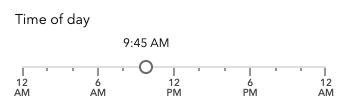
Except for the daytime slider, all the elements in the Daylight component can be hidden:
Whenever the sun position option is unchecked, the scene applies the virtual light source relative to the camera. With this, the component's time slider, timezone, and date picker get automatically disabled:
Things to consider
- Daylight is only supported in a 3D arcgis-scene component.
- The Daylight component uses UTC time and does not account for the daylight savings times in different countries and regions of the world.
- When using the virtual light, setting the time and date programmatically does not have an influence on the lighting conditions of the scene.
- When using the sunlight, the time slider and time zone automatically react to the changes of the camera (e.g., position, rotation, pan, zoom) because the position of the simulated sun is updated to maintain a consistent solar time of day based on the camera's current longitude. This can be adjusted using the cameraTrackingEnabled property on arcgis-scene.environment.
Demo
Properties
| Property | Attribute | Type |
|---|---|---|
auto-destroy-disabled | ||
current-season | ||
dateOrSeason reflected | date-or-season | "date" | "season" |
day-playing | ||
heading-level | ||
hide-date-picker | ||
hide-header | ||
hide-play-buttons | ||
hide-shadows-toggle | ||
hide-sun-lighting-toggle | ||
hide-timezone | ||
icon reflected | icon | Icon["icon"] | undefined |
label | ||
local-date | ||
play-speed-multiplier | ||
reference-element | ||
time-slider-position | ||
time-slider-steps | ||
utc-offset | ||
| ||
year-playing |
autoDestroyDisabled
- Type
- boolean
If true, the component will not be destroyed automatically when it is disconnected from the document. This is useful when you want to move the component to a different place on the page, or temporarily hide it. If this is set, make sure to call the destroy() method when you are done to prevent memory leaks.
- Attribute
- auto-destroy-disabled
- Default value
- false
currentSeason
- Type
- Season
Sets the season that is used when the component displays the season picker. Each season uses a fixed date corresponding to the seasonal equinoxes and solstices.
- See also
- Attribute
- current-season
dateOrSeason
- Type
- "date" | "season"
Controls whether the component displays a date or a season picker. When the date picker is set, the user selects the date from a calendar. The season picker allows the user to choose a season from a drop-down list. Each season uses a fixed date corresponding to the equinoxes and solstices of 2014.
- Attribute
- date-or-season
- Default value
- "date"
dayPlaying
- Type
- boolean
Starts or pauses the daytime animation cycling through the minutes of the day.
Set the property to true to start the animation and to false to pause it.
- Attribute
- day-playing
- Default value
- false
headingLevel
- Type
- HeadingLevel
Indicates the heading level to use for the component title.
- Attribute
- heading-level
- Default value
- 2
icon
- Type
- Icon["icon"] | undefined
Icon which represents the component. Typically used when the component is controlled by another component (e.g. by the Expand component).
- See also
- Attribute
- icon
- Default value
- "brightness"
localDate
- Type
- Date
- Since
- ArcGIS Maps SDK for JavaScript 4.34
The calendar date in the timezone given by utcOffset.
- Attribute
- local-date
Examples
daylight.localDate = new Date("2005-08-25");// Alternatively, the date can be set by configuring the `date` property of `SunLighting`.viewElement.environment.lighting = new SunLighting({ date: new Date("2005-08-25T16:00:00")}); playSpeedMultiplier
- Type
- number
Controls the daytime animation speed.
- Attribute
- play-speed-multiplier
- Default value
- 1.0
Example
// Plays the daylight animation at half of the default speeddaylight.playSpeedMultiplier = 0.5; referenceElement
- Type
- ArcgisReferenceElement | string | undefined
By assigning the id attribute of the Map or Scene component to this property, you can position a child component anywhere in the DOM while still maintaining a connection to the Map or Scene.
- Attribute
- reference-element
timeSliderPosition
- Since
- ArcGIS Maps SDK for JavaScript 4.34
Slider position for the time of day in the timezone given by utcOffset. The position represents the time of the day in minutes. Possible values range between 0 and 1440.
- Attribute
- time-slider-position
Examples
// Set the time to 4:00 PM (16:00) in the given timezone.daylight.timeSliderPosition = 16 * 60;// Alternatively, the time can be set by configuring the `date` property of `SunLighting`.// Then, the time slider gets updated automatically.viewElement.environment.lighting = new SunLighting({ date: new Date("2005-08-25T16:00:00")}); timeSliderSteps
Sets the interval, in minutes, with which the time slider increments or decrements as it is dragged or changed via the keyboard.
- Attribute
- time-slider-steps
- Default value
- 5
Example
// Set steps at an interval of 60. Then, the slider thumb snaps at each hour of the day.daylight.timeSliderSteps = 60; utcOffset
- Since
- ArcGIS Maps SDK for JavaScript 4.34
The difference in hours between UTC time and the time displayed in the component.
- Attribute
- utc-offset
Examples
daylight.utcOffset = -8;// Alternatively, the UTC offset can be set by configuring the `displayUTCOffset` property of `SunLighting`.viewElement.environment.lighting = new SunLighting({ displayUTCOffset: -8}); view
The view associated with the component.
Note: The recommended approach is to fully migrate applications to use map and scene components and avoid using MapView and SceneView directly. However, if you are migrating a large application from widgets to components, you might prefer a more gradual transition. To support this use case, the SDK includes this
viewproperty which connects a component to a MapView or SceneView. Ultimately, once migration is complete, the arcgis-daylight component will be associated with a map or scene component rather than using theviewproperty.
yearPlaying
- Type
- boolean
Starts or pauses the date animation cycling through the months of the year.
Set the property to true to start the animation and to false to pause it.
- Attribute
- year-playing
- Default value
- false
Methods
| Method | Signature |
|---|---|
componentOnReady inherited | componentOnReady(): Promise<this> |
destroy(): Promise<void> |
componentOnReady
- Signature
-
componentOnReady (): Promise<this>
Creates a promise that resolves once the component is fully loaded.
- Returns
- Promise<this>
Example
const arcgisDaylight = document.querySelector("arcgis-daylight");document.body.append(arcgisDaylight);await arcgisDaylight.componentOnReady();console.log("arcgis-daylight is ready to go!");Events
arcgisReady
arcgisReady: CustomEvent<void> Emitted when the component associated with a map or scene view is ready to be interacted with.
arcgisUserDateTimeChange
arcgisUserDateTimeChange: CustomEvent<void> - Since
- ArcGIS Maps SDK for JavaScript 4.33
Fires when the user changes the date or time in the component by interacting with the slider, the date picker, the season selector or the play buttons.