import "@arcgis/map-components/components/arcgis-legend";- Inheritance:
- ArcgisLegend→
PublicLitElement
- Since
- ArcGIS Maps SDK for JavaScript 4.28
The Legend component displays the symbols and labels used to represent layers in an arcgis-map or arcgis-scene.
Only layers and sublayers visible in the view are shown, unless ignoreLayerVisibility is set to true.
The legend automatically updates when:
- the visibility of a layer or sublayer changes
- a layer is added or removed from the map
- a layer's
renderer,opacity, ortitleis changed - the
legendEnabledproperty is changed (set totrueorfalseon the layer)
Known Limitations
- Currently, the legend component does not support the following layer types: ElevationLayer, GraphicsLayer, IntegratedMeshLayer, KMLLayer, MapNotesLayer, OpenStreetMapLayer, VectorTileLayer, VideoLayer, and WebTileLayer.
- Symbol3D with more than one symbol are not supported.
- DictionaryRenderer is not supported.
- TrackInfo is not supported.
- CIM Symbol primitiveOverride is not supported.
- RasterStretchRenderer dynamicRangeAdjustment is not supported.
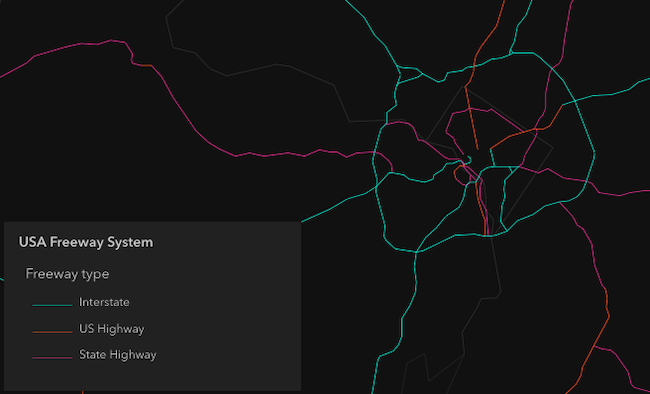
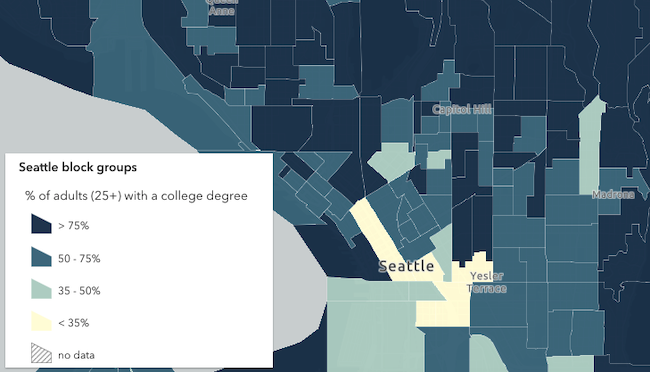
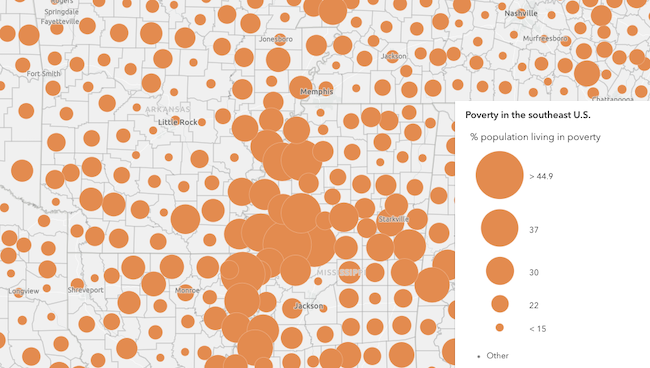
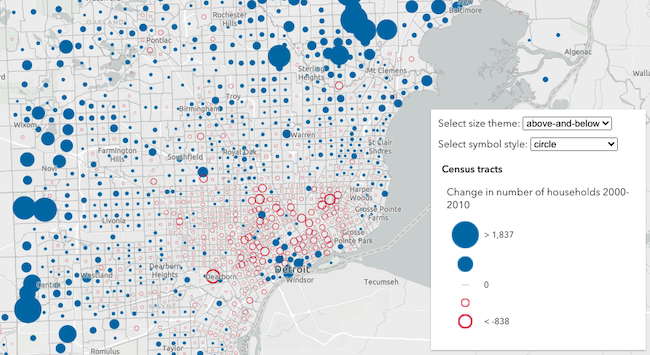
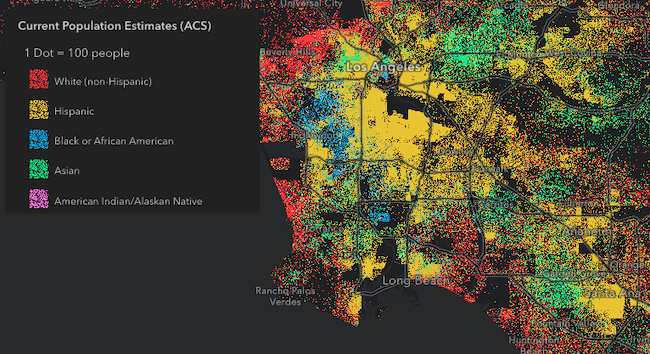
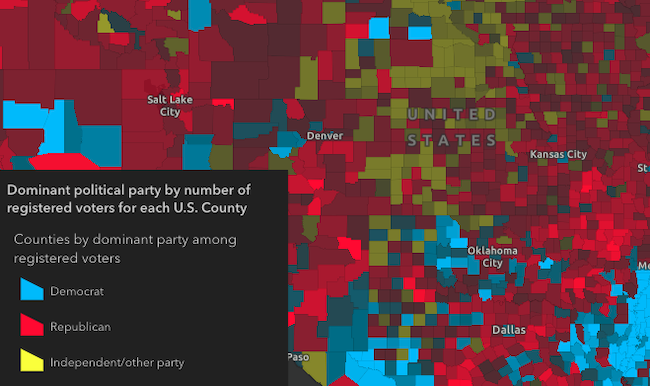
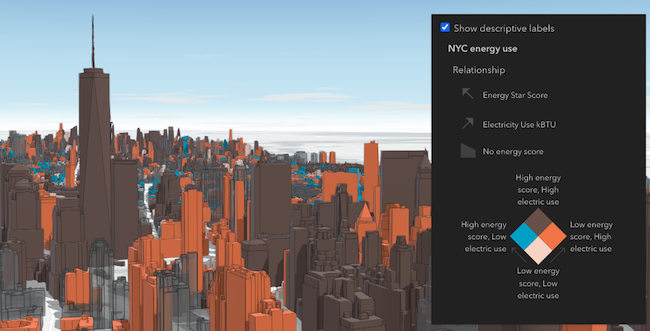
Various examples of legends based on renderer type.
Unique values
Continuous color

Classed color
Continuous size
Size - above and below
Dot density
Predominance
Relationship
Legend labels
Legend text is directly controlled through the layer and renderer properties. For example, layer.title is directly used by the legend to present a layer's symbology to the end user. To override this text, you can directly update layer.title.
Furthermore, you can control date and number formatting in Legend by using the FieldConfiguration formatting options on the layer. As an alternative to this, you can override Legend text via the renderer's properties. For example, the renderer may have a legendOptions property (or a label property in the case of visual variable stops or UniqueValueInfos) that can be used to override default legend text describing the renderer element in question. The Update legend text sample provides an example of overriding legend text via the renderer.
Note that when you override legend text, all formatting and localization that would otherwise be dynamically applied to labels will no longer apply.
Demo
Properties
| Property | Attribute | Type |
|---|---|---|
| ||
auto-destroy-disabled | ||
basemap-legend-visible | ||
card-style-layout | "auto" | "side-by-side" | "stack" | undefined | |
heading-level | ||
hide-layers-not-in-current-view | ||
icon | ||
ignore-layer-visibility | ||
label | ||
| ||
legend-style | "card" | "classic" | {
type: "card" | "classic";
layout?: "auto" | "side-by-side" | "stack";
} | |
loading readonly reflected | loading | |
| ||
reference-element | ||
respect-layer-definition-expression | ||
state readonly | | |
|
activeLayerInfos
- Type
- Collection<ActiveLayerInfo>
Collection of ActiveLayerInfo objects used by the legend view to display data in the legend. The legend component watches this property to hide or display the layer's legend when an ActiveLayerInfo is removed from or added to this collection.
autoDestroyDisabled
- Type
- boolean
If true, the component will not be destroyed automatically when it is disconnected from the document. This is useful when you want to move the component to a different place on the page, or temporarily hide it. If this is set, make sure to call the destroy() method when you are done to prevent memory leaks.
- Attribute
- auto-destroy-disabled
- Default value
- false
basemapLegendVisible
- Type
- boolean
Indicates whether to show the Basemap layers in the Legend. If you set this property to
true and specify layerInfos that include the basemap layers, the basemap will be displayed in the legend.
Known limitation:
VectorTileLayers in the basemap are not currently supported in the legend. This includes most Esri basemaps such as "Streets", "Topographic", "Navigation", and others that use vector tiles.
- Attribute
- basemap-legend-visible
- Default value
- false
Example
Show basemap layers in the legend
const mapElement = document.querySelector("arcgis-map");const basemapLayer = mapElement.map.basemap.baseLayers.getItemAt(0);const legend = document.querySelector("arcgis-legend");legend.layerInfos = [{ layer: basemapLayer }];legend.basemapLegendVisible = true; cardStyleLayout
- Type
- "auto" | "side-by-side" | "stack" | undefined
- Since
- ArcGIS Maps SDK for JavaScript 4.34
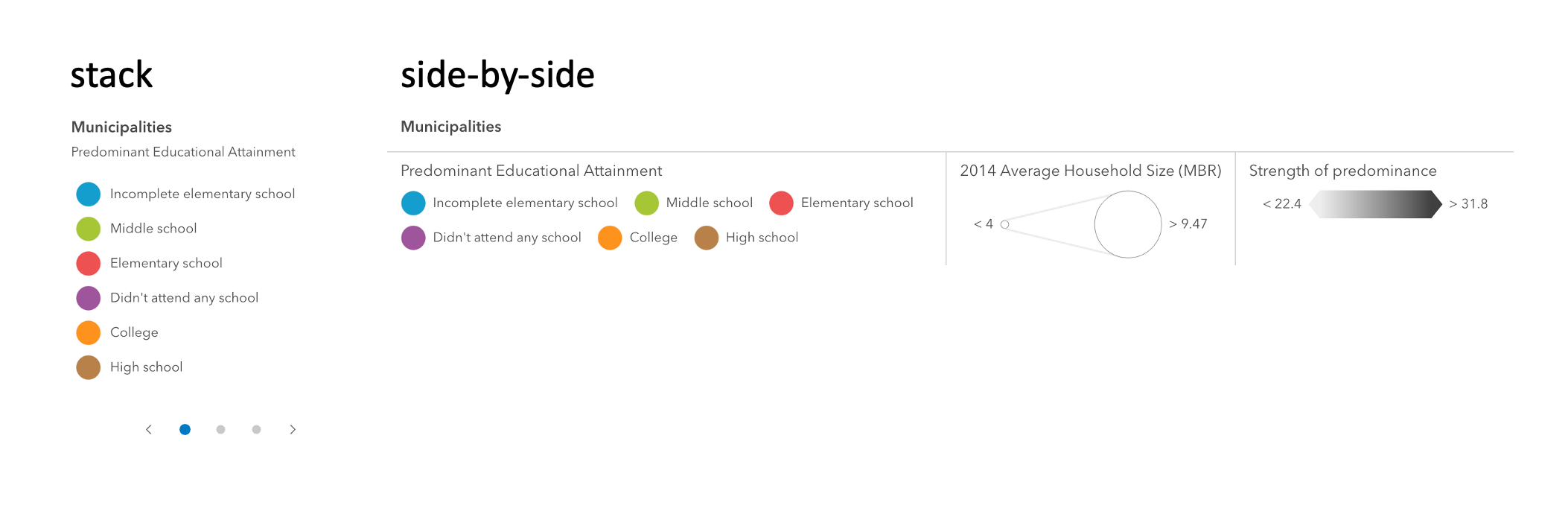
Indicates the layout of the legend when the legendStyle is set to the string value of "card".
The layout determines how the legend's content is arranged.
- Attribute
- card-style-layout
Example
Renders the legend in the card style with a "stack" layout
<arcgis-legend legend-style="card" card-style-layout="stack"></arcgis-legend>const legend = document.querySelector("arcgis-legend");legend.legendStyle = "card";legend.cardStyleLayout = "stack"; headingLevel
- Type
- HeadingLevel
Indicates the heading level to use for the legend title. By default, legend titles are rendered as level 3 headings (e.g. <h3>Legend title</h3>). Depending on the legend placement
in your app, you may need to adjust this heading for proper semantics. This is important for meeting accessibility standards.
- See also
- Attribute
- heading-level
- Default value
- 3
Example
Legend title will render as an <h2>
<arcgis-legend heading-level="2"></arcgis-legend>document.querySelector("arcgis-legend").headingLevel = 2; hideLayersNotInCurrentView
- Type
- boolean
When true, layers will only be shown in the legend if they are visible in the view's extent. When data from a layer
is not visible in the view, the layer's legend information will be hidden. Only layers that implement the createQuery()
and queryFeatureCount() methods are supported by hideLayersNotInCurrentView.
To hide layers completely from the legend, you should set the legendEnabled property of the layer to false.
- See also
- Attribute
- hide-layers-not-in-current-view
- Default value
- false
Example
Layers not displayed in the current map extent will not be shown in the legend
<arcgis-legend hide-layers-not-in-current-view></arcgis-legend>document.querySelector("arcgis-legend").hideLayersNotInCurrentView = true; ignoreLayerVisibility
- Type
- boolean
- Since
- ArcGIS Maps SDK for JavaScript 4.34
Determines whether to respect the properties of the layers in the map that control the legend's visibility (minScale, maxScale, legendEnabled).
By default, a layer's legend elements will not render in the legend given the following conditions:
- The layer's legendEnabled property
is set to
false. - If the view's scale is outside the visibility range defined by the layer's minScale and maxScale properties.
When the ignoreLayerVisibility property of the legend is set to true, the legend elements for each
layer in the map will always display, thus disregarding the minScale, maxScale,
and legendEnabled properties for each layer in the map.
- See also
- Attribute
- ignore-layer-visibility
- Default value
- false
Example
Always displays legend elements for the map's layers regardless of their minScale, maxScale, and legendEnabled properties.
<arcgis-legend ignore-layer-visibility></arcgis-legend>document.querySelector("arcgis-legend").ignoreLayerVisibility = true; layerInfos
Specifies a subset of the layers to display in the legend. This includes any basemap layers
you want to be visible in the legend. If this property is not set, all layers in the map will display in the legend, including
basemap layers if basemapLegendVisible is true. Objects in this array are defined with the properties in the example below.
Example
Only show a specific sublayer in the legend
const subtypeGroupLayer = webmap.layers.getItemAt(0);const subtypeSubLayer = subtypeGroupLayer.sublayers.getItemAt(1);const subtypeSublayerId = parseInt(subtypeSubLayer.subtypeCode);document.querySelector("arcgis-legend").layerInfos = [ { layer: subtypeGroupLayer, sublayerIds: [subtypeSublayerId] }];}); legendStyle
- Type
- "card" | "classic" | { type: "card" | "classic"; layout?: "auto" | "side-by-side" | "stack"; }
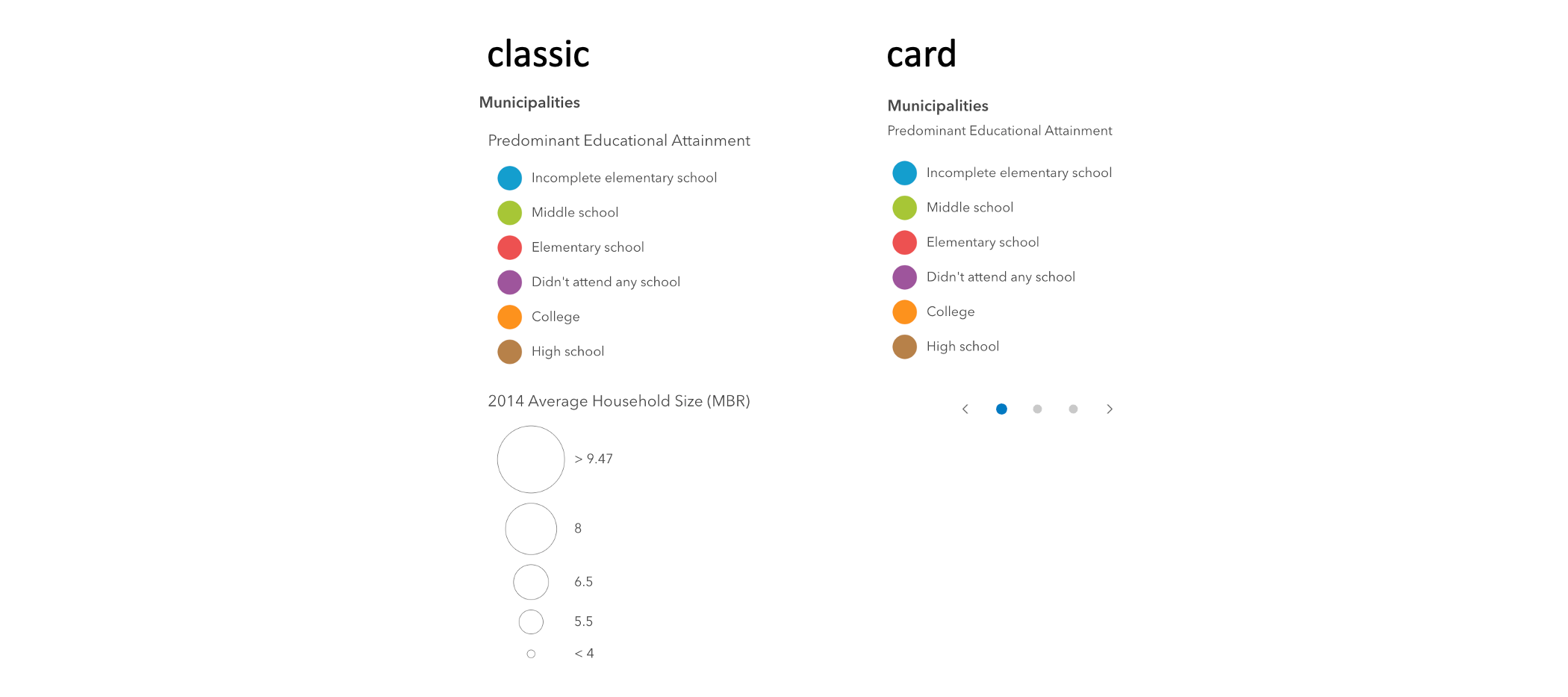
Indicates the style of the legend. The style determines the legend's layout and behavior.
You can either specify a string or an object to indicate the style. The known string values are the same values listed in
the table within the type property.
- See also
- Attribute
- legend-style
- Default value
- "classic"
Example
Renders the legend in the card style with a stack layout
document.querySelector("arcgis-legend").legendStyle = { type: "card", layout: "stack"}; loading
- Type
- boolean
- Since
- ArcGIS Maps SDK for JavaScript 4.34
Indicates whether the legend is currently loading.
- Attribute
- loading
- Default value
- false
referenceElement
- Type
- ArcgisReferenceElement | string | undefined
By assigning the id attribute of the Map or Scene component to this property, you can position a child component anywhere in the DOM while still maintaining a connection to the Map or Scene.
- Attribute
- reference-element
respectLayerDefinitionExpression
- Type
- boolean
- Since
- ArcGIS Maps SDK for JavaScript 4.30
If a layer uses a unique value render, only features that satisfy the layer's definition will be displayed in the legend when set to true.
- See also
- Attribute
- respect-layer-definition-expression
- Default value
- false
Example
Only display features that satisfy the layer's definitionExpression.
<arcgis-legend respect-layer-definition-expression></arcgis-legend>document.querySelector("arcgis-legend").respectLayerDefinitionExpression = true; state
- Type
- LegendViewModelState
The current state of the component.
- Default value
- "disabled"
view
- Type
- LinkChartView | MapViewOrSceneView | null | undefined
The view associated with the component.
Note: The recommended approach is to fully migrate applications to use map and scene components and avoid using MapView and SceneView directly. However, if you are migrating a large application from widgets to components, you might prefer a more gradual transition. To support this use case, the SDK includes this
viewproperty which connects a component to a MapView or SceneView. Ultimately, once migration is complete, the arcgis-legend component will be associated with a map or scene component rather than using theviewproperty.
Methods
| Method | Signature |
|---|---|
componentOnReady inherited | componentOnReady(): Promise<this> |
destroy(): Promise<void> |
componentOnReady
- Signature
-
componentOnReady (): Promise<this>
Creates a promise that resolves once the component is fully loaded.
- Returns
- Promise<this>
Example
const arcgisLegend = document.querySelector("arcgis-legend");document.body.append(arcgisLegend);await arcgisLegend.componentOnReady();console.log("arcgis-legend is ready to go!");Events
| Name | Type |
|---|---|
| CustomEvent<{ name: "state"; }> | |
arcgisPropertyChange
arcgisPropertyChange: CustomEvent<{ name: "state"; }> Emitted when the value of a property is changed. Use this to listen to changes to properties.
arcgisReady
arcgisReady: CustomEvent<void> Emitted when the component associated with a map or scene view is ready to be interacted with.