Census tracts styled with a relationship renderer showing the geographic relationship between household size and home value
What is a relationship style?
Also known as a bivariate choropleth map
Keep in mind that even if you observe a positive relationship between the two variables of interest, it doesn’t mean they are statistically correlated. It also doesn’t imply that the presence of one variable influences the other. Therefore, this renderer should be used judiciously with some prior knowledge that two variables may likely be related.
How a relationship style works
This renderer classifies each variable in either 2, 3, or 4 classes along separate color ramps. One of those ramps is rotated 90 degrees and overlaid on the other to create a 2x2, 3x3, or 4x4 square grid. The x-axis indicates the range of values for one variable, and the y-axis indicates the range for the second variable. The squares running diagonal from the lower left corner to the upper right corner indicate features where the two variables may be related or in agreement with one another.
The legend of a relationship renderer resembles a grid of two single-hue sequential color ramps overlaid on each other, forming a third hue along a diagonal line, which indicates where the two variables could potentially be related.
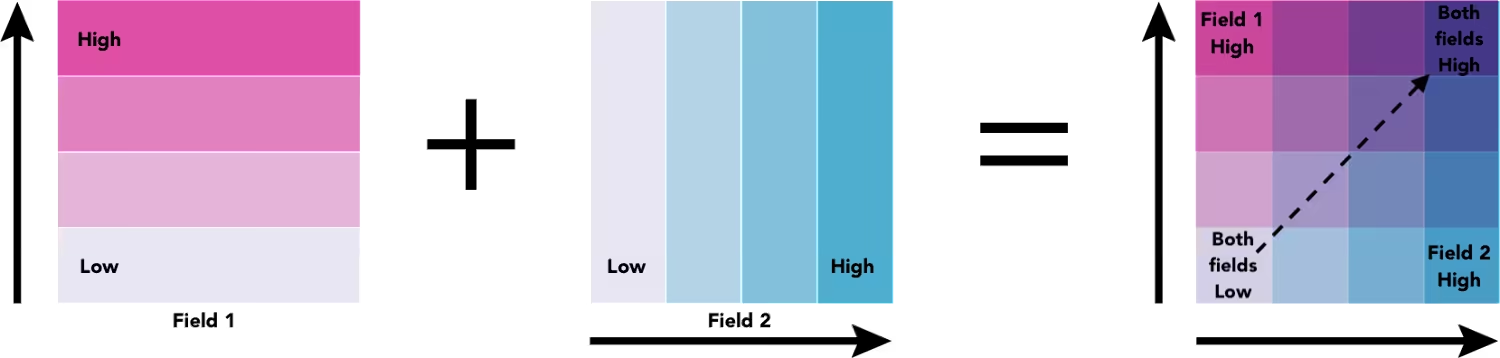
The lower right and upper left corners indicate features where one field has high values and the other field low values and vice versa.
Examples
3x3 grid
The following example shows the geographic relationship between average household size and average home value using a 3x3 relationship color scheme. Expand the legend in the top-right corner of the map to view where both variables could be related, and where they are not.
To create a relationship map, you need to request the renderer from the relationship Smart Mapping module.
Pan and zoom the map to explore the geographic relationship between household size and home value.
78 collapsed lines
<!doctype html><html> <head> <meta charset="utf-8" /> <meta name="viewport" content="width=device-width, initial-scale=1, shrink-to-fit=no" /> <title>Esri Developer Guide: Relationship</title>
<link rel="stylesheet" href="https://js.arcgis.com/5.1/esri/themes/light/main.css" /> <!-- Load the ArcGIS Maps SDK for JavaScript from CDN --> <script type="module" src="https://js.arcgis.com/5.1/"></script>
<style> html, body, #viewDiv { height: 100%; margin: 0; } </style>
<script type="module"> const [MapView, WebMap, FeatureLayer, Legend, Expand, relationshipRendererCreator] = await $arcgis.import([ "@arcgis/core/views/MapView.js", "@arcgis/core/WebMap.js", "@arcgis/core/layers/FeatureLayer.js", "@arcgis/core/widgets/Legend.js", "@arcgis/core/widgets/Expand.js", "@arcgis/core/smartMapping/renderers/relationship.js", ]);
const layer = new FeatureLayer({ portalItem: { id: "1cbb0faa0f1f424bbe213bfae9319309", }, blendMode: "multiply", definitionExpression: "STATE = 'AZ'", });
const map = new WebMap({ portalItem: { id: "9cf503b654144873a8e33f996f91ba1d", }, layers: [layer], });
const referenceScale = 9244650 * 2;
const view = new MapView({ container: "viewDiv", map: map, scale: 1155580, center: [-111.868, 33.411], // Set dock options on the view's popup popup: { dockEnabled: true, dockOptions: { breakpoint: false, }, }, constraints: { snapToZoom: false, }, });
view.ui.add( new Expand({ content: new Legend({ view, }), view, }), "top-right", );
layer.when().then(createRelationshipRenderer).then(applyRenderer);
function createRelationshipRenderer() {
const params = { layer: layer, view: view, field1: { field: "AVGHHSZ_CY", label: "Household size", }, field2: { field: "AVGVAL_CY", label: "Home value", }, focus: null, numClasses: 3, outlineOptimizationEnabled: true, };
return relationshipRendererCreator.createRenderer(params);33 collapsed lines
}
function applyRenderer(response) { const renderer = response.renderer;
renderer.uniqueValueInfos.forEach(function (info) { switch (info.value) { case "HH": info.label = "Large households; Expensive homes"; break; case "HL": info.label = "Large households; Cheaper homes"; break; case "LH": info.label = "Small households; Expensive homes"; break; case "LL": info.label = "Small households; Cheaper homes"; break; } });
layer.renderer = renderer; } </script> </head>
<body> <div id="viewDiv"></div> </body></html>Related samples and resources
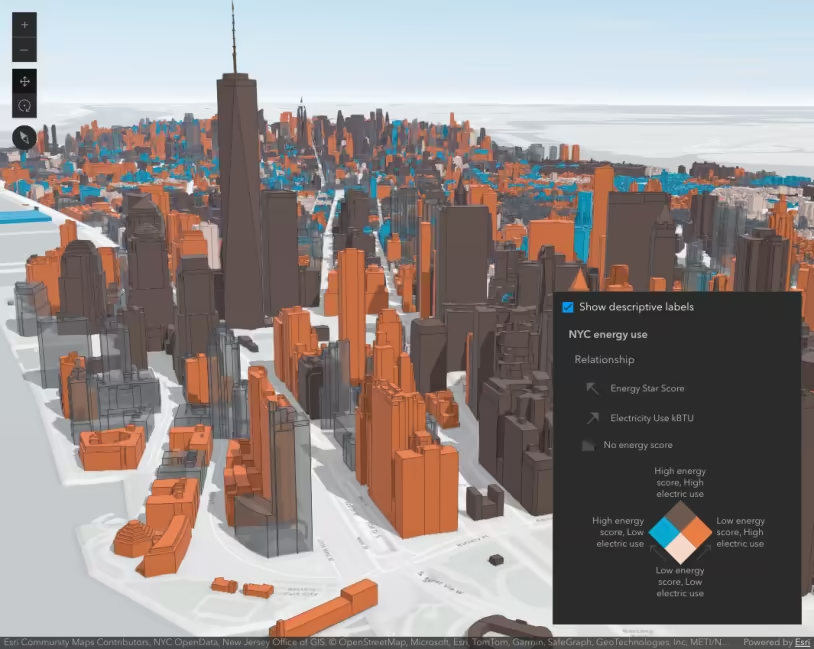
Generate a relationship visualization
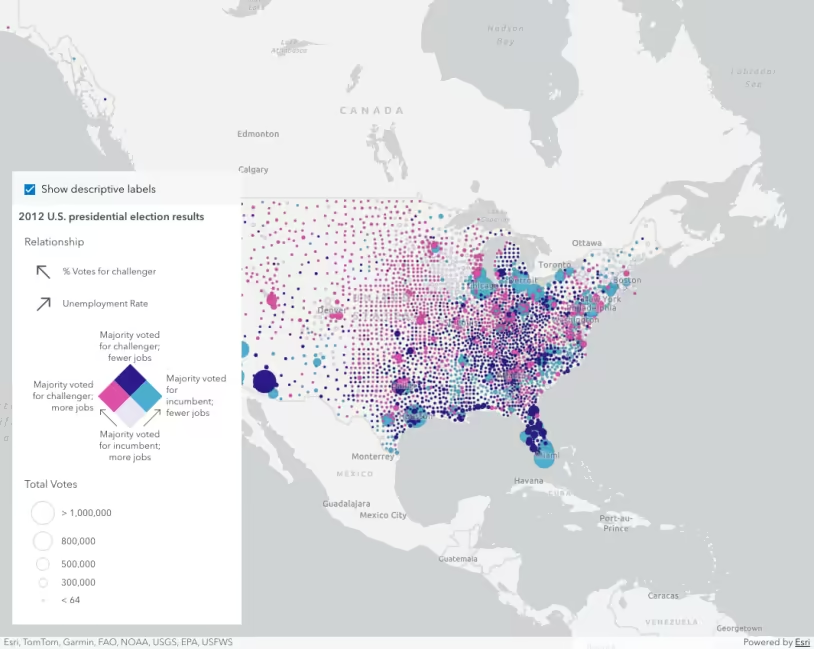
Update legend text
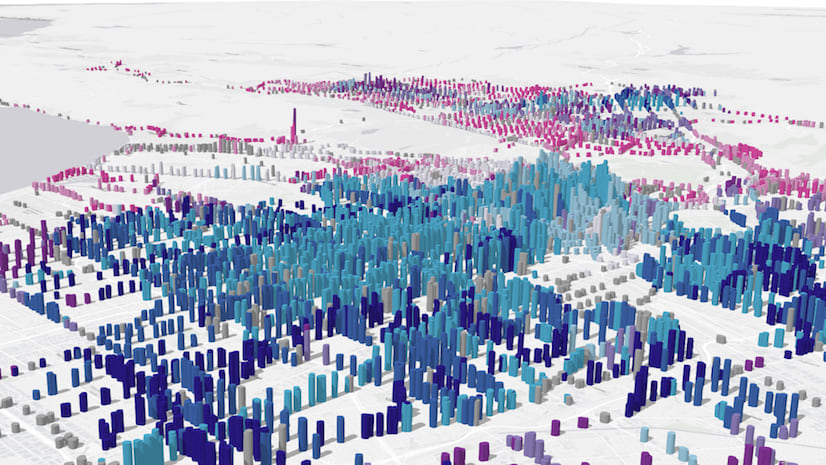
Smart Mapping with Arcade: Exploring relationships
API support
| 2D | 3D | Arcade | Points | Lines | Polygons | Mesh | |
|---|---|---|---|---|---|---|---|
| | | | | | | | |
| | | | | | | | |
| | | | | | | ||
| | | | | | | | |
| | | | | | | | |
| | | | | | | | |
| | | | | | | | |
| | | | | | | | |
| | | | | | | | |
| | | |
- Color only
- Size variable creators only supported for points
- Size variable creators not supported in 3D